


















































Certification Courses
Hands-On Labs
Threat Intelligence
Latest Cyber News
MITRE ATT&CK Breakdown
All Cyber Keywords
Have you ever given a friend temporary access to your Netflix account, only to regret it later when they changed your profile picture? That everyday feeling of "they have more access than they need" is exactly what least privilege prevents in cybersecurity, but on a much more dangerous scale.
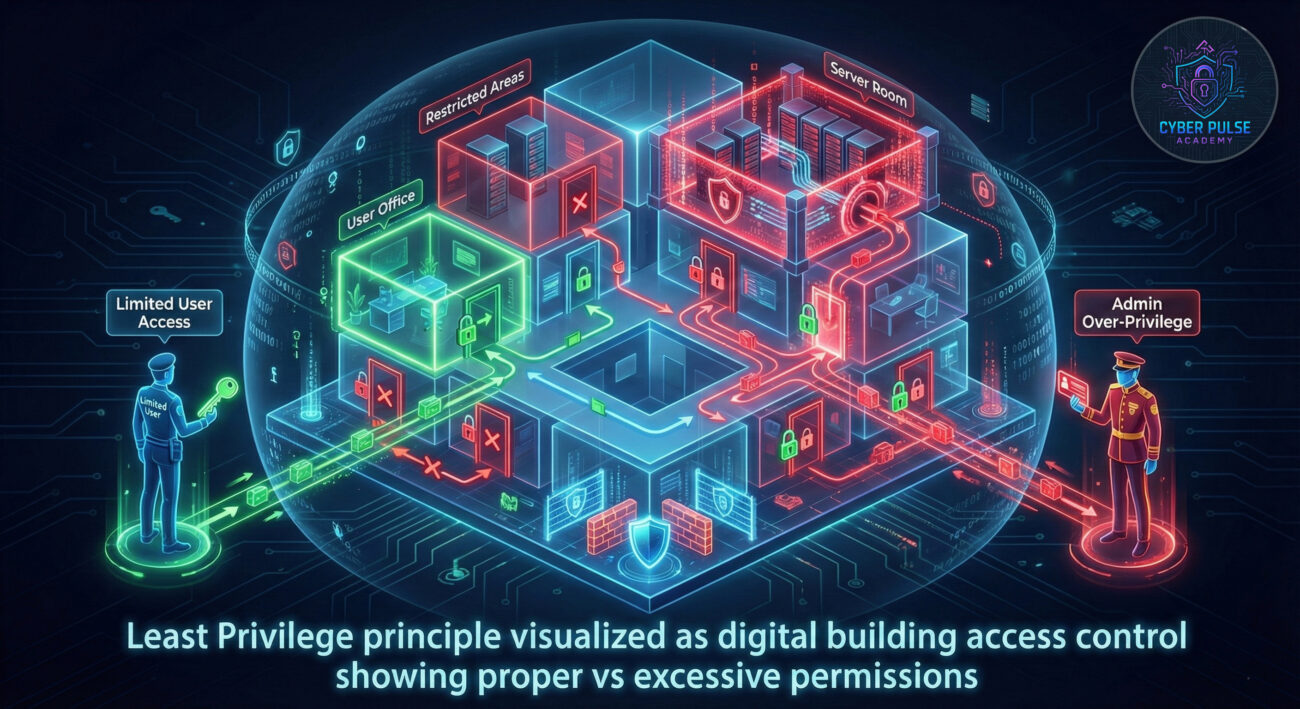
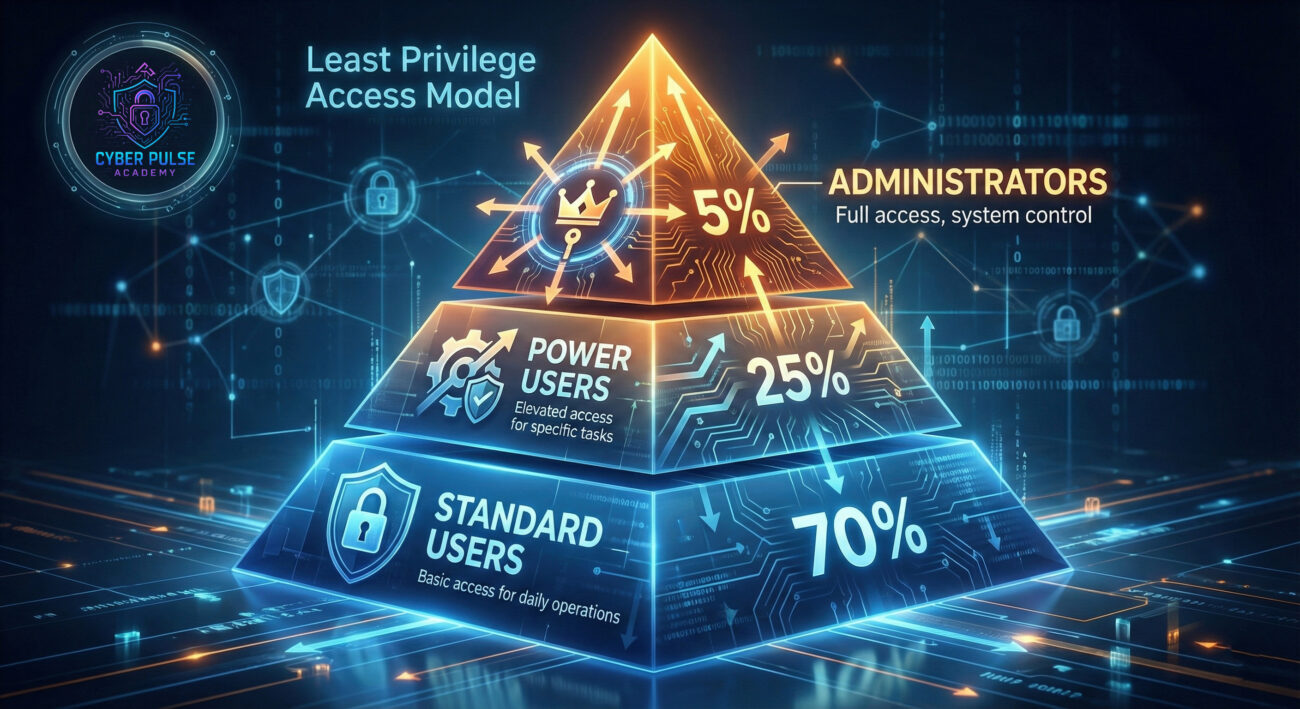
Least privilege is the simple but powerful rule that every user, program, or system should only have the minimum access necessary to perform its job, nothing more. Think of it like giving a house cleaner keys to your front door and cleaning supplies, but not the combination to your safe or access to your personal documents.
In this guide, you'll learn: why this principle prevents most cyber attacks, how to spot privilege violations in your daily digital life, step-by-step implementation strategies, and real-world examples that make this complex topic beginner-friendly.
Imagine if your building superintendent had a master key that opened every apartment, plus access to all security cameras, financial records, and personal safes. One stolen keychain could compromise the entire building. This is exactly what happens digitally when organizations ignore least privilege, a single compromised account can lead to catastrophic data breaches.
According to the Verizon Data Breach Investigations Report, 61% of breaches involve compromised credentials, and excessive privileges significantly amplify the damage. The least privilege principle acts as digital damage control, ensuring that even if an account gets hacked, the attacker's movement is severely limited.
From your personal smartphone apps requesting unnecessary permissions to corporate networks where interns have administrative rights, privilege violations are everywhere. Understanding and applying least privilege isn't just for IT professionals, it's essential digital hygiene for anyone who uses technology.
| Term | Simple Definition | Everyday Analogy |
|---|---|---|
| Least Privilege | The security principle that users/programs get only the minimum access needed for their tasks | Giving a babysitter emergency contact info and house rules, but not your bank PIN or social security number |
| Privilege Escalation | When an attacker gains higher-level access than they should have | A pizza delivery person finding and using the master key left under the mat to access the whole building |
| Access Control | Systems that determine who can access what resources | A hotel keycard that only opens your room door and common areas, not other guests' rooms or staff areas |
| Attack Surface | All the different points where an attacker could try to enter or extract data | The number of unlocked windows and doors in your house, each one is a potential entry point |
| Just-In-Time Access | Temporary, time-limited privileges granted only when specifically needed | Getting a one-day parking pass for a special event instead of a permanent parking spot |
Meet Sarah, who runs a growing online boutique with five employees. Like many small business owners, Sarah initially gave everyone admin access to their order management system for "convenience." Marketing intern Jake could process refunds, update product prices, and access customer databases, far more than his job required.
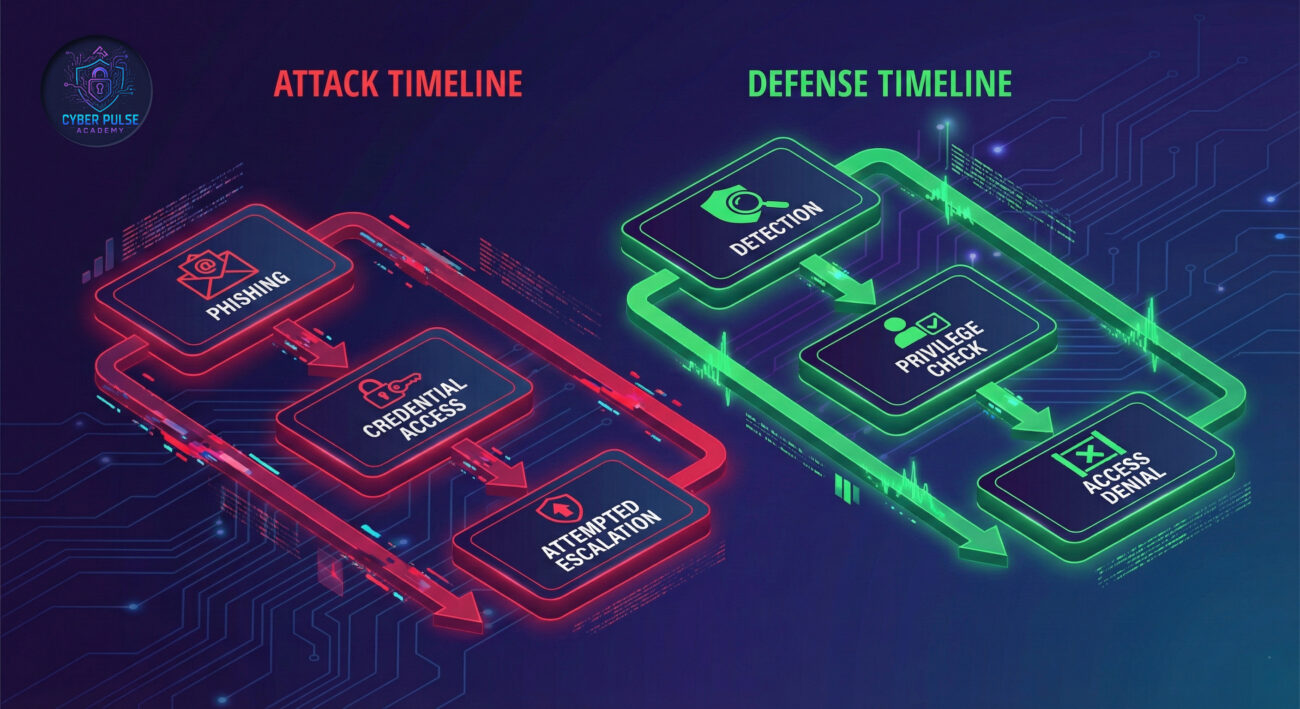
One Tuesday afternoon, Jake accidentally clicked a phishing link in what appeared to be a customer inquiry email. Within minutes, attackers had control of his account. Here's what happened next:
| Time/Stage | What Happened | Impact |
|---|---|---|
| Before 3:00 PM | Jake had excessive admin privileges | High risk - Single compromised account could access everything |
| 3:05 PM | Attackers accessed Jake's credentials | Critical - Full system access obtained through one account |
| 3:10 PM | System detected unusual activity from Jake's account | Alert triggered - Automated monitoring flagged the behavior |
| 3:15 PM | Sarah's team applied least privilege controls they'd recently implemented | Damage contained - Jake's account only had access to marketing materials |
| 3:20 PM | Attackers attempted to access financial systems | Access denied - Privilege restrictions prevented escalation |
Because Sarah had implemented least privilege just two weeks earlier after reading about CISA's Secure by Design principles, Jake's compromised account could only access marketing graphics and social media schedules. The attackers found themselves in a digital "room" with nothing valuable to steal. The attempted breach was contained, customer data remained secure, and Sarah avoided what could have been a business-ending incident.
Start by listing all accounts, apps, and systems you use. For each, ask: "What does this really need to do?"
For each access point, determine if it's essential for the task. Remove anything that's "nice to have" but not necessary.
Add an extra layer of protection for any account that retains important access.
Never use administrative accounts for daily tasks. Create separate standard accounts for regular use.
Privileges change over time. Schedule quarterly reviews of who has access to what.
Set up alerts for unusual access patterns that might indicate compromise.
Make least privilege part of your security culture through documentation and training.
Imagine you're a threat actor (we're only thinking like one to build better defenses). Your first goal after breaching a system isn't stealing data, it's finding accounts with excessive privileges that let you move freely. This process, called privilege escalation, is how minor breaches become catastrophic.
Simple Attack Path: You send a phishing email to an intern. They click, and you get their credentials. Normally, this would be a dead end. But in organizations without least privilege, you discover this intern has access to shared folders containing IT documentation, including a list of service accounts with admin rights. Now you've jumped from intern to system administrator.
Defender's Counter-Move: By implementing least privilege, you ensure that even if the intern's account is compromised, it can't access sensitive documentation. You also monitor for accounts accessing systems they shouldn't. When the attacker tries to access the IT folder from the intern's account, an alert triggers, and security responds before escalation occurs.
Least privilege is frustratingly effective. It creates digital dead ends everywhere. We find an entry point, but then hit walls, can't access databases, can't move to other systems, can't escalate. We're forced to make more noise trying to bypass restrictions, which increases our chance of detection. Our favorite targets are organizations where "everyone is admin" or where service accounts have excessive rights. These are like finding master keys in the first desk drawer we check.
Least privilege is our force multiplier. It contains breaches automatically. When we see an account trying to access something outside its normal pattern, we get immediate alerts. It makes forensic investigations cleaner, we can trace exactly what was accessible. We love that it reduces our "attack surface" dramatically. Implementing it properly does require ongoing maintenance, but the peace of mind knowing that a single compromised account won't sink the entire ship is worth every minute.
You've now mastered one of cybersecurity's most powerful principles: least privilege. Remember these key takeaways:
As reported by CSO Online, organizations implementing proper least privilege reduce their breach risk by up to 85%. Whether you're protecting personal accounts or enterprise systems, applying this principle is your first line of defense against privilege escalation attacks.
Start today: Audit one system you use regularly. Remove one unnecessary permission. Create one separate account for administrative tasks. Each small step builds toward significantly stronger security through the power of least privilege.
Have questions about implementing least privilege in your specific situation? Share your thoughts or scenarios in the comments below, our cybersecurity community loves helping beginners build stronger defenses!
Every contribution moves us closer to our goal: making world-class cybersecurity education accessible to ALL.
Choose the amount of donation by yourself.