


















































Certification Courses
Hands-On Labs
Threat Intelligence
Latest Cyber News
MITRE ATT&CK Breakdown
All Cyber Keywords
Have you ever worried about your email being hacked, your bank account being emptied, or your private photos being leaked online? That gut-wrenching fear you feel is exactly what a cybercriminal preys upon. They are the digital-age thieves, fraudsters, and extortionists who have moved their operations from dark alleyways to the even darker corners of the internet.
A cybercriminal is any person who uses computers, networks, or digital devices to commit illegal activities for financial gain, disruption, or other malicious purposes. Think of them not as mysterious hooded hackers in movies, but more like opportunistic burglars. They constantly test doorknobs (weak passwords), look for open windows (unpatched software), and send fake mail (phishing emails) to trick you into letting them in.
In this guide, you'll learn exactly who these digital adversaries are, how they operate in simple terms, and, most importantly, how to build your own digital fortress to keep them out. We'll strip away the technical jargon and give you the clear, actionable knowledge every beginner needs to navigate the online world with confidence.
Imagine coming home to find your front door slightly ajar. Your heart races. You know you locked it. This visceral feeling of violation is what millions experience digitally every day, not by a physical intruder, but by a cybercriminal. Your digital "home", filled with personal photos, financial details, and private messages, is a constant target.
Forget the Hollywood stereotype of the lone genius hacker. Today's cybercriminal is often part of a highly organized business, complete with customer support, HR departments, and quarterly targets. They've industrialized theft. In 2023 alone, global losses from cybercrime are estimated to have reached $8 trillion, a number larger than the GDP of most countries. This isn't just a tech problem; it's a threat to your privacy, finances, and peace of mind.
By the end of this guide, you'll be able to identify their common tricks, understand their motivations, and implement simple but powerful defenses. You'll transform from a potential victim into an informed and protected digital citizen.
The digital world is now inseparable from our real one. We bank, socialize, work, and store memories online. This creates a vast, lucrative playground for cybercriminals. Their goal isn't to show off technical skill; it's to make money, often at your direct expense.
According to the FBI's Internet Crime Complaint Center (IC3), phishing scams, personal data breaches, and ransomware attacks are skyrocketing. A recent report by CISA highlights that small businesses and individuals are frequent targets precisely because they often lack robust defenses. The impact goes beyond money: emotional distress, reputational damage, and loss of irreplaceable personal data are common consequences.
Understanding the cybercriminal mindset, their tools, techniques, and preferred targets, is the first and most crucial step in building effective protection. It's not about paranoia; it's about preparedness. Just as you learn defensive driving to navigate roads safely, learning about cyber threats is essential for navigating the internet safely.
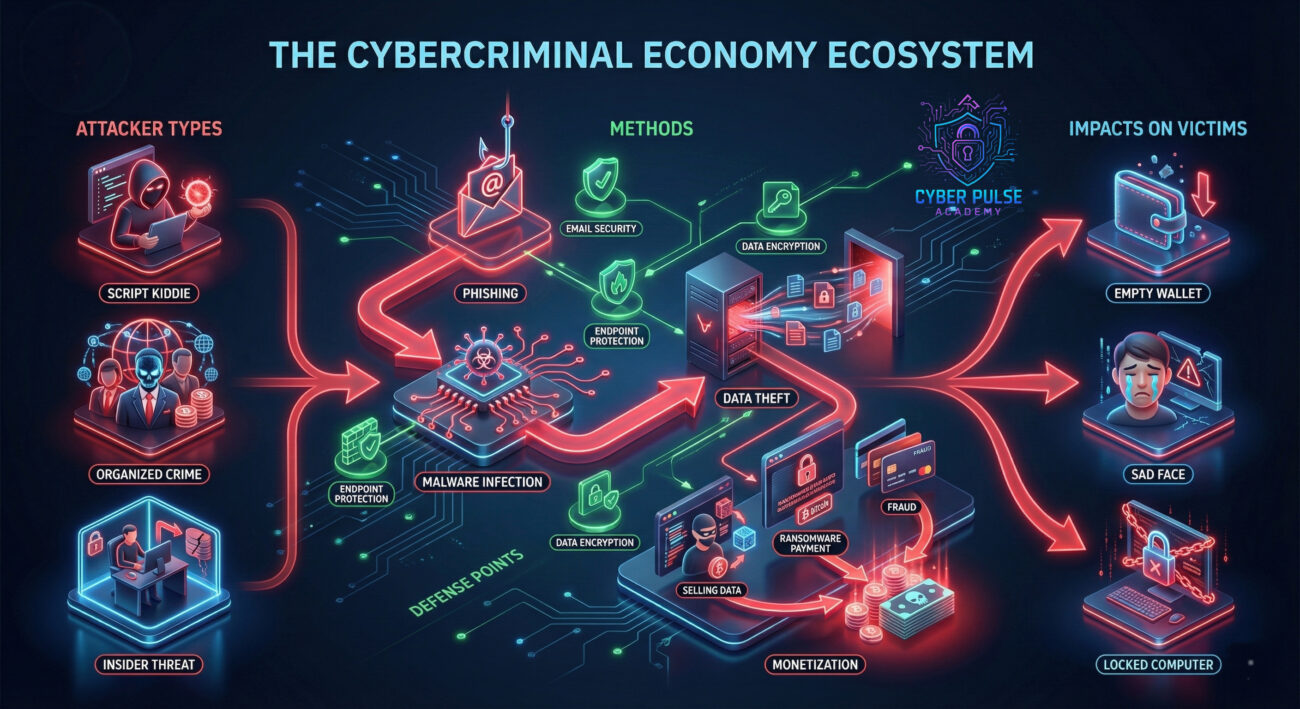
Let's break down the essential jargon. This table translates cybersecurity terms into everyday concepts you already understand.
| Term | Simple Definition | Everyday Analogy |
|---|---|---|
| Cybercriminal | A person who uses digital tools to commit crimes for profit or disruption. | A burglar, but instead of a crowbar, they use malicious software and deception. |
| Malware | Malicious software designed to harm or exploit any device, service, or network. | A digital poison or trap. Once inside your computer, it can steal, spy, or destroy. |
| Phishing | A fraudulent attempt to obtain sensitive information by disguising as a trustworthy entity. | A con artist wearing a uniform (like a fake police officer or bank employee) to trick you into handing over your keys. |
| Encryption | Scrambling data so only authorized parties can read it. | Sending a letter in a locked safe. Even if someone intercepts it, they can't read the contents without the unique key. |
| Multi-Factor Authentication (MFA) | Using two or more proofs of identity to access an account (e.g., password + text code). | Needing both a key and a fingerprint scan to enter a high-security building. One alone isn't enough. |
Sarah, a freelance graphic designer, loved the convenience of online life. She used the same password everywhere, clicked "remind me later" on update notifications, and thought cybersecurity was for big corporations. One Tuesday morning, everything changed.
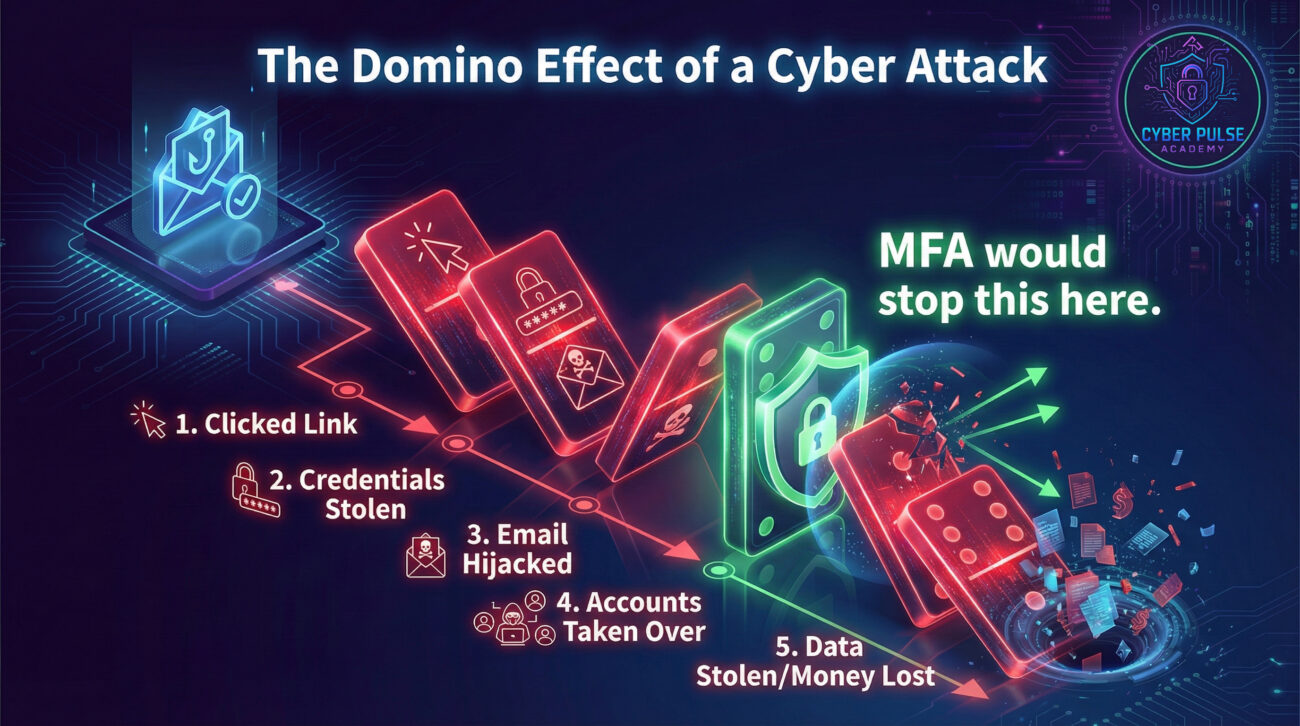
She received an email that looked exactly like it was from her bank, warning of suspicious activity. Anxious, she clicked the link and entered her login details on what she thought was the bank's website. This was a sophisticated phishing attack. Within hours, the cybercriminal had accessed her email, reset passwords for her shopping and cloud storage accounts, and installed malware that logged every keystroke.
The timeline below shows how quickly a simple click can spiral into a full-scale breach:
| Time/Stage | What Happened | Impact on Sarah |
|---|---|---|
| 9:15 AM | Sarah clicks the phishing link and enters her bank credentials. | Initial compromise. Criminals now have a username and password she uses elsewhere. |
| 10:30 AM | Criminals use her email to perform "password reset" requests on other sites. | Loss of control over multiple accounts (Amazon, Adobe, iCloud). |
| 1:00 PM | Malware transmits saved passwords from her browser to the attacker. | Full-scale breach. Even accounts she didn't manually reset are now exposed. |
| 3:45 PM | Fraudulent purchases appear on her credit card; her portfolio website is defaced. | Financial loss and reputational damage to her business. |
| The Aftermath | Sarah spends weeks canceling cards, recovering accounts, and informing clients. | Over 40 hours of recovery time, stress, and loss of client trust. |
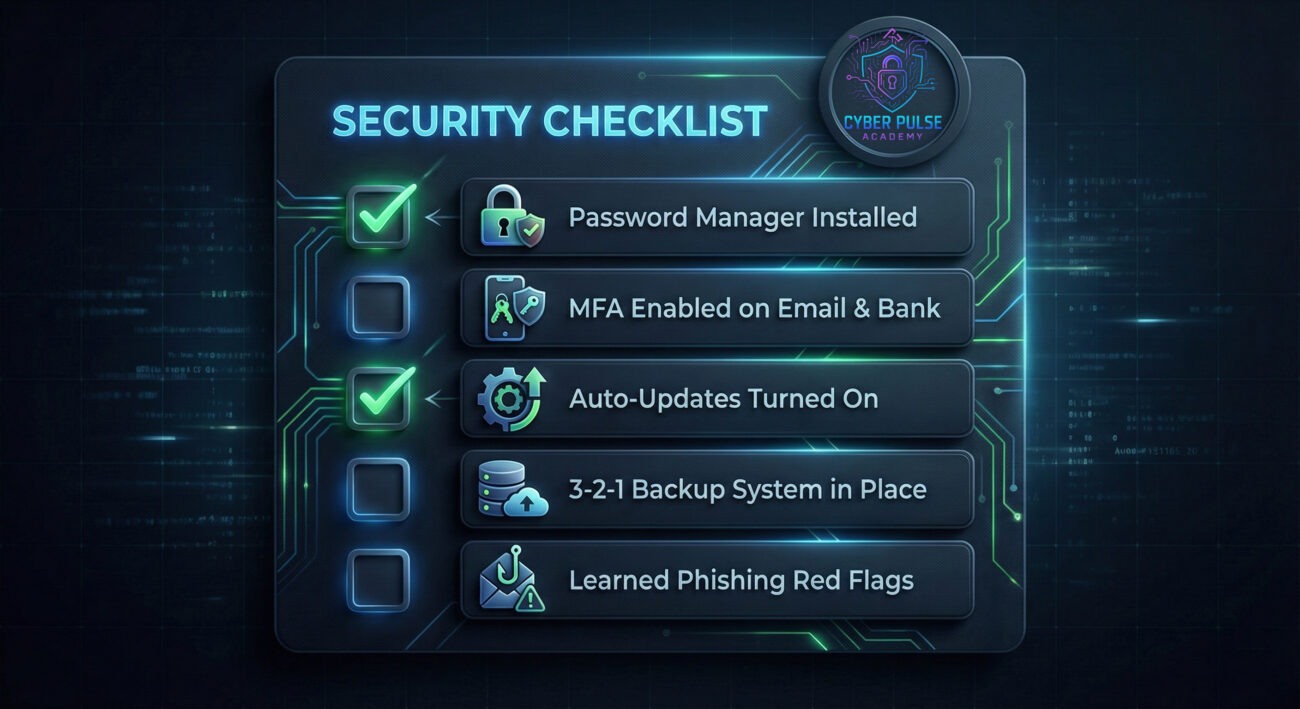
Building your defense doesn't require a degree in computer science. It's about consistent, smart habits. Follow this step-by-step guide to significantly lower your risk.
Your password is the first lock on your digital door. Make it unbreakable.
This is your security guard that checks for a second ID, even if someone has your key.
Learn to spot the fake uniform before you hand over the keys.
Updates are like repairing cracks in your walls before burglars can squeeze through.
This is your disaster recovery plan. If the worst happens, you can restore without paying ransom or losing memories.
To defend well, you must understand how the attacker thinks. Let's walk through a simple, high-level attack path a cybercriminal might take, and the defender's counter-move.
The Attack Path (The "How"): A criminal doesn't start by trying to crack military-grade encryption. They start with the easiest entry point: you. Their first move is often phishing. They'll scour LinkedIn for a company's employees, craft a fake "HR Benefits Update" email with a malicious link, and send it to 1000 staff members. They only need one person to click. That click might install a keylogger or direct them to a fake login page, giving the attacker a foothold inside the network.
The Defender's Counter-Move (The "Shield"): A savvy defender focuses on breaking this chain at the earliest, weakest link. They implement regular, engaging security awareness training that teaches employees how to spot phishing attempts through simulated tests. They couple this with technical controls that block malicious emails and restrict what software can run on company devices. The mindset is: "Assume a phishing email will get through; ensure our people and systems are ready to neutralize it."
In cybersecurity, professionals often adopt either a "Red Team" (attacker) or "Blue Team" (defender) perspective. Here’s how each views the cybercriminal threat.
"I look for the path of least resistance. I don't care about your strongest firewall if I can trick an employee into giving me their credentials. I'm looking for weak passwords reused across corporate and personal accounts, unpatched software on public-facing servers, and employees oversharing on social media that I can use for spear-phishing. My goal is efficient, low-risk access. I'm constantly probing for human error and forgotten vulnerabilities, they are my favorite doors."
"I assume a cybercriminal is already trying to get in, so I focus on making their job as hard as possible and detecting them quickly if they slip through. I enforce strong password policies and mandatory MFA to protect credentials. I ensure all systems are patched to eliminate known holes. I monitor network traffic for anomalies and educate our users to be our first line of defense. My goal is to build layers of protection so that even if one fails, others stand strong."
Understanding the cybercriminal is no longer optional, it's a essential life skill in our connected world. You are not powerless. By adopting the mindset of a defender and implementing basic hygiene, you can drastically reduce your risk.
Let's recap your key takeaways:
You now have the knowledge to see the digital world more clearly, to recognize the threats, and to apply practical protections. Start today. Pick one step from the guide, perhaps setting up a Password Manager or enabling MFA on your email, and do it this hour. Your future, more secure self will thank you.
Cybersecurity is a community effort. What's the first cybersecurity habit you'll implement after reading this? Do you have questions about a specific threat or tool mentioned? Share your thoughts or questions below (in a real blog comment section), let's continue the conversation and help each other stay safe online.
For further learning, explore our related guides on Mastering Two-Factor Authentication and The Anatomy of a Phishing Scam.
Every contribution moves us closer to our goal: making world-class cybersecurity education accessible to ALL.
Choose the amount of donation by yourself.