


















































Certification Courses
Hands-On Labs
Threat Intelligence
Latest Cyber News
MITRE ATT&CK Breakdown
All Cyber Keywords
The digital landscape has a new, insidious threat that cleverly bypasses your deskbound defenses. In a stark advisory, the U.S. Federal Bureau of Investigation (FBI) has warned that North Korean state-sponsored hackers are increasingly using malicious QR codes in targeted spear-phishing campaigns, a technique now dubbed "quishing." This attack vector is particularly dangerous because it shifts the target from your secured work computer to your personal, often less-protected, mobile device.
The group behind these campaigns, tracked as Kimsuky (or APT43), is a sophisticated actor working for North Korea's Reconnaissance General Bureau. Their latest operations, detailed by the FBI from incidents in mid-2025, involve embedding QR codes in emails that appear to come from trusted contacts like embassy officials, think tank advisors, or conference organizers. The unsuspecting victim, scanning the code with their phone, is led directly into a trap designed to steal login credentials or install malware.
Quishing represents a dangerous evolution in social engineering. It exploits the ubiquitous trust we place in QR codes and the security gap between managed corporate devices and unmanaged personal phones. As the FBI emphasizes, this method is "MFA-resilient." Why? Because the attack often steals session cookies or tokens after a legitimate login, granting the hacker access without needing a password and without triggering multi-factor authentication (MFA) alerts.
The primary goals of these North Korean hackers are espionage and credential harvesting, targeting think tanks, government entities, and academia for geopolitical intelligence. For defenders, the challenge is twofold: securing the human element and extending security visibility to the mobile devices that interact with corporate identities.
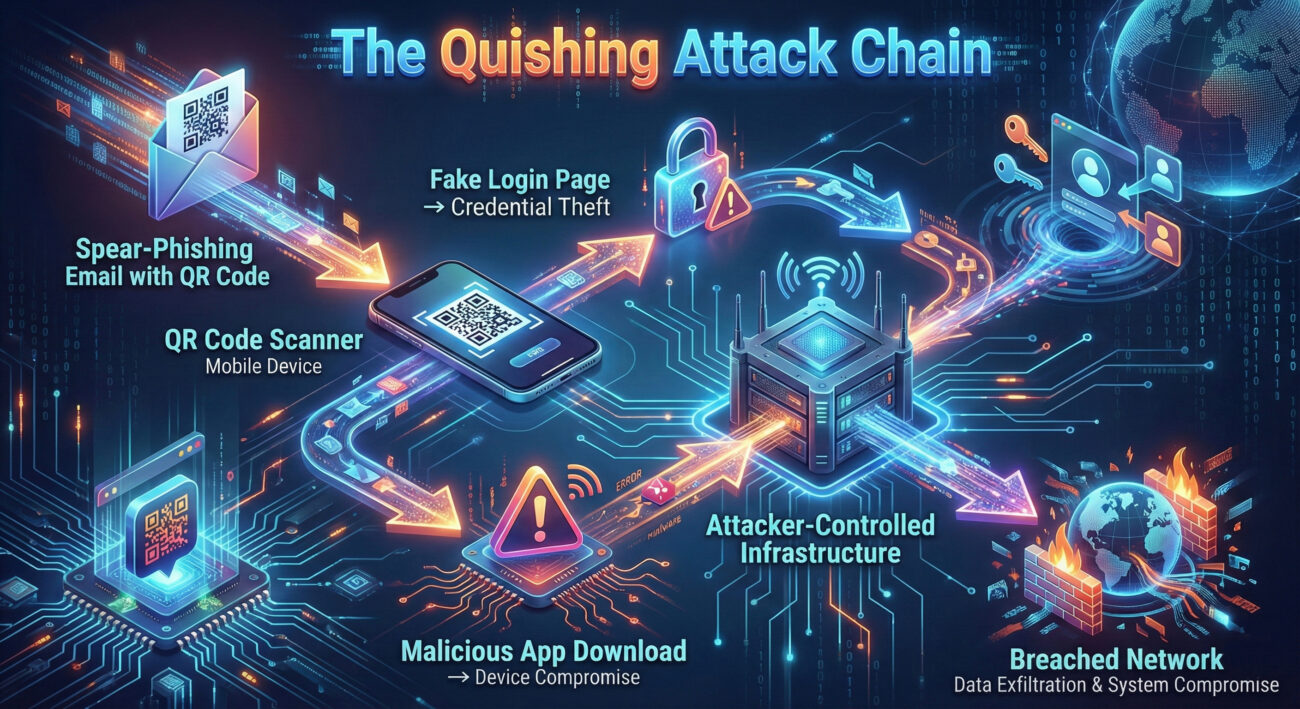
Understanding the mechanics of this attack is the first step towards building a defense. A traditional phishing email contains a malicious link. Security filters and email gateways are adept at scanning and blocking these known threat URLs. Quishing circumvents this entirely.
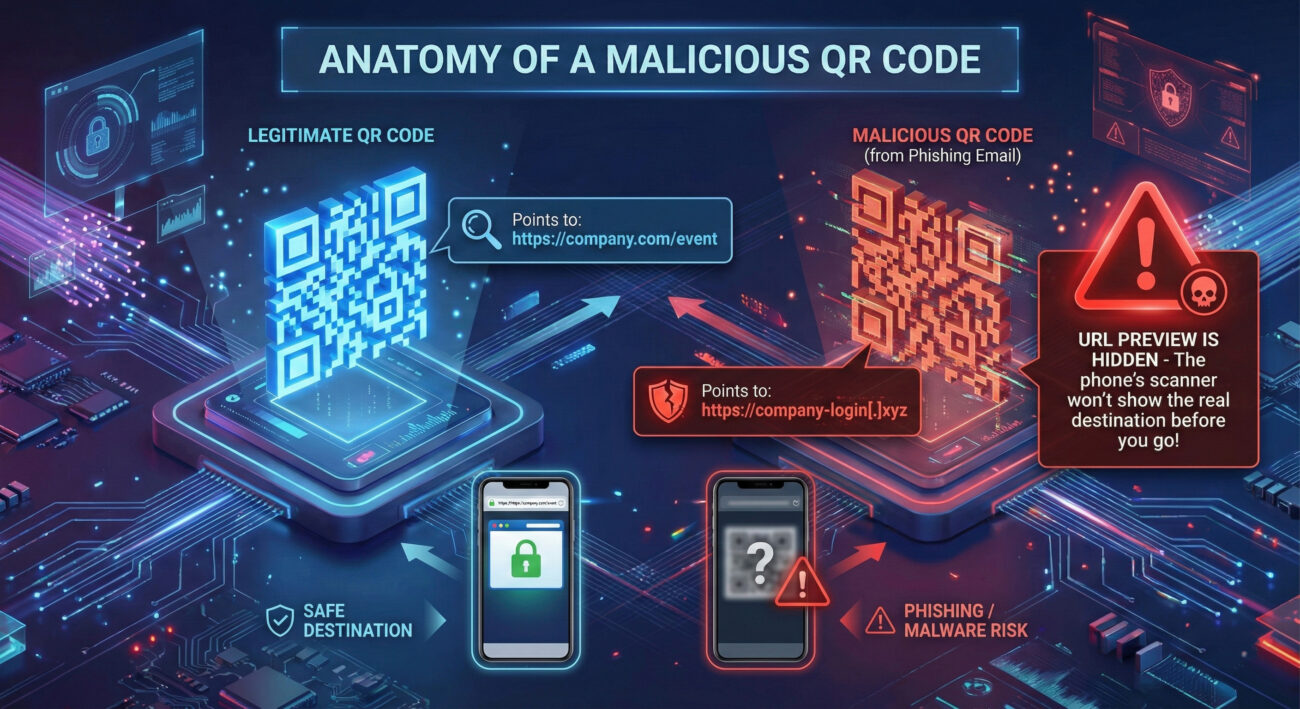
The malicious QR code is simply an image embedded in the email body. Email security systems cannot "read" the URL encoded within that square barcode image. The human becomes the decoder. When the victim uses their smartphone camera or a dedicated app to scan the code, it automatically redirects their mobile browser to the hacker's destination. This shifts the attack surface from a monitored corporate laptop with endpoint protection to a personal device with minimal security.
The landing page is a masterclass in deception. It is typically a flawless clone of a legitimate service like a Microsoft 365, Google Workspace, or corporate VPN login page. Once the victim enters their credentials, several things can happen:
Framing the quishing attack within the MITRE ATT&CK® framework helps security teams understand the tactics, techniques, and procedures (TTPs) and align their defenses. The Kimsuky group's operations map clearly to several key areas.
| MITRE Tactic | Technique (ID & Name) | How It Manifests in Quishing |
|---|---|---|
| Initial Access | T1566.002: Phishing - Spearphishing Link | The QR code is the phishing "link." The email is highly targeted (spear-phishing) to a specific individual or organization. |
| Initial Access | T1608: Stage Capabilities | Attackers set up fake login pages and infrastructure to harvest credentials. |
| Credential Access | T1589.001: Gather Victim Identity Information - Credentials | Primary goal of the fake landing page is to harvest usernames, passwords, and session tokens. |
| Defense Evasion | T1556: Modify Authentication Process | Session token theft effectively bypasses multi-factor authentication (MFA). |
| Defense Evasion | T1204: User Execution | Relies on the user willingly scanning the QR code and entering credentials, an action that appears benign. |
The FBI advisory provides concrete examples of how these quishing attacks unfold in practice. Here are two detailed campaign scenarios:
The Hook: A senior think tank leader receives an email that appears to come from a foreign advisor they might recognize. The email discusses recent developments on the Korean Peninsula and requests the leader's expert insight.
The QR Code: The email contains a QR code, ostensibly to "access a secure questionnaire."
The Trap: Scanning the code redirects the victim to a sophisticated clone of a survey platform or document portal (like SharePoint or Google Forms) that requires a login. The credentials entered are harvested, or a session token is stolen, giving Kimsuky hackers access to the victim's think tank accounts.
The Hook: Employees at a strategic advisory firm receive invites to a high-profile industry conference. The email appears legitimate, with branding and details that seem plausible.
The QR Code: The email urges recipients to "scan to register quickly" as seats are limited.
The Trap: The QR code leads to a fake conference registration page. When victims try to register using their corporate Google or Microsoft accounts, their credentials are captured. With these, attackers can access the victim's email, calendar, and drive, enabling further spear-phishing from a trusted, compromised address.
Combating QR code phishing requires a layered approach that addresses technology, process, and human awareness.
Immediately educate all employees about the threat of quishing. Training must be specific: "QR codes in emails are now a threat vector." Teach staff to never scan a QR code from an unsolicited or unexpected email, especially one that prompts for login credentials. Instead, instruct them to verify the request through a separate, known communication channel (e.g., a phone call).
While filters can't scan QR code images, they can analyze other heuristics:
Assume credentials may be stolen, and make them less useful:
Detect the aftermath of a successful quishing attempt:
Understanding both the attacker (Red Team) and defender (Blue Team) mindset is crucial for building robust defenses.
Objective: Gain initial access to a high-value target's cloud email or document repository for intelligence gathering.
Advantages:
Next Steps After Access: Establish mailbox persistence, exfiltrate emails of interest, and launch secondary phishing from the compromised, trusted account.
Objective: Prevent credential compromise via QR codes and detect/respond to any successful session hijacking.
Key Challenges:
Primary Defenses: Aggressive user education, phishing-resistant MFA, Conditional Access policies to block unmanaged devices, and vigilant monitoring of session activity for anomalies.
Organizations often fail against novel threats by repeating common errors. Here’s what to avoid and what to embrace.
A: Simply scanning the code with your camera app typically won't compromise your phone. The risk comes from the action the QR code triggers, usually opening a website. The threat is on that website, which may try to trick you into downloading a malicious app or entering sensitive information. However, some advanced QR codes could exploit vulnerabilities in the scanner app itself, though this is less common.
A: Many smartphone cameras now display the URL preview at the top of the screen before you tap to open it. ALWAYS check this preview. Look for misspellings, strange domains (like "g00gle-login[.]com"), or non-HTTPS URLs. If there's no preview or it looks suspicious, do not proceed. Some third-party QR scanner apps also offer security features to check URLs against threat databases.
A: Absolutely not. While the FBI advisory highlights campaigns against think tanks and firms, the technique is effective against anyone. Individuals can be targeted for personal credential theft (banking, social media) or to become a stepping stone into a larger organization (like a contractor or family member of an employee). Everyone should be cautious.
A: For organizations, it's a combination of specific user education and phishing-resistant multi-factor authentication (MFA). Education stops the initial compromise, and phishing-resistant MFA (like security keys) neutralizes the impact of stolen session cookies, making the stolen credentials useless to the attacker.
The FBI's warning on QR code phishing (quishing) is a critical alert to a tangible and growing threat. This attack method is favored by sophisticated state-sponsored groups because it works, it bypasses technology and exploits human behavior.
For Security Professionals:
For All Users:
Cybersecurity is an ongoing race between adversaries and defenders. By understanding the mechanics of quishing and implementing a layered defense, you can significantly secure your organization against this stealthy and effective attack vector. Stay vigilant, stay informed, and remember: not everything that scans is safe.
To further your understanding and defense capabilities, explore these authoritative resources:
© 2026 Cyber Pulse Academy. This content is provided for educational purposes only.
Always consult with security professionals for organization-specific guidance.
Every contribution moves us closer to our goal: making world-class cybersecurity education accessible to ALL.
Choose the amount of donation by yourself.