


















































Certification Courses
Hands-On Labs
Threat Intelligence
Latest Cyber News
MITRE ATT&CK Breakdown
All Cyber Keywords
Imagine coming home to find a stranger has changed the locks, is wearing your clothes, and is spending your money. Terrifying, right? This is exactly what happens in the digital world during an Account Takeover (ATO).
An Account Takeover is when a cybercriminal gains unauthorized access to your online account, like email, social media, or banking, by stealing or guessing your login credentials. Once inside, they become you.
Think of your password not as a key, but as a secret handshake. If someone else learns the handshake, they get all your privileges. In this guide, we’ll peel back the curtain on how these attacks happen, show you a chilling real-life example, and give you a simple, actionable plan to build a fortress around your digital identity.
This isn't a niche issue for IT experts. Account Takeover is a mainstream threat with real-world consequences for everyone who uses the internet. According to the 2023 Verizon Data Breach Investigations Report, stolen credentials are involved in nearly 50% of all breaches.
Why does this matter to you? Because your accounts are deeply connected. A hacker who takes over your primary email can trigger a "password reset" on every other site you use, social media, online shopping, even your work accounts. The Cybersecurity and Infrastructure Security Agency (CISA) warns that ATO is a primary gateway to financial fraud and identity theft.
Every time you hear about someone's Instagram being hacked or mysterious charges on a credit card, you're hearing about an Account Takeover. It’s the digital equivalent of identity theft, and it starts with one weak password or one clever phishing trick.
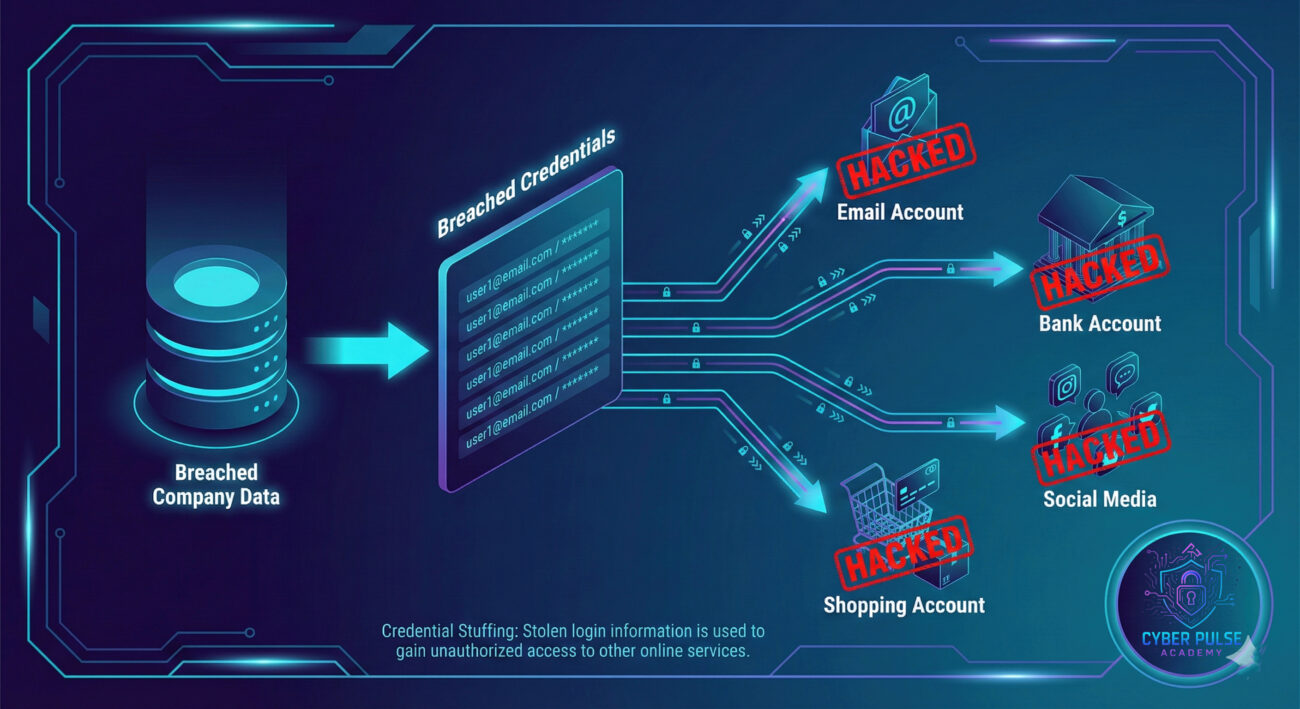
Don't let jargon scare you. Here are the essential terms you need to know, explained in plain English.
| Term | Simple Definition | Everyday Analogy |
|---|---|---|
| Credentials | Your username/email and password, the digital "key" to your account. | Your house key and address. Together, they let someone into your home. |
| Phishing | A trick where criminals pose as a trusted entity (like your bank) to steal your login info. | A con artist dressed as a police officer asking to "verify" your ID and wallet. |
| Credential Stuffing | Automated attack where hackers try username/password pairs stolen from other sites. | A thief trying your house key on every door in the neighborhood. |
| Multi-Factor Authentication (MFA) | A security step that requires a second proof of identity (like a code from your phone). | A bank teller asking for both your ID card and your mother's maiden name. |
| Data Breach | When a company's systems are hacked, and user data (like passwords) is leaked online. | A massive burglary at a locksmith, where molds of thousands of keys are stolen. |
Sarah, a freelance graphic designer, used the same password for her old Yahoo email and her new Instagram. She never thought it would be a problem.
The Takedown: Hackers, armed with a list of credentials from an old Yahoo data breach, performed credential stuffing. They accessed her email, then clicked "Forgot Password?" on her Instagram, PayPal, and even her cloud storage. Within an hour, Sarah was locked out. The attackers posted spam from her Instagram, drained $500 from PayPal, and deleted a year's worth of client work from the cloud.
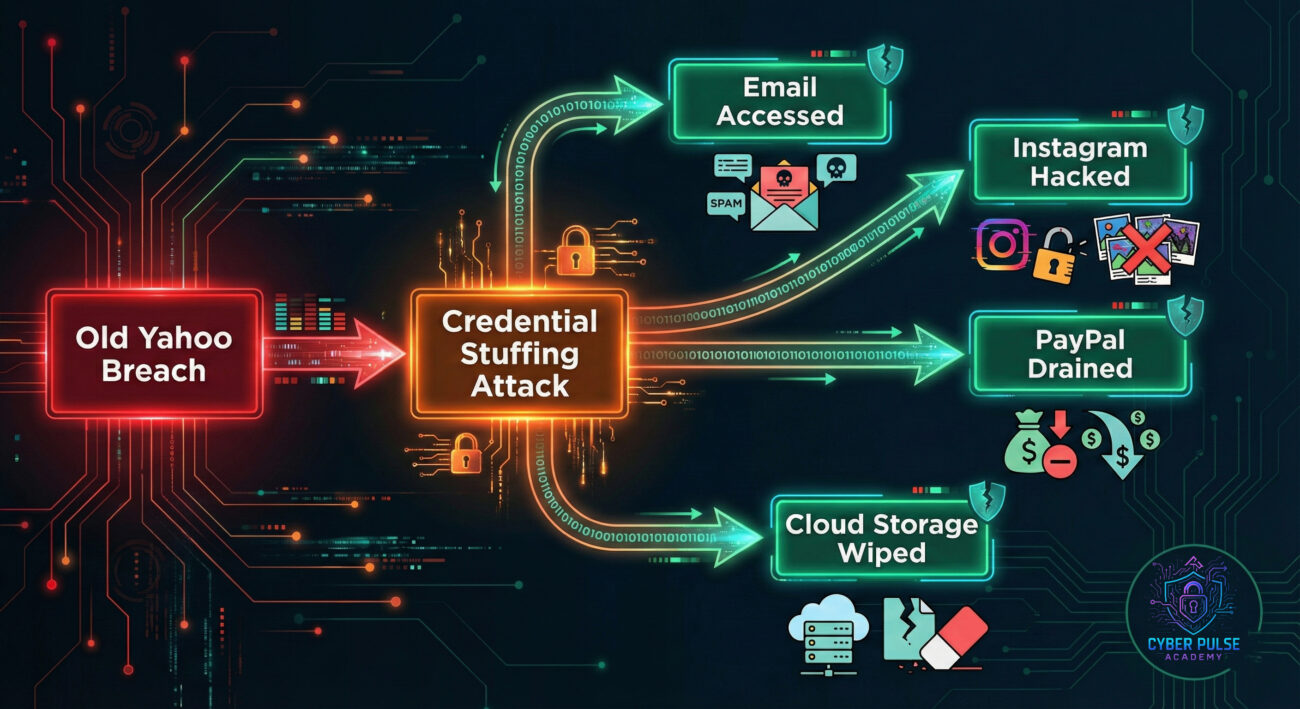
| Time / Stage | What Happened | Impact |
|---|---|---|
| Years Ago | Sarah's Yahoo credentials exposed in a major breach. | Her email/password combo added to hacker lists sold on the dark web. |
| 9:00 AM | Bots begin credential stuffing, trying her old Yahoo password on Instagram. | Success. They log into her Instagram. |
| 9:15 AM | From Instagram, they find her primary email address. Use "Forgot Password" on it. | They reset her email password and take full control of her inbox. |
| 9:30 AM - 10:30 AM | Using control of her email, they reset passwords for PayPal, Cloud Storage, and Facebook. | Complete Account Takeover of her digital life. Financial loss and data destruction begin. |
| 11:00 AM | Sarah gets a text from a friend asking about weird Instagram posts. | She discovers she's locked out of everything. The nightmare realization begins. |
Follow this actionable guide to make your accounts virtually hacker-proof.
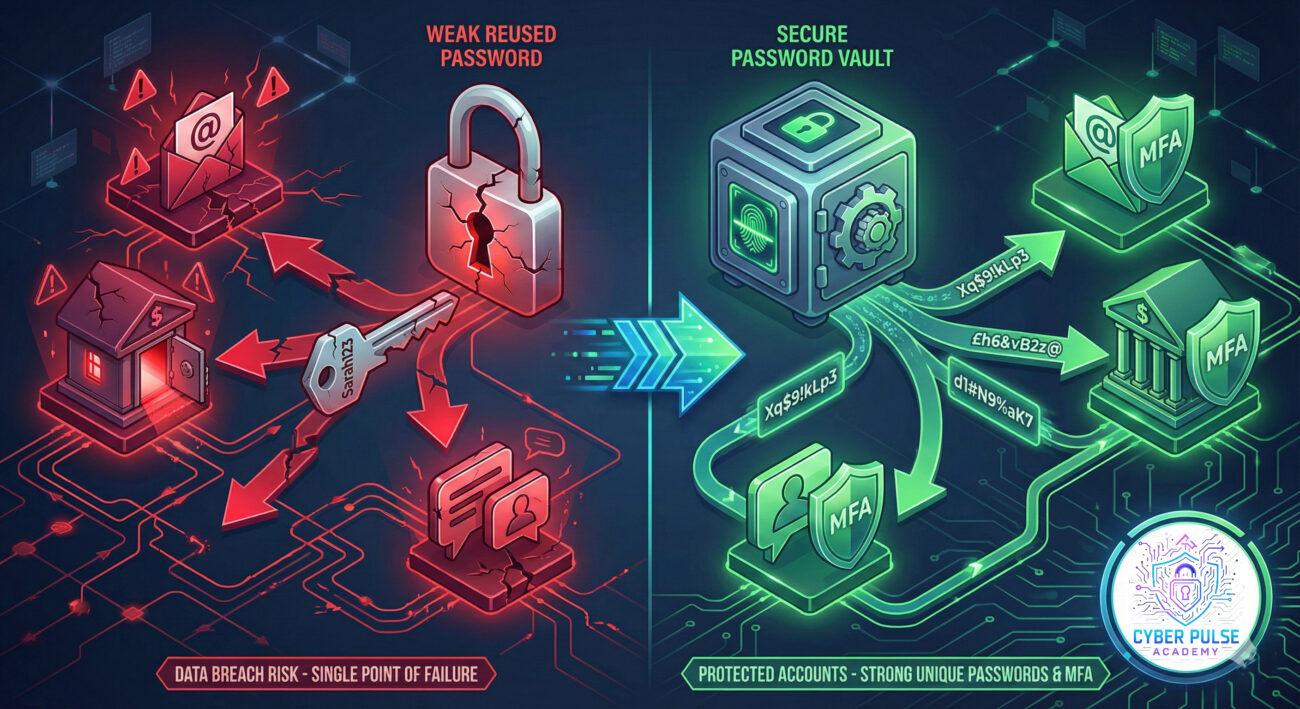
An Account Takeover is not an abstract threat, it's a common, damaging event that starts with simple oversights. But you are not powerless. By understanding the "how," you can master the "how to stop it."
Your Action Plan Recap:
Building secure habits isn't about being paranoid; it's about being prepared. In today's world, your digital identity is as valuable as your physical one. Protect it with the same seriousness.
Have questions about a specific step? Drop a comment below or reach out on our social channels. The best defense is a community that learns together.
Stay vigilant. Stay secure.
Every contribution moves us closer to our goal: making world-class cybersecurity education accessible to ALL.
Choose the amount of donation by yourself.