


















































Certification Courses
Hands-On Labs
Threat Intelligence
Latest Cyber News
MITRE ATT&CK Breakdown
All Cyber Keywords
Quick Summary: Authentication is how websites and apps verify you're really you. Like showing ID at the airport, it's your digital proof of identity. This guide will teach you everything from passwords to biometrics in plain English.
Have you ever worried about someone breaking into your email or social media accounts? That gut feeling is why authentication exists. It's the digital bouncer that checks your ID before letting you into your accounts.
In simple terms, authentication is the process that confirms you are who you claim to be online. Think of it like your house key, only the right key (your password or fingerprint) opens the door.
Here's an everyday analogy: When you go to the bank, the teller asks for your ID. They compare your face to the photo, check your signature, and might ask security questions. Online authentication does exactly the same thing, but digitally.
In this guide, you'll learn:
1. The simple secrets behind passwords, biometrics, and security keys
2. How hackers try to break authentication and how to stop them
3. Step-by-step protection you can implement today
4. Common mistakes beginners make and how to avoid them
Every time you log into Facebook, check your bank balance, or even unlock your phone, you're using authentication. It's the invisible shield protecting $4.35 trillion in global e-commerce transactions annually. According to a Verizon Data Breach Report, 61% of breaches involve stolen credentials, proving weak authentication is a hacker's favorite target.
Think about your digital life: photos, messages, banking, work documents. Now imagine someone else accessing all of it because they guessed your password. That's the reality for thousands of people daily. The Cybersecurity and Infrastructure Security Agency (CISA) emphasizes that strong authentication is your first line of defense.
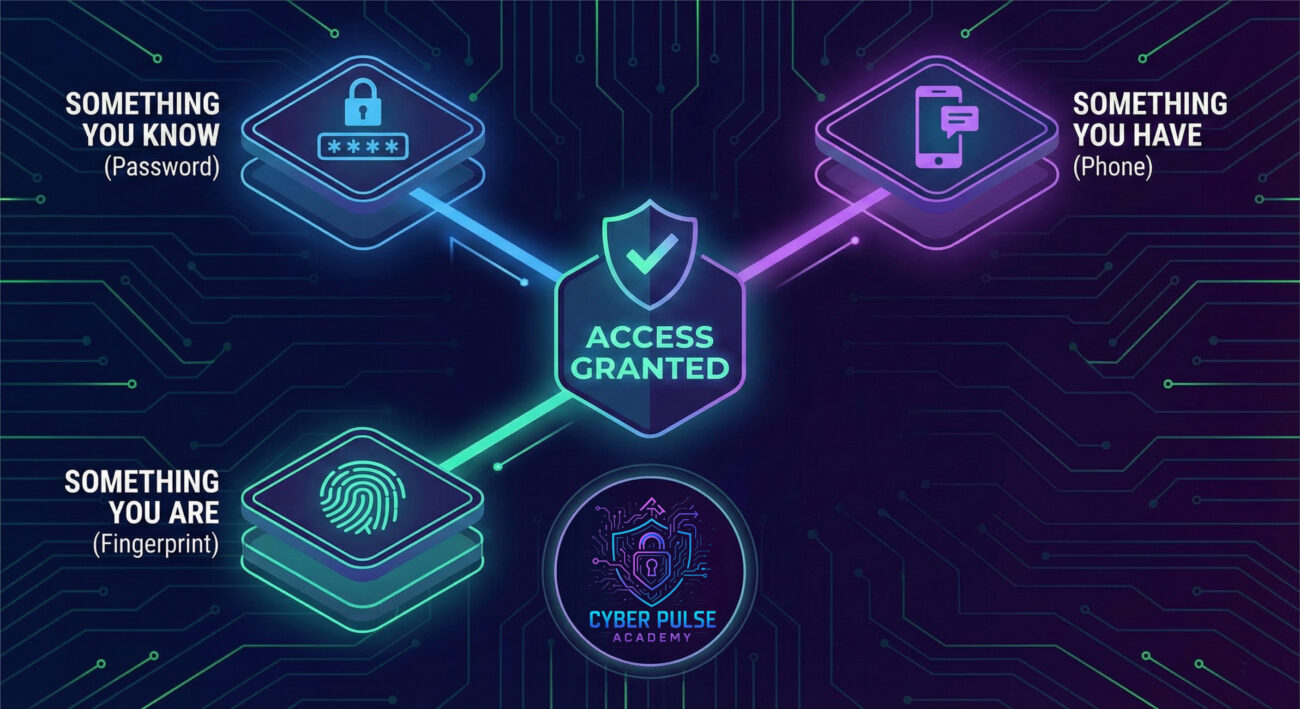
Modern authentication goes beyond passwords. Your face, fingerprint, phone, and even physical security keys create layers of protection. When you enable two-factor authentication (2FA) on your email, you reduce the risk of account takeover by 99.9%. That's not just a number, it's your digital life secured.
| Term | Simple Definition | Everyday Analogy |
|---|---|---|
| Authentication | Proving your identity to a system | Showing your driver's license at the airport |
| Multi-Factor Authentication (MFA) | Using 2+ different proofs of identity | Needing both a key and fingerprint to enter a secure building |
| Brute Force Attack | Guessing passwords through trial and error | A thief trying every key on a keyring until one works |
| Password Manager | Secure digital vault for your passwords | A bank safety deposit box for your digital keys |
| Biometric Authentication | Using unique physical traits (fingerprint, face) | Custom-made lock that only opens for your specific handprint |
Sarah, a freelance graphic designer, used the same password for everything: "Sunshine123". One day, she received an email about a "security update" from what looked like her bank. She clicked, entered her credentials, and thought nothing of it.
Two days later, her bank called about suspicious activity. Someone had transferred $2,500 from her savings. The phishing attack had given hackers her password, and since she had no additional authentication layers, they walked right into her account.
Here's how the attack unfolded:
| Time/Stage | What Happened | Impact |
|---|---|---|
| Day 1 | Sarah receives phishing email mimicking her bank | Hackers capture her username and password |
| Day 2 | Hackers test credentials on multiple sites (credential stuffing) | They access her email and social media too |
| Day 3 | Bank transfer initiated from new device | $2,500 stolen before fraud detection triggers |
| Week 1 | Sarah enables MFA and changes all passwords | Future attacks prevented, money recovered after investigation |
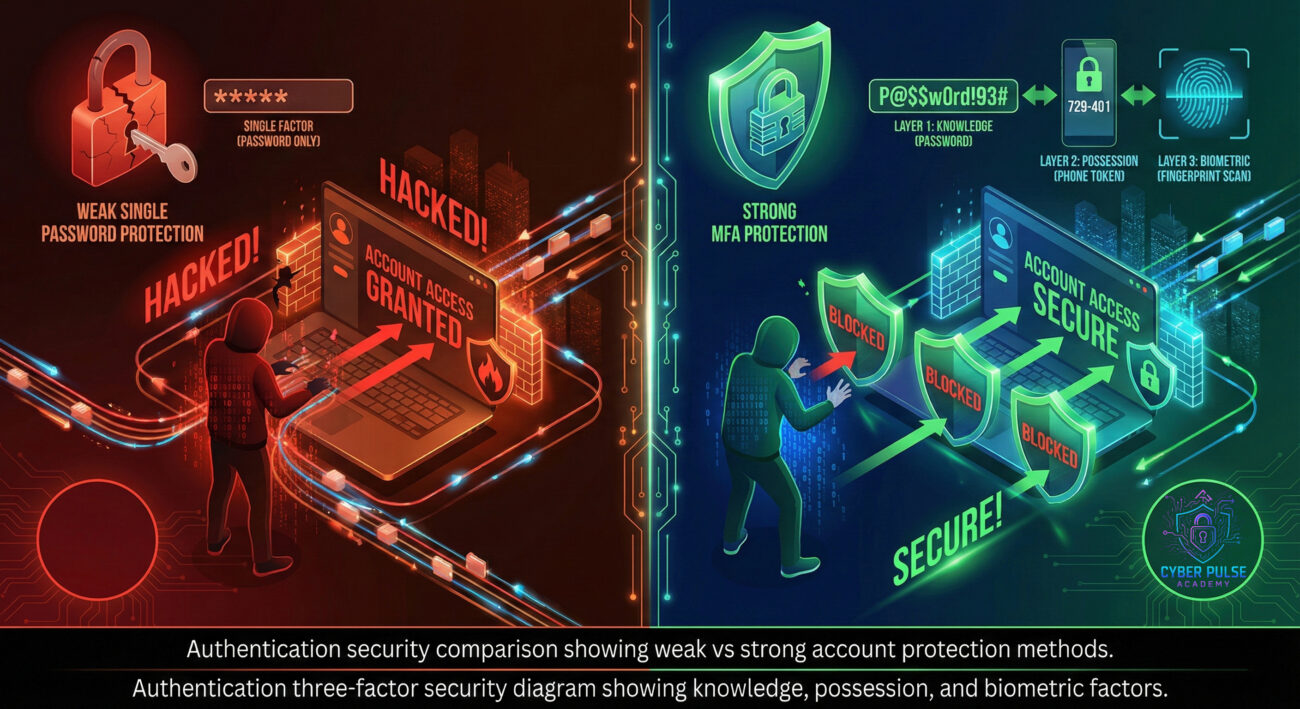
After this incident, Sarah learned about multi-factor authentication. She now uses a password manager for unique passwords and enables 2FA everywhere. The hacker's attempt to access her account again failed because they didn't have her phone to receive the verification code.

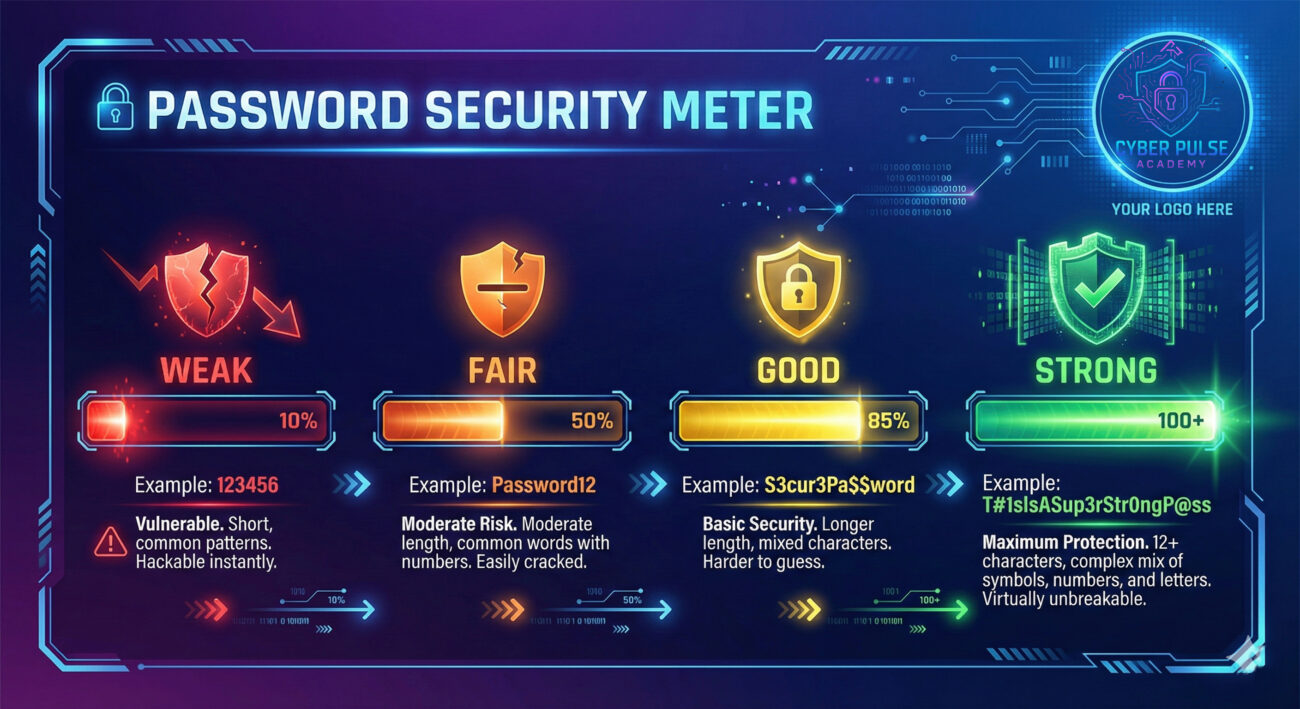
Mastering authentication is your first and most important step in cybersecurity. Remember these key takeaways:
According to the National Institute of Standards and Technology (NIST), proper authentication implementation prevents the majority of common cyber attacks. As biometrics and passkeys evolve, authentication will become more seamless while remaining more secure.
Start today: Pick one account (your email is perfect), enable MFA, and feel that immediate security upgrade. Each layer you add creates another barrier against hackers and another step toward digital peace of mind.
Now that you understand authentication, take the next step:
1. Share this guide with someone who needs it
2. Check out our guide on Two-Factor Authentication Deep Dive
3. Leave a comment below with your authentication questions or success stories!
Your digital security journey starts with understanding, and you've just completed the most important chapter.
Every contribution moves us closer to our goal: making world-class cybersecurity education accessible to ALL.
Choose the amount of donation by yourself.