


















































Certification Courses
Hands-On Labs
Threat Intelligence
Latest Cyber News
MITRE ATT&CK Breakdown
All Cyber Keywords
Quick Take: A Banker Trojan is a type of malware specifically designed to steal your online banking credentials and money. It's like a digital pickpocket that secretly follows you into your bank's website.
Imagine logging into your bank account one day and finding it empty. No alerts, no warnings, just a zero balance. This nightmare scenario is the primary goal of a Banker Trojan, one of the most financially damaging types of malware targeting everyday people.
In simple terms, a Banker Trojan is malicious software disguised as something harmless (like a PDF or a game) that, once on your device, waits for you to visit your bank's website. It then springs into action, secretly recording your keystrokes, taking screenshots, or even manipulating what you see on screen to steal your login details and drain your accounts.
Analogy: Think of it as a counterfeit security guard (the Trojan) who gets hired at a bank (your computer). He looks legitimate, but his real job is to watch customers (you) enter their safe combinations (passwords) and then use that information to rob the vaults later.
In this guide, you'll learn: exactly how Banker Trojans work, a real-world story of an attack, the 7 essential steps to protect yourself, and the common mistakes that leave people vulnerable.
Have you ever received an email about an "urgent invoice" or downloaded a "mandatory tax form" from what looked like a legitimate website? What if that simple action gave a cybercriminal a front-row seat to your next online banking session?
A Banker Trojan is a specialized form of malware with one mission: to steal your financial information. Unlike viruses that destroy data, Banker Trojans are silent, patient, and highly targeted. The term "Trojan" comes from the ancient Greek story of a giant wooden horse used to sneak soldiers into the city of Troy. Similarly, this malware sneaks onto your device hidden inside something you trust.
This guide will demystify Banker Trojans for absolute beginners. You'll understand how they get on your device, what they do, and most importantly, how to build a powerful digital shield to keep your money safe.
Banker Trojans are not just a niche threat; they are a multi-billion dollar criminal industry. According to the FBI's Internet Crime Report, cybercrime cost victims over $12.5 billion in 2023, with business email compromise and related fraud being major contributors, often facilitated by malware like Banker Trojans.
What makes them so dangerous is their evolution. Early versions simply recorded keystrokes. Modern Banker Trojans use sophisticated techniques like:
For the average person, this means the attack is invisible. You could be logging in as usual, but behind the scenes, the Trojan is sending a copy of everything you type to a hacker on another continent. The rise of mobile banking has also led to mobile Banker Trojans, often hiding in fake apps on unofficial app stores.
Staying protected requires understanding, not fear. By learning how these threats operate, you can adopt the secure habits that make you a very difficult target.
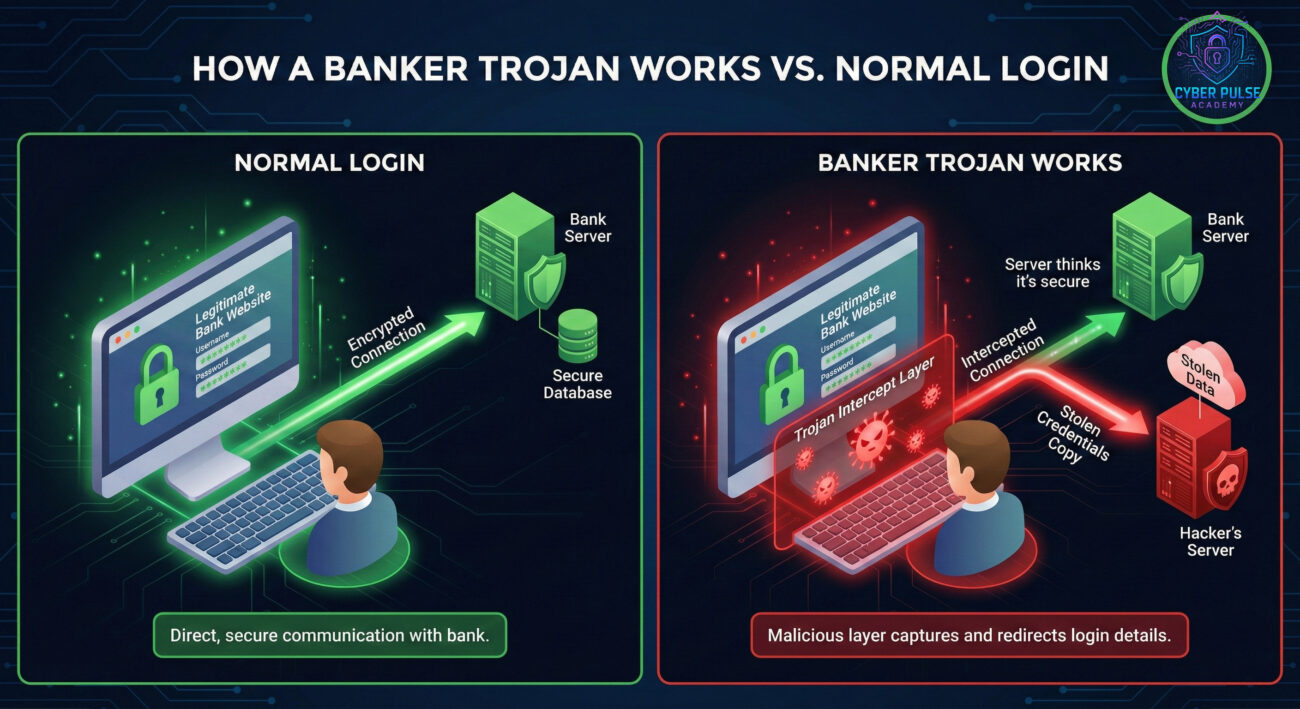
Let's break down the jargon into simple, relatable concepts.
| Term | Simple Definition | Everyday Analogy |
|---|---|---|
| Malware | Malicious software designed to harm or exploit devices. | A tool kit a burglar uses to break into houses. |
| Trojan Horse | Malware that disguises itself as legitimate software. | A robber dressed as a pizza delivery person to get inside your home. |
| Keylogger | A program that secretly records every key you press. | A hidden camera pointed at your keyboard. |
| Phishing | A fraudulent attempt to get sensitive info by pretending to be trustworthy. | A fake text from "your bank" asking you to confirm your password. |
| Two-Factor Authentication (2FA) | A security method requiring two proofs of identity to log in. | Needing both a key and a fingerprint to open a safe. |
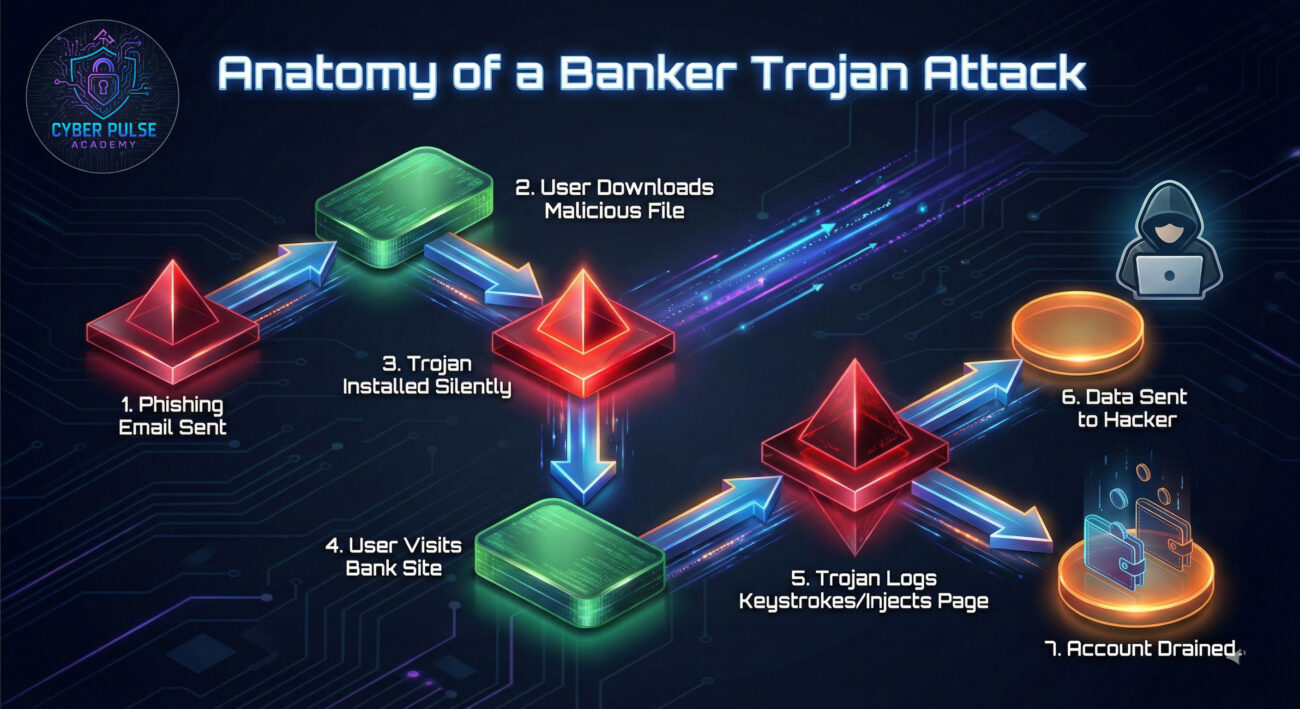
Maria, a freelance graphic designer, received an email from what appeared to be her accounting software, QuickBooks. The subject read: "Action Required: Review Your Latest Invoice." The email looked perfect, with the right logos and sender address. It contained a link to download a PDF invoice.
She clicked the link and downloaded the file. When she opened it, nothing seemed to happen, the PDF appeared blank. Unbeknownst to her, the "PDF" was actually a dropper file that installed a Banker Trojan called Qbot on her Windows PC. The malware lay dormant for two days.
On Friday, Maria logged into her regional bank's website to transfer money for rent. The page loaded normally. She entered her username and password. The Trojan, now active, logged her keystrokes. It also performed a web injection: as she submitted the login, an extra pop-up appeared (seamlessly blended into the real site) saying, "For your security, please confirm your account's registered mobile number." She entered her phone number.
By Saturday morning, $8,500 was gone. The criminals had used her credentials, along with the intercepted SMS codes for transactions (because they now had her number targeted), to authorize multiple high-speed transfers to untraceable money mule accounts.
| Time/Stage | What Happened | Impact |
|---|---|---|
| Day 1 | Maria clicks a link in a phishing email and downloads a malicious dropper file. | Banker Trojan (Qbot) is silently installed on her system. |
| Day 3 | She logs into her online bank. The Trojan activates, logs keystrokes, and injects a fake field to capture her phone number. | Her login credentials and phone number are sent to the hacker's server. |
| Day 4 (Night) | Criminals log in from abroad, use credentials, and intercept SMS 2FA codes sent to her phone (via SIM swap attack facilitated by having her number). | Full compromise of her account's security layers. |
| Day 4 (Morning) | Multiple large transfers are initiated and approved using the stolen codes. | Financial loss of $8,500. Recovery process is lengthy and stressful. |
Follow these 7 actionable steps to build a formidable defense. Think of this as creating a multi-layered security system for your digital finances.
This is the primary defense line. Most Trojans arrive via email attachments or downloads.
A good antivirus/anti-malware suite can detect and block known Banker Trojans.
If a keylogger does get through, a strong, unique password limits the damage.
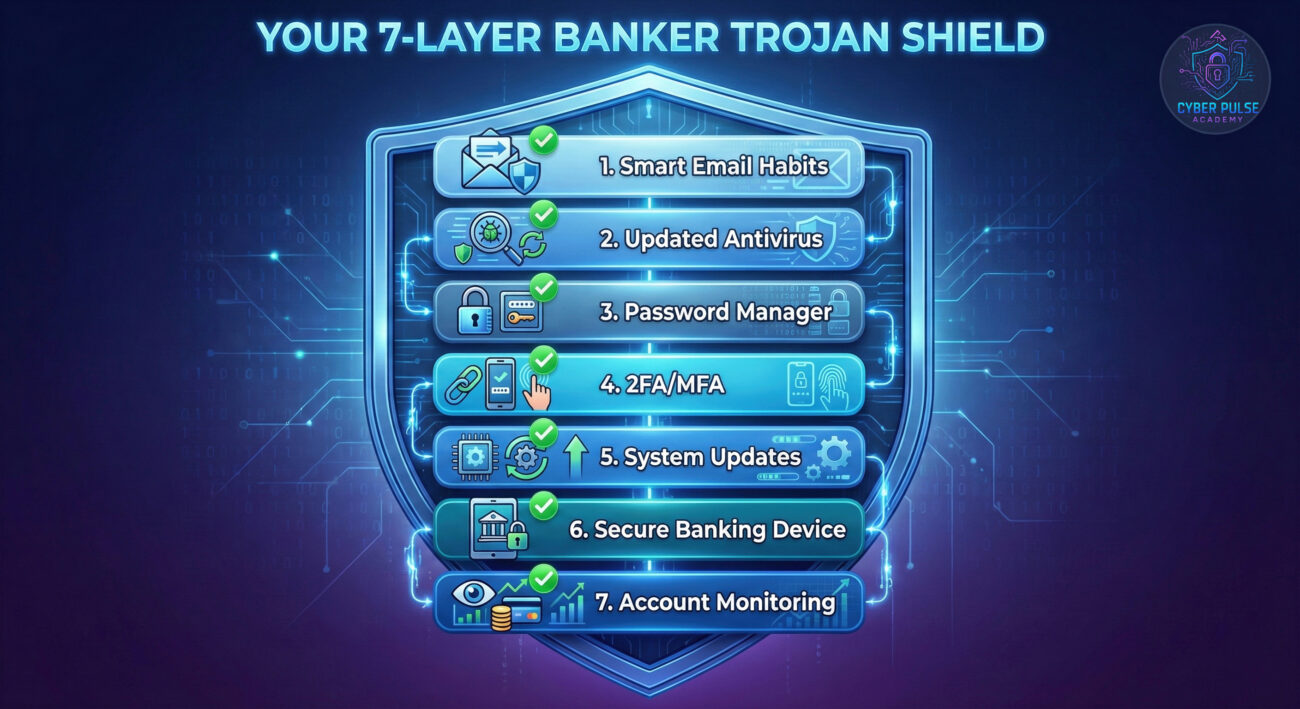
This is your most powerful tool. Even if your password is stolen, the criminal needs a second factor.
Updates often patch vulnerabilities that malware exploits to install itself.
If possible, use one device only for banking and sensitive work.
Early detection is key to limiting damage.
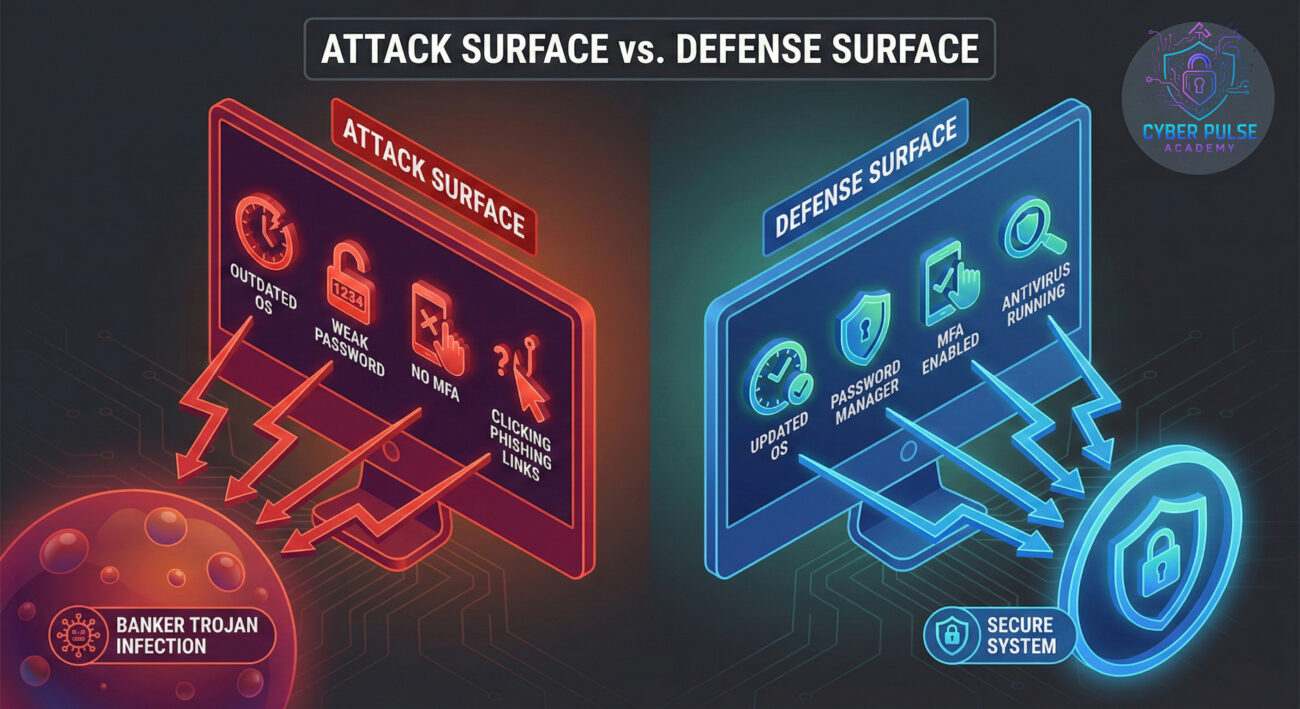
Simple Attack Path: An attacker doesn't hack the bank's mainframe. They target the user's computer, the weakest link. They craft a convincing phishing email posing as a common service (like Netflix, DHL, or a bank itself). The attached file exploits a known, unpatched vulnerability in software like Microsoft Office to silently install the Trojan. Once installed, it phones home to a Command & Control (C2) server for instructions. It then waits, monitors browser activity, and steals session cookies or injects fields during banking logins. The stolen data is sent back, allowing the attacker to impersonate the victim entirely.
Defender’s Counter-Move: A defender focuses on breaking the attack chain at the earliest possible point. The first and cheapest point is user awareness (stopping the click). The next is patching software (blocking the exploit). Then, using application whitelisting or advanced anti-malware to prevent execution. Finally, robust authentication (MFA) and transaction monitoring render stolen credentials useless and flag fraudulent activity. The mindset is "Assume a breach will happen" and layer defenses accordingly.
"I'm looking for the path of least resistance. I need a way to get my Trojan onto thousands of devices. I'll use mass phishing with current event lures (tax season, package delivery). I don't care who you are; if you click, you're a potential payday. Once my Trojan is installed, I want it to stay hidden (evade AV) and be profitable. I'll configure it to target a list of 500 global bank URLs. My goal is to automate credential harvesting and sell access to bank accounts or perform direct transfers. Time is money; the faster I can monetize the access, the better."
"My job is to shrink the attack surface and increase the cost for the adversary. I implement controls at every stage: filtering malicious emails at the gateway, ensuring endpoint protection is deployed and updated, enforcing patch management policies, and mandating MFA for all financial applications. I monitor for anomalous network traffic (calls to known C2 servers) and strange process behavior on user machines. I educate users to be my first line of defense. Success isn't preventing 100% of attacks, it's detecting them early and containing the damage before significant loss occurs."
Banker Trojans represent a clear and present danger in our digital lives, but they are not undefeatable. By understanding their methods, you remove their greatest weapon: secrecy.
Let's recap the essential lessons:
The world of cybersecurity isn't about being paranoid; it's about being prepared. You don't need to be a tech expert to implement these protected practices. Start with one step from the guide today, perhaps enabling MFA on your bank account, and build from there. Your financial digital safety is worth it.
Cybersecurity is a community effort! Did you find a clever way to spot a phishing attempt? Do you have a question about a specific security setting? Drop a comment below (on the blog) and let's help each other stay secure. Remember, sharing knowledge is a powerful defense.
Further Reading: Explore our guides on Spotting Phishing Emails and Securing Your Home Wi-Fi Network.
© 2026 Cyber Pulse Academy. This content is provided for educational purposes only.
Always consult with security professionals for organization-specific guidance.
Every contribution moves us closer to our goal: making world-class cybersecurity education accessible to ALL.
Choose the amount of donation by yourself.