


















































Certification Courses
Hands-On Labs
Threat Intelligence
Latest Cyber News
MITRE ATT&CK Breakdown
All Cyber Keywords
In January 2026, ServiceNow disclosed a critical vulnerability in its AI Platform that sent shockwaves through the cybersecurity community. This vulnerability, if exploited, could allow attackers to execute arbitrary code remotely on affected systems, potentially compromising enterprise data and operations. For cybersecurity professionals and beginners alike, understanding this ServiceNow AI Platform vulnerability is crucial for protecting organizational assets in an increasingly AI-integrated world.
The recently patched ServiceNow AI Platform vulnerability represents a significant threat to organizations using ServiceNow's AI capabilities for IT service management, customer service, and operational workflows. Rated as critical with a CVSS score likely exceeding 9.0, this vulnerability affects the AI Search and Conversation components of the ServiceNow Platform, specifically within the Now Intelligence suite.
What makes this vulnerability particularly concerning is its potential for remote code execution (RCE), which would allow an authenticated attacker to execute arbitrary commands on the underlying infrastructure. Given ServiceNow's central role in enterprise operations, a successful exploit could lead to data breach, service disruption, and lateral movement through corporate networks.
ServiceNow has released patches for all affected versions and strongly recommends immediate updating. For cybersecurity beginners, this incident highlights the critical importance of patch management in AI-integrated systems and understanding how attack surfaces expand with new technologies.
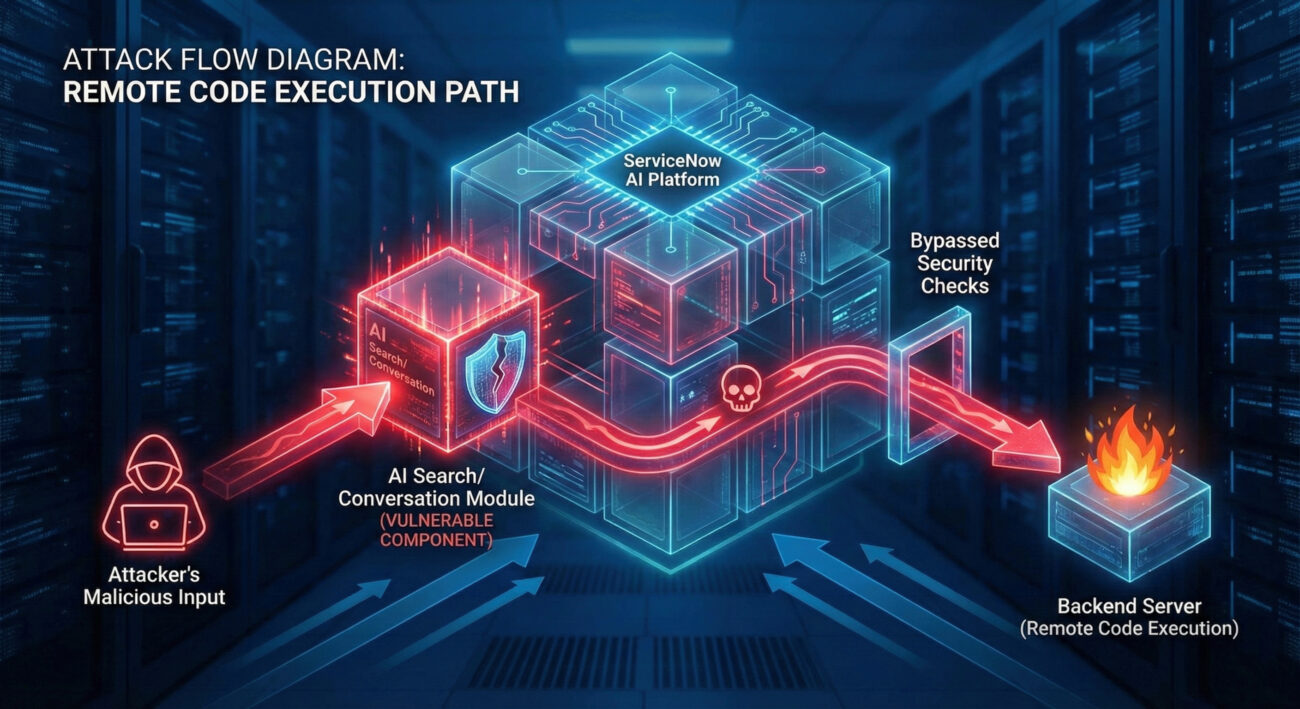
To understand this ServiceNow AI vulnerability, we need to examine the technical mechanics behind the exploit. The vulnerability resides in how the AI Platform processes certain types of inputs within conversational AI and search functionalities.
The core issue is an input validation failure in AI-generated query processing. When the ServiceNow AI components handle specially crafted requests, they fail to properly sanitize user-supplied data that gets passed to backend systems. This creates an injection vector similar to traditional SQL injection but within the AI processing pipeline.
Technically speaking, the vulnerability allows an authenticated user (with appropriate application permissions) to inject malicious payloads through:
The exploit follows this technical chain:
An attacker crafts a specially formatted input that appears legitimate to the AI component but contains hidden command sequences or escape characters designed to break out of the intended processing context.
The ServiceNow AI processing engine fails to properly sanitize this input, allowing the malicious payload to pass through to backend processing functions without adequate validation.
The payload escapes its intended context and gets interpreted as executable code by underlying system components, leading to arbitrary command execution on the ServiceNow instance or connected systems.
Let's imagine a realistic scenario where this ServiceNow AI vulnerability gets exploited in a corporate environment:
Acme Corporation uses ServiceNow for IT service management, with AI-powered chatbots handling employee IT support requests. An attacker who has obtained employee credentials (through phishing or other means) accesses the ServiceNow portal.
Instead of asking normal questions like "How do I reset my password?", the attacker crafts a malicious query to the AI chatbot: "Generate a report for all system users" combined with hidden escape sequences that trigger command execution.
The vulnerable AI component processes this input, and the malicious payload executes, allowing the attacker to:
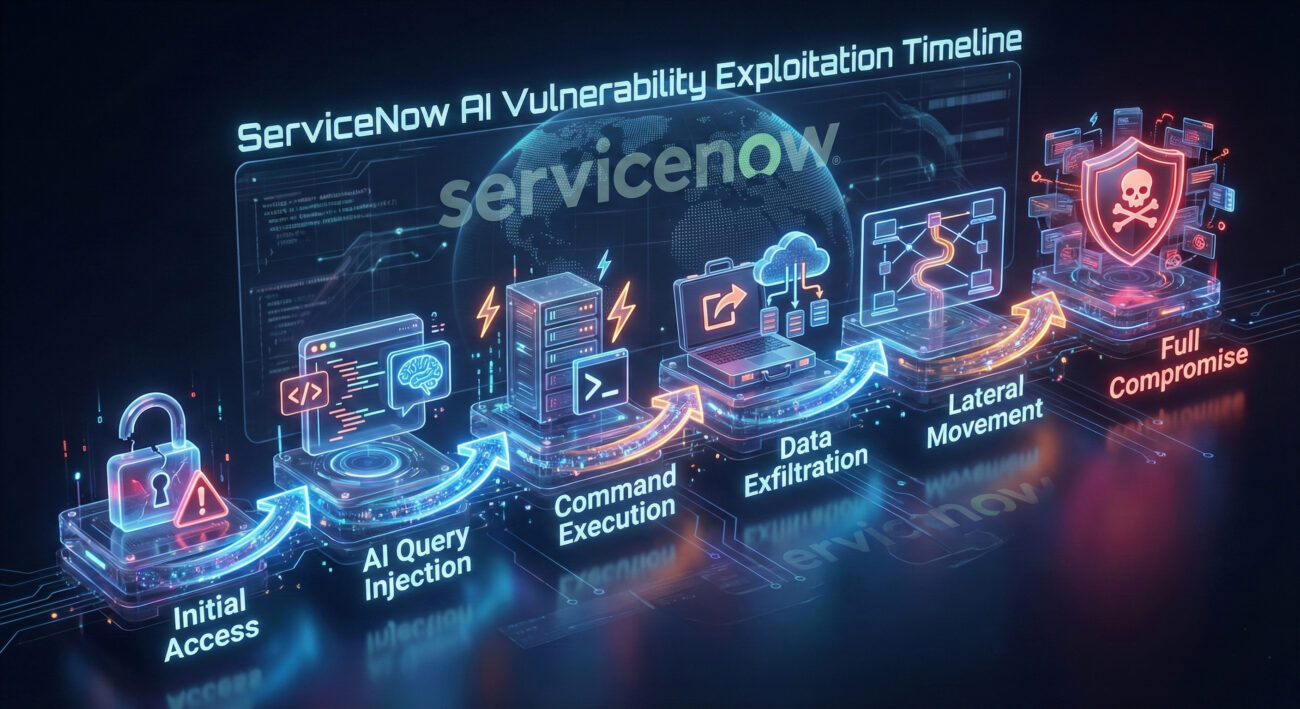
Understanding this ServiceNow AI vulnerability through the MITRE ATT&CK framework helps security teams identify detection and prevention opportunities:
| MITRE ATT&CK Tactic | Technique ID | Technique Name | Application to This Vulnerability |
|---|---|---|---|
| Initial Access | T1078 | Valid Accounts | Attackers need authenticated access to ServiceNow |
| Execution | T1059 | Command and Scripting Interpreter | Vulnerability allows arbitrary command execution |
| Persistence | T1136 | Create Account | Could create backdoor admin accounts |
| Privilege Escalation | T1068 | Exploitation for Privilege Escalation | Could elevate from user to system-level privileges |
| Lateral Movement | T1021 | Remote Services | Could move to connected systems via ServiceNow |
| Exfiltration | T1041 | Exfiltration Over Command and Control | Data theft through executed commands |
For blue teams, monitoring for these techniques, especially unusual command execution from ServiceNow components, can help detect exploitation attempts even before patches are applied.
From an attacker's viewpoint, this ServiceNow AI vulnerability presents a golden opportunity:
A sophisticated attacker would:
Defenders must prioritize patch management and detection strategies:
Effective defense includes:
If your organization uses ServiceNow with AI capabilities, follow this structured approach to address this ServiceNow AI vulnerability:
Inventory all ServiceNow instances in your environment. Check version numbers and determine which utilize AI capabilities (Now Intelligence, AI Search, Virtual Agent). Document instance URLs, administrators, and business criticality.
Download and apply the official ServiceNow patches for your specific release. Follow ServiceNow's patch documentation carefully. Test in a non-production environment first if possible.
If immediate patching isn't possible, implement temporary controls:
After patching, verify the fix:
Establish ongoing monitoring for similar vulnerabilities:
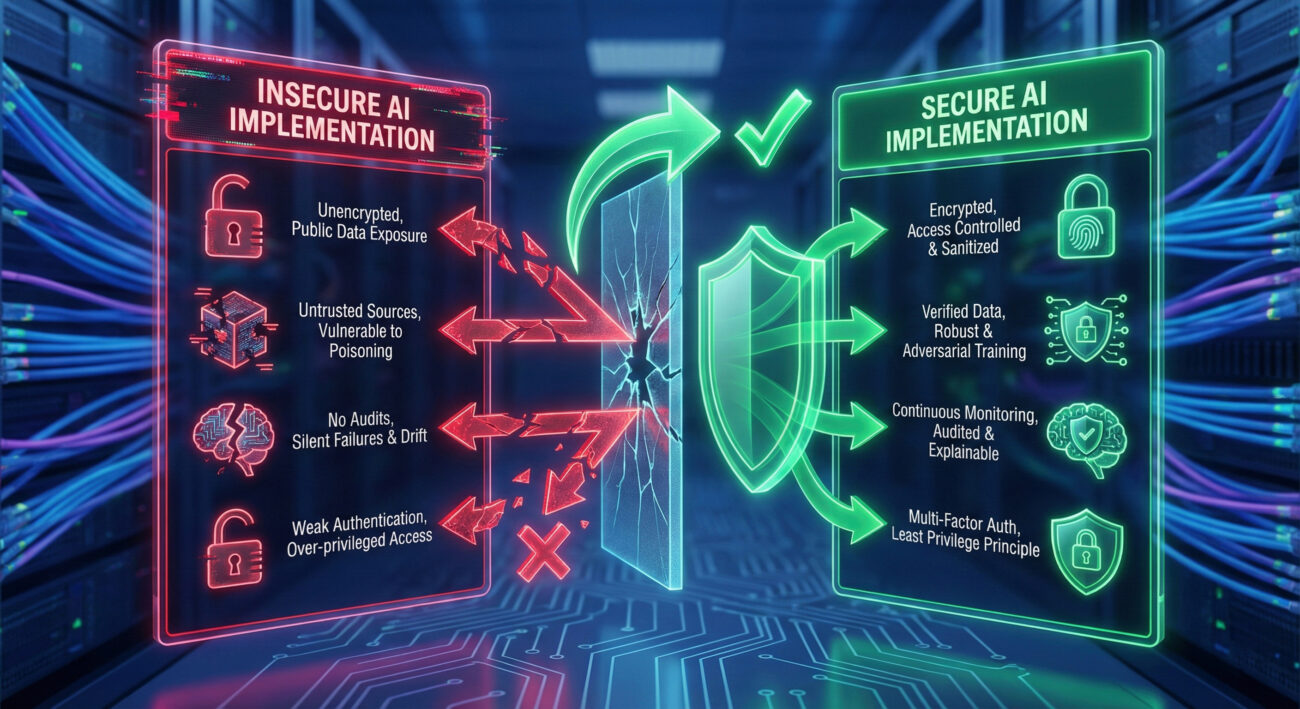
Based on this ServiceNow AI vulnerability incident, organizations should adopt a structured AI security framework:
| Framework Component | Description | Implementation Steps |
|---|---|---|
| AI Governance | Policies and oversight for AI security | 1. Establish AI security policy 2. Define AI risk assessment process 3. Assign AI security responsibilities |
| AI Security Testing | Regular assessment of AI components | 1. Include AI in penetration testing 2. Conduct adversarial ML testing 3. Perform AI code security reviews |
| AI Monitoring | Continuous oversight of AI operations | 1. Log all AI interactions 2. Monitor for anomalous patterns 3. Implement AI-specific alerts |
| AI Incident Response | Preparedness for AI security incidents | 1. Create AI incident response plan 2. Train team on AI incident handling 3. Conduct AI breach simulations |
| AI Patch Management | Systematic updating of AI components | 1. Maintain AI component inventory 2. Subscribe to AI security alerts 3. Establish AI patching SLAs |
For further reading on AI security frameworks, consult these resources:
Q: How do I know if my ServiceNow instance is affected by this AI vulnerability?
A: Check your ServiceNow version and installed plugins. If you're using ServiceNow's AI capabilities (Now Intelligence, AI Search, Virtual Agent with AI features), you're likely affected. ServiceNow has released specific patch advisories with affected version ranges.
Q: Can this vulnerability be exploited without authentication?
A: Based on available information, the attacker needs authenticated access to the ServiceNow instance. This highlights the importance of strong authentication controls and monitoring for credential compromise.
Q: What's the difference between traditional software vulnerabilities and AI-specific vulnerabilities?
A: Traditional vulnerabilities often involve memory corruption or logic errors. AI vulnerabilities frequently involve data poisoning, model manipulation, or input handling issues specific to how AI processes information. This ServiceNow AI vulnerability represents a hybrid - an input validation issue in AI components.
Q: How can beginners start learning about AI security?
A: Start with foundational cybersecurity knowledge, then explore AI/ML concepts. Practical steps include: 1) Take introductory cybersecurity courses, 2) Learn basic AI/ML principles, 3) Practice with AI security tools like IBM's Adversarial Robustness Toolbox, 4) Follow AI security researchers and communities.
Q: Are there tools to scan for AI vulnerabilities?
A: Yes, emerging tools include: 1) Microsoft's Responsible AI Toolbox, 2) IBM's AI Explainability 360, 3) Commercial AI security platforms from vendors like HiddenLayer and Robust Intelligence. However, traditional vulnerability scanners may not detect AI-specific issues.
1. AI Systems Expand Attack Surfaces: The integration of AI capabilities into platforms like ServiceNow creates new vulnerability vectors that require specific security attention.
2. Patch Management is Non-Negotiable: This ServiceNow AI vulnerability underscores the critical importance of timely patching, especially for AI components that might be overlooked in standard update processes.
3. Authentication Alone Isn't Enough: While authentication is required for this exploit, it's not sufficient protection. Defense in depth with input validation, monitoring, and least privilege is essential.
4. AI Security Requires Specialized Knowledge: Protecting AI systems requires understanding both traditional security principles and AI-specific risks like data poisoning, model inversion, and adversarial examples.
5. Proactive AI Security Posture: Organizations should establish AI security frameworks before incidents occur, including governance, testing, monitoring, and incident response specific to AI systems.
This ServiceNow AI vulnerability serves as a wake-up call for all organizations using AI technologies. Take these immediate actions:
For cybersecurity beginners, this incident represents both a warning and an opportunity. AI security expertise is becoming increasingly valuable. Start your learning journey today by exploring the resources mentioned in this article and considering specialized training in AI security.
Remember: In cybersecurity, being proactive about secure practices is always better than reacting to a breach.
© 2026 Cyber Pulse Academy. This content is provided for educational purposes only.
Always consult with security professionals for organization-specific guidance.
Every contribution moves us closer to our goal: making world-class cybersecurity education accessible to ALL.
Choose the amount of donation by yourself.