


















































Certification Courses
Hands-On Labs
Threat Intelligence
Latest Cyber News
MITRE ATT&CK Breakdown
All Cyber Keywords
Have you ever shared a Google Doc with specific people while keeping others out? Or set permissions on a folder so only your team can access it? Congratulations, you've already used the basic principles of DAC (Discretionary Access Control) without even knowing it!
DAC (Discretionary Access Control) is a security model where the owner of a file, folder, or resource decides who can access it and what they can do with it. It's like being the host of a party: you create the guest list, hand out invitations, and decide which rooms each guest can enter.
In this beginner-friendly guide, you'll learn exactly what DAC is, why it's both powerful and potentially dangerous if misused, how it works in real-world scenarios, and most importantly, how to use it to create a secure environment for your digital assets.
Imagine every file on your company's server was accessible to every employee. The accounting spreadsheet, HR records, and upcoming project plans, all visible to everyone. That's what happens without proper access control. DAC (Discretionary Access Control) solves this by putting data owners in charge of their own resources.
According to the National Institute of Standards and Technology (NIST), access control is one of the fundamental security requirements for any organization. A recent CISA report highlighted that improper access controls contributed to 20% of data breaches in small to medium businesses last year.
In your daily digital life, DAC (Discretionary Access Control) is everywhere: when you share photos on social media with "Friends Only," when you set document permissions in Microsoft Office, or when you configure folder sharing on your home network. Understanding DAC (Discretionary Access Control) helps you make intelligent security decisions rather than relying on default settings that might leave you vulnerable.
The flexibility of DAC (Discretionary Access Control) makes it popular in environments where collaboration is essential but security cannot be compromised. However, this same flexibility can become a weakness if owners don't understand security principles or make poor permission decisions.
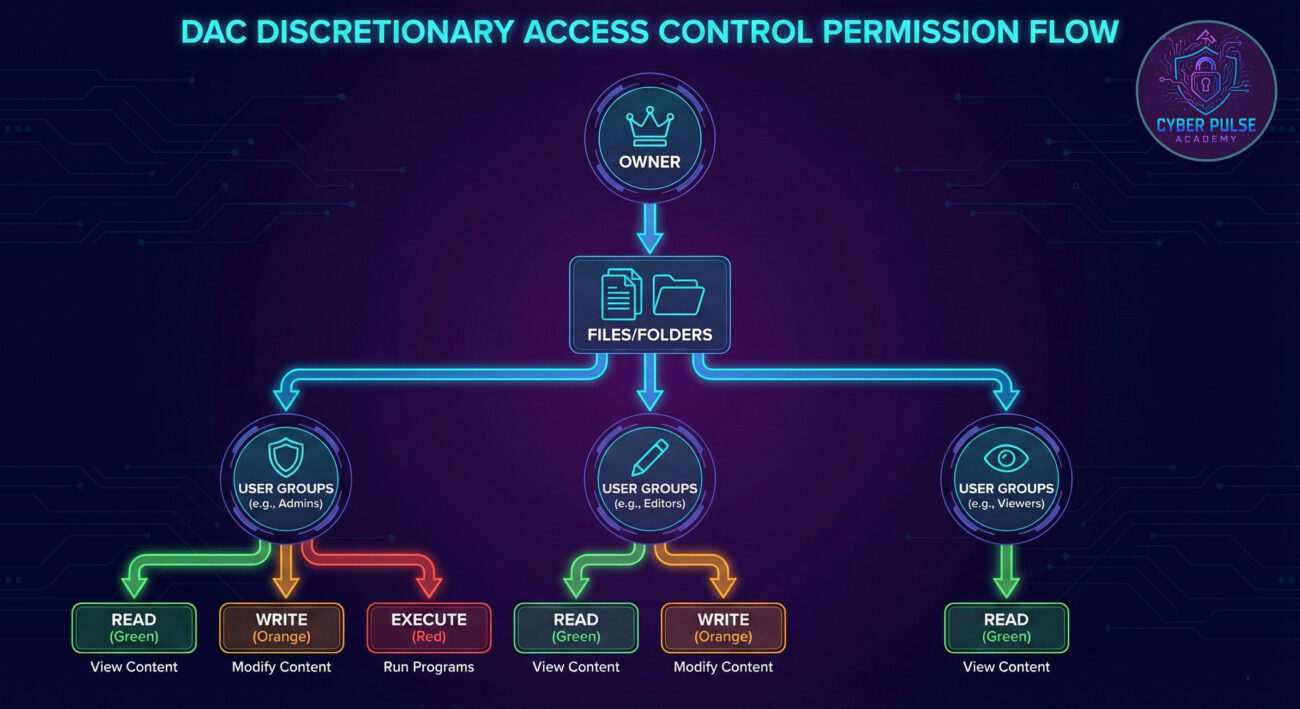
Let's break down the essential terminology without technical jargon. Understanding these basic concepts will make everything else fall into place.
| Term | Simple Definition | Everyday Analogy |
|---|---|---|
| Owner | The person or entity who creates a resource and controls its permissions | You, when you create a Facebook album and decide who can see it |
| Permissions | Rules defining what actions users can perform on a resource | Like giving a friend permission to borrow your car (drive it) but not sell it |
| Access Control List (ACL) | A list attached to each resource showing who has what permissions | A party guest list with notes about which rooms each guest can enter |
| Inheritance | When permissions applied to a folder automatically apply to its contents | If you label a box "Fragile," everything inside is treated as fragile too |
| Principle of Least Privilege | Giving users only the minimum access they need to perform their job | A bank teller can access the cash drawer but not the vault combination |
Let's follow "TechGadgets Inc.," a 25-person startup, as they implement and then struggle with DAC. Sarah, the CEO, set up their file server with good intentions but limited security knowledge.
Initially, Sarah created folders for each department. As the owner, she gave the engineering team full access to their project files. This worked well until Mark, an engineer, accidentally shared the "New Product Designs" folder with the entire company while trying to collaborate with marketing. The marketing team, not understanding the sensitivity, then shared it with a freelance designer outside the company.
Here's how the situation unfolded:
| Time/Stage | What Happened | Impact |
|---|---|---|
| Day 1 | Sarah sets up folders with department-based permissions | Initial organization works well; teams can access needed files |
| Week 3 | Mark accidentally applies "Everyone: Full Control" to sensitive folder | Security vulnerability created; proprietary designs now accessible company-wide |
| Month 2 | Marketing shares folder with external freelancer for review | Potential data breach; intellectual property now outside company control |
| Month 3 | Competitor releases similar product feature | Financial loss estimated at $50K; damage to competitive advantage |
| Aftermath | Company implements DAC (Discretionary Access Control) training and regular permission audits | Secure environment restored; incident leads to better security culture |
This scenario shows both the power and peril of DAC (Discretionary Access Control). The flexibility allowed for collaboration, but the lack of oversight and training created a critical vulnerability. The solution wasn't abandoning DAC, but implementing it correctly with proper safeguards.
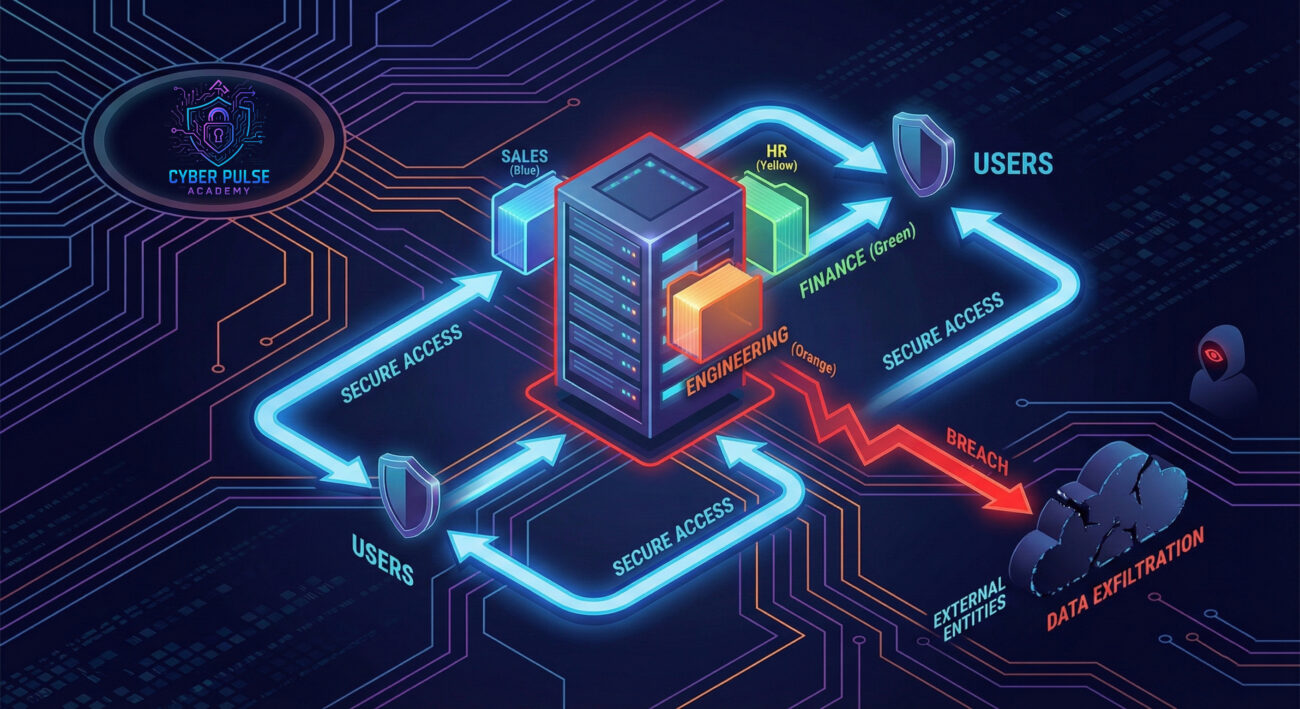
Implementing DAC (Discretionary Access Control) correctly doesn't require being a cybersecurity expert. Follow these practical steps to create a secure and efficient access control system.
Before setting permissions, know what you're protecting. Create an inventory of:
Tip: Start with your most valuable data, what would hurt most if compromised?
Every resource needs a clear owner responsible for its permissions:
Related: Learn about data classification to prioritize protection efforts.
Give users only what they need, nothing more:
This minimizes damage if an account is compromised.
Manage users through groups rather than individually:
Example: Instead of setting permissions for 10 engineers individually, use an "Engineering" group.
Permissions change over time, audit them regularly:
Combine with multi-factor authentication for layered security.

Understanding how attackers think helps you defend better. Let's explore how a hacker might exploit weak DAC (Discretionary Access Control) implementations without getting technical.
An attacker doesn't always use sophisticated malware. Often, they look for the path of least resistance. In a company with poor DAC management, they might:
A security-aware organization implements defense in depth. Even if an initial account is compromised, proper DAC (Discretionary Access Control) limits the damage:
"DAC (Discretionary Access Control) is a golden opportunity. Human error is my best friend. I look for the person who clicked 'Full Control for Everyone' to save time. I search for folders where permissions have accumulated over years without cleanup. My goal is to find that one misconfigured share, that one departed employee whose account still has access, that one manager who shared sensitive data with too many people. DAC's flexibility becomes its weakness when poorly managed."
What they care about: Finding permission inconsistencies, over-privileged accounts, inheritance mistakes, and poor documentation that creates hidden access paths.
"DAC (Discretionary Access Control) is a necessary tool that requires careful management. We implement it with guardrails: strict group policies, regular automated audits, and clear ownership documentation. We train our users to understand security implications of their permission decisions. Our goal is to enable collaboration while maintaining security boundaries. We view DAC not as a set-it-and-forget-it system, but as an ongoing process requiring maintenance and vigilance."
What they care about: Clear audit trails, minimal necessary permissions, regular reviews, user education, and detection of permission drift over time.
DAC (Discretionary Access Control) is a fundamental security model that puts resource owners in charge of permissions. When implemented correctly, it provides both flexibility and security. When implemented poorly, it creates significant vulnerabilities.
Let's recap the essential points:
Remember: DAC (Discretionary Access Control) is like giving someone keys to your house. You wouldn't give every key to every person. You'd give specific keys to specific people for specific reasons, and you'd change the locks if someone moved away. Apply the same logic to your digital assets.
Now that you understand DAC, what's your next step? Consider:
Have questions about DAC (Discretionary Access Control) implementation? Share your thoughts in the comments below, let's build a more secure digital world together!
Every contribution moves us closer to our goal: making world-class cybersecurity education accessible to ALL.
Choose the amount of donation by yourself.