


















































Certification Courses
Hands-On Labs
Threat Intelligence
Latest Cyber News
MITRE ATT&CK Breakdown
All Cyber Keywords
Ever feel overwhelmed by the countless usernames and passwords you need to remember? What if you could use one trusted identity to access dozens of apps and services safely? That’s the power of federated identity. This essential cybersecurity concept is the invisible key that makes your digital life smoother and more secure. Think of it like a universal passport accepted by many countries, your one verified ID lets you travel across the digital world without constantly proving who you are.
In this guide, you’ll learn exactly what federated identity is, why it’s a game-changer for security and convenience, how it works in real life, and the simple steps you can take to use it safely.
Imagine a world where every website made you get a new driver's license. That's our current digital reality with passwords. Federated identity solves this by letting a trusted provider (like your company, Google, or Microsoft) vouch for you across multiple services. This isn't just convenient, it's a massive security upgrade.
When you use a weak password or reuse it across sites, you create a major vulnerability. A single breach can expose dozens of your accounts. Federated identity centralizes that risk. Organizations like CISA promote identity federation as a core component of secure architecture. It reduces the "attack surface", the number of places a hacker can strike. By streamlining logins, it also encourages the use of strong single sign-on (SSO) combined with multi-factor authentication (MFA), a gold-standard protection layer.
From a business perspective, it boosts productivity and reduces IT help desk tickets for password resets by up to 50%, according to industry reports. For you, it means less time managing credentials and more confidence that your accounts are protected.
Let’s break down the jargon into simple, relatable ideas.
| Term | Simple Definition | Everyday Analogy |
|---|---|---|
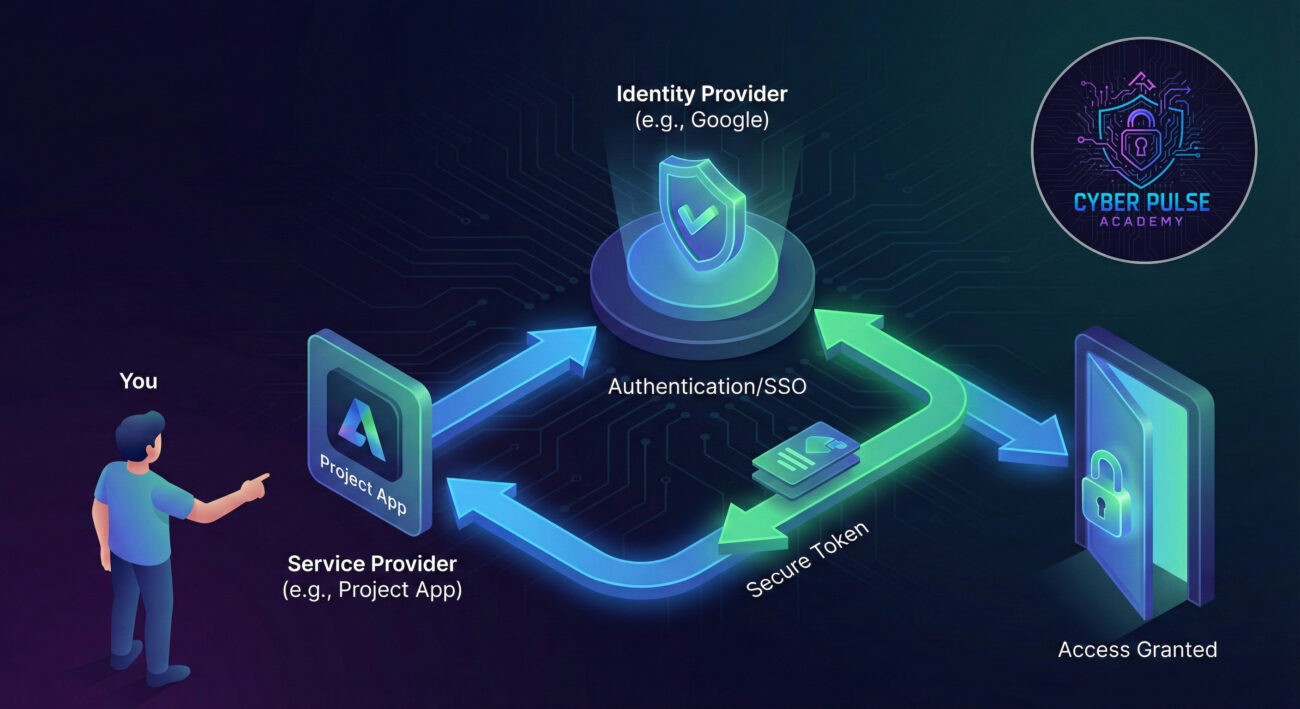
| Identity Provider (IdP) | The trusted service that creates, manages, and verifies your digital identity. | The passport office. They issue and verify your passport, which other countries trust. |
| Service Provider (SP) | The application or website you want to log into (like Salesforce, Slack, or a news site). | A foreign country's border control. They trust the passport office's verification to let you in. |
| Single Sign-On (SSO) | The user-friendly feature that lets you log in once to access many connected apps. | An all-access festival wristband. Get it checked once at the entrance, then enjoy all the stages. |
| Trust Relationship | The pre-established, secure agreement between the IdP and SP to accept each other's login tokens. | A mutual defense pact between two countries. They agree to honor each other's citizens. |
| Authentication Token | A temporary, encrypted digital "key" the IdP gives you to present to the SP. | A stamped, one-time-use visa slip attached to your passport. It proves you were just verified. |
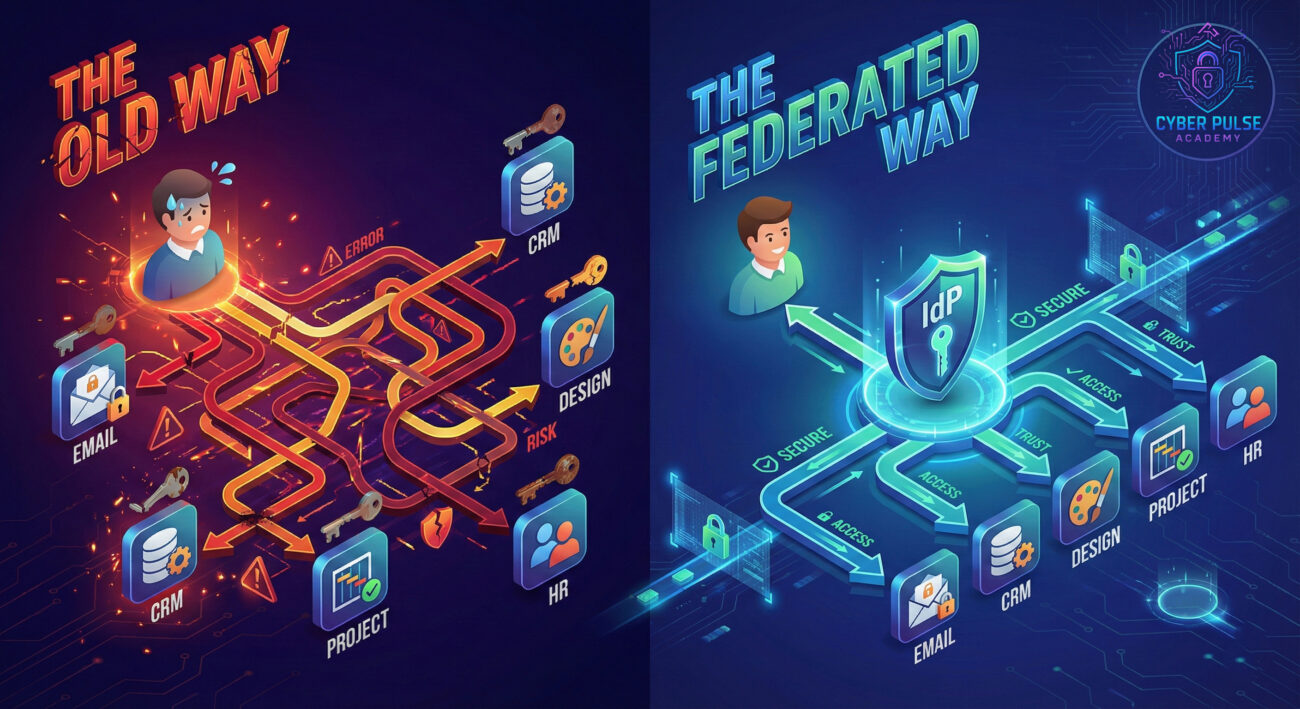
Meet Alex, a marketing manager at a mid-sized tech company. Before her company implemented federated identity, her workday was a mess.
BEFORE (The Password Chaos): Alex needed separate logins for email (Microsoft 365), the design platform (Canva), the CRM (Salesforce), the project tool (Asana), and the internal HR portal. She reused a few variations of the same password everywhere. She was locked out of Asana monthly, and the constant "Forgot Password?" cycles destroyed her focus.
AFTER (Federated Identity Implementation): Her company set up an Identity Provider (using Microsoft Entra ID). Now, Alex starts her laptop, logs in once with her strong company password plus a MFA code on her phone. This single secure login automatically grants her access to all the connected apps. She clicks an icon, and she's in, no more password prompts. Security is stronger because her one identity is protected with MFA, and IT can instantly disable all her access if she leaves the company.
| Time / Stage | What Happened | Impact & Lesson |
|---|---|---|
| Day 1 (Before) | Alex spent 15 minutes resetting passwords for two tools after a vacation. | Lost productivity and frustration due to credential management. |
| Day 30 (Implementation) | Company IT established a trust relationship between their IdP and all core apps. | Centralized control was established, reducing the attack surface. |
| Day 60 (After) | Alex logs in once. She accesses Salesforce, sees a phishing email in her 365 inbox, and reports it instantly via a connected plugin. | Seamless workflow and improved security posture through faster threat response. |
Whether at work or in your personal life, you can harness the power of federated identity safely. Follow this step-by-step guide.
Determine which service will be your central hub. For personal use, this is often your Google, Apple, or Microsoft account. For work, it's your company's SSO portal (e.g., Okta, Microsoft Entra ID, Ping Identity).
Your IdP account is now your most important digital key. Protect it fiercely.
When signing up for a new app or service, look for buttons like "Sign in with Google" or "Log in with SSO."
When you first connect an app to your IdP, you'll often see a screen asking for permissions (e.g., "Access your email address and profile picture").
Periodically audit the list of apps and services that have access to your identity.

Understanding how an attacker thinks helps you defend better. Let's look at a high-level scenario.
The Simple Attack Path: A threat actor doesn't attack the 20 apps a company uses. They target the one Identity Provider. They might use a sophisticated phishing campaign tailored to your organization, tricking an employee into entering their SSO credentials on a fake login page. Once they have those credentials, and if MFA is weak or bypassed, they now have federated access to every connected application, email, file storage, CRM, instantly. This is why the IdP is a "crown jewel" target.
The Defender’s Counter-Move: The security team's strategy is layered. First, they implement phishing-resistant MFA (like FIDO2 security keys) to make that initial credential theft useless. Second, they use behavioral analytics on the IdP: if a login happens from a new country at 3 AM and immediately tries to access the financial app, the session is flagged and blocked. Third, they practice the principle of least privilege, ensuring that even if an account is compromised, its access to sensitive systems is limited. The mindset is: "Protect the center, monitor the connections, and limit the blast radius."
"Federation is fantastic. It creates a single, high-value target. If I can phish one set of credentials from an employee and bypass their MFA, I get the keys to the entire network through SSO. I look for misconfigurations, maybe the company forgot to secure a lesser-used application in the federation trust, or they allow legacy authentication protocols that bypass MFA. My goal is to breach the Identity Provider, because that's the most efficient path to a massive attack."
"Federation is a force multiplier for our security. It lets us enforce consistent policies, like mandatory MFA and strong passwords, at one central control point. We get unified logging; every login attempt across all apps is visible from our IdP dashboard, making anomaly detection easier. Our job is to protect that IdP with layered security, constantly audit our trust relationships, and ensure we can instantly revoke access globally if an account is compromised. It turns identity from a scattered weakness into a consolidated strength."
Federated identity is more than a technical buzzword, it's a fundamental shift towards a more manageable and secure online experience. By letting a trusted provider vouch for you, it eliminates password chaos and centralizes security efforts.
Let's recap the essentials:
Embracing federated identity wisely, by choosing reputable providers and hardening your core account, is a powerful step towards taking control of your digital security and sanity.
Ready to simplify your logins and boost your security? Start by enabling Multi-Factor Authentication on your primary email or social account today. Have questions about federated identity, SSO, or MFA? Share your thoughts or ask below!
Want to dive deeper? Explore our related guides on creating strong passwords and secure email practices.
Every contribution moves us closer to our goal: making world-class cybersecurity education accessible to ALL.
Choose the amount of donation by yourself.