


















































Certification Courses
Hands-On Labs
Threat Intelligence
Latest Cyber News
MITRE ATT&CK Breakdown
All Cyber Keywords
In January 2026, Palo Alto Networks urgently patched a critical denial-of-service (DoS) vulnerability in its GlobalProtect VPN, tracked as CVE-2024-0020. This flaw highlights the constant need for vigilance in perimeter security. Understanding this GlobalProtect VPN DoS vulnerability is crucial for cybersecurity professionals, students, and beginners alike to protect their organizational gateways.
CVE-2024-0020 is a critical severity (CVSS score pending) vulnerability affecting Palo Alto Networks' GlobalProtect VPN, a cornerstone of remote access security for countless enterprises. An unauthenticated attacker could send specially crafted network packets to a vulnerable GlobalProtect gateway, causing it to crash and become unresponsive. This creates a complete denial-of-service condition, blocking all remote access for employees and potentially disrupting business operations.
The patch was released as part of Palo Alto's standard security advisories. The vulnerability impacts specific versions of PAN-OS (the operating system for Palo Alto firewalls) when the GlobalProtect gateway feature is enabled. Immediate action is required to assess your exposure and apply the necessary updates.
At its core, CVE-2024-0020 is a classic resource exhaustion vulnerability. It resides in the component of the GlobalProtect service that parses incoming connection requests. By sending a flood of malformed packets designed to trigger a specific, unhandled condition, an attacker can cause the service to consume 100% of available CPU or memory resources.
Think of it like a receptionist (the GlobalProtect service) who follows a complex script. An attacker shouts a confusing, nonsensical question in a loop. The receptionist, having no protocol for this, gets stuck trying to process it, ignoring all other legitimate visitors. The system's stability crumbles under the weight of these malicious requests.
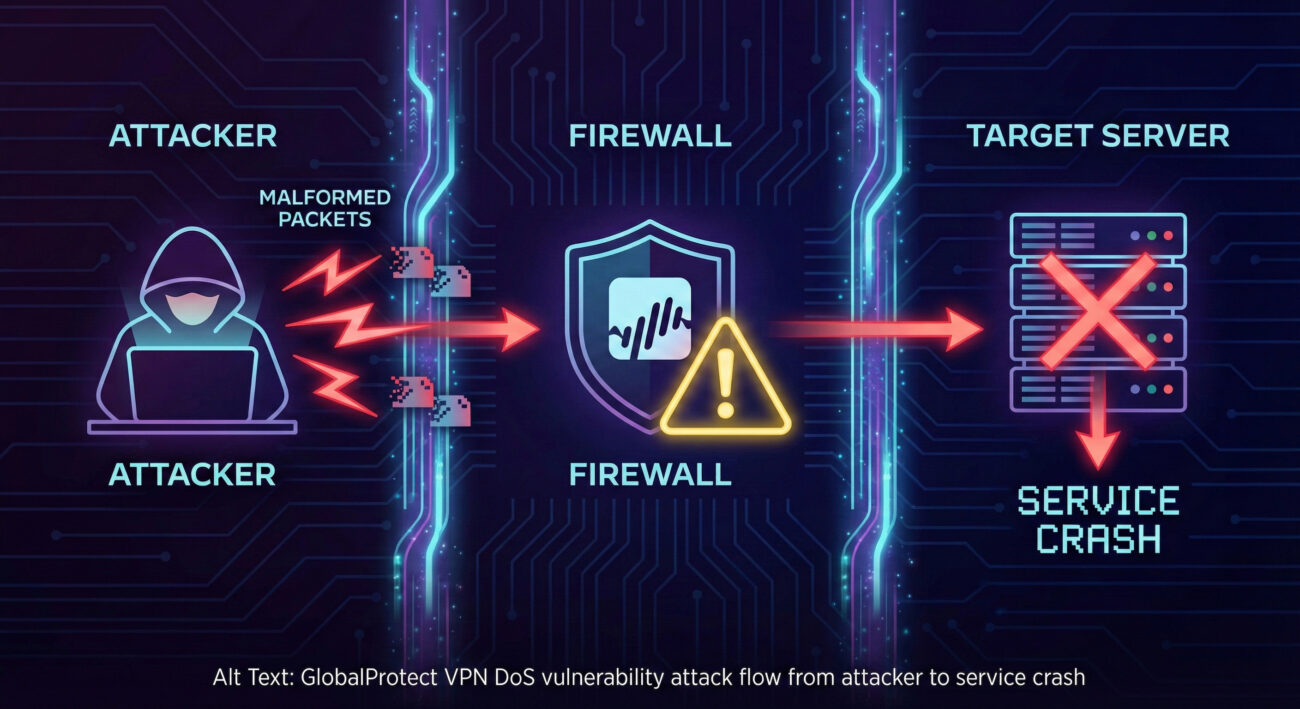
For those seeking a deeper technical understanding, here's how the exploit likely functions. The vulnerability is in the packet processing logic. The attacker doesn't need to authenticate; they simply need network reachability to the GlobalProtect service port (typically UDP 4501 for IPSec).
The attacker scans the target network to identify Palo Alto firewalls with the GlobalProtect portal/gateway exposed to the internet.
Using publicly disclosed details or reverse engineering, the attacker crafts network packets that violate the expected protocol. This could involve invalid headers, unexpected sequences, or oversized payloads designed to trigger a parsing error.
The attacker sends a sustained stream of these malformed packets to the target IP on port 4501. A single packet might not cause the crash, but a flood of them overwhelms the service thread.
The GlobalProtect service enters an error-handling loop or attempts to allocate memory for each invalid packet, exhausting system resources (CPU/RAM). Legitimate user connections are queued or dropped, leading to a full DoS.
Mapping this vulnerability to the MITRE ATT&CK framework helps defenders understand its place in the adversary's playbook and plan detection strategies.
| MITRE ATT&CK Tactic | MITRE ATT&CK Technique | Description & Relevance to CVE-2024-0020 |
|---|---|---|
| Impact | T1499: Endpoint Denial of Service | This is the primary tactic. The attack aims to deny availability of the GlobalProtect VPN service, impacting business operations. |
| Impact | T1498: Network Denial of Service | The attack targets a network service (GlobalProtect), flooding it to exhaust resources. |
| Initial Access | T1190: Exploit Public-Facing Application | The attacker exploits the vulnerable, internet-facing GlobalProtect service to gain initial "access" in the form of causing a crash. |
Understanding this mapping allows Blue Teams to focus monitoring on network traffic spikes to VPN endpoints and system resource alerts on their firewalls.
Imagine a mid-sized financial firm, "SecureBank Inc.," with 500 employees working remotely. Their Palo Alto firewall with GlobalProtect is the only remote access solution.
Follow this actionable guide to protect your organization from the GlobalProtect VPN DoS vulnerability.
Log into your Palo Alto Panorama or individual firewalls. Check the PAN-OS version and confirm if GlobalProtect Gateway is configured. Refer to the official Palo Alto Security Advisory for the exact vulnerable versions.
Download and install the fixed version of PAN-OS as recommended by Palo Alto. Always test updates in a staging environment first. Schedule a maintenance window for production deployment.
If you cannot patch immediately:
After patching, verify the GlobalProtect service is functioning. Continue to monitor traffic and system health logs for any anomalous patterns that might indicate an attack attempt.
At the time of the advisory, Palo Alto Networks stated there were no known exploits. However, once a patch is released, attackers reverse-engineer it to create exploits. It is critical to assume active exploitation will begin soon and patch urgently.
No. The vulnerability only exists if the GlobalProtect gateway (portal) feature is enabled and configured on your Palo Alto firewall. You can verify this in the network interface configuration.
This is a pure Denial-of-Service (DoS) flaw. It crashes the service but does not allow the attacker to steal data, infiltrate the network, or execute code. The impact is availability, not confidentiality or integrity.
Bookmark the official Palo Alto Networks Security Advisories page. For broader cybersecurity education, resources like SANS Blog and NIST Guidelines are invaluable.
Don't be the next headline. Use this checklist to secure your network today:
For continuous learning, subscribe to vendor advisories and follow trusted cybersecurity news sources like The Hacker News or Krebs on Security.
© 2026 Cyber Pulse Academy. This content is provided for educational purposes only.
Always consult with security professionals for organization-specific guidance.
Every contribution moves us closer to our goal: making world-class cybersecurity education accessible to ALL.
Choose the amount of donation by yourself.