


















































Certification Courses
Hands-On Labs
Threat Intelligence
Latest Cyber News
MITRE ATT&CK Breakdown
All Cyber Keywords
Hardware reconnaissance is the process where attackers gather technical details about a target organization's physical devices, system models, and infrastructure components before launching an attack, enabling them to tailor their exploits and choose the most effective intrusion methods.
ATT&CK ID: T1592.001
Tactics: Reconnaissance
Platforms: PRE
Difficulty: 🟢 Low
Prevalence: High
Post Excerpt: This comprehensive field guide examines MITRE ATT&CK technique T1592.001 - Hardware reconnaissance, a critical phase in targeted cyber attacks. You'll learn how threat actors gather detailed information about organizational hardware assets, from network devices and server models to specialized equipment. We break down the attacker's methodology with real-world APT examples, provide actionable detection strategies with ready-to-use hunting queries, and offer concrete mitigation steps to harden your organization's external information posture. Transform theoretical knowledge into practical defense with this essential guide.
Imagine you're a burglar casing a neighborhood before a break-in. You wouldn't just pick a random house. You'd note which homes have security systems (alarm company stickers), what types of windows and doors they have (potential entry points), and even what cars are in the driveway (indicating wealth or occupancy). Hardware reconnaissance is the digital equivalent of this surveillance.
Attackers perform hardware reconnaissance to answer critical questions: Does the target use Cisco or Juniper routers that might have known vulnerabilities? Are their servers running on old Dell PowerEdge models with outdated firmware? Do they have specialized industrial control system (ICS) hardware on their network? This information shapes every subsequent attack decision, making it a foundational step in targeted operations. It's not about breaking in yet, it's about understanding what you're trying to break into.
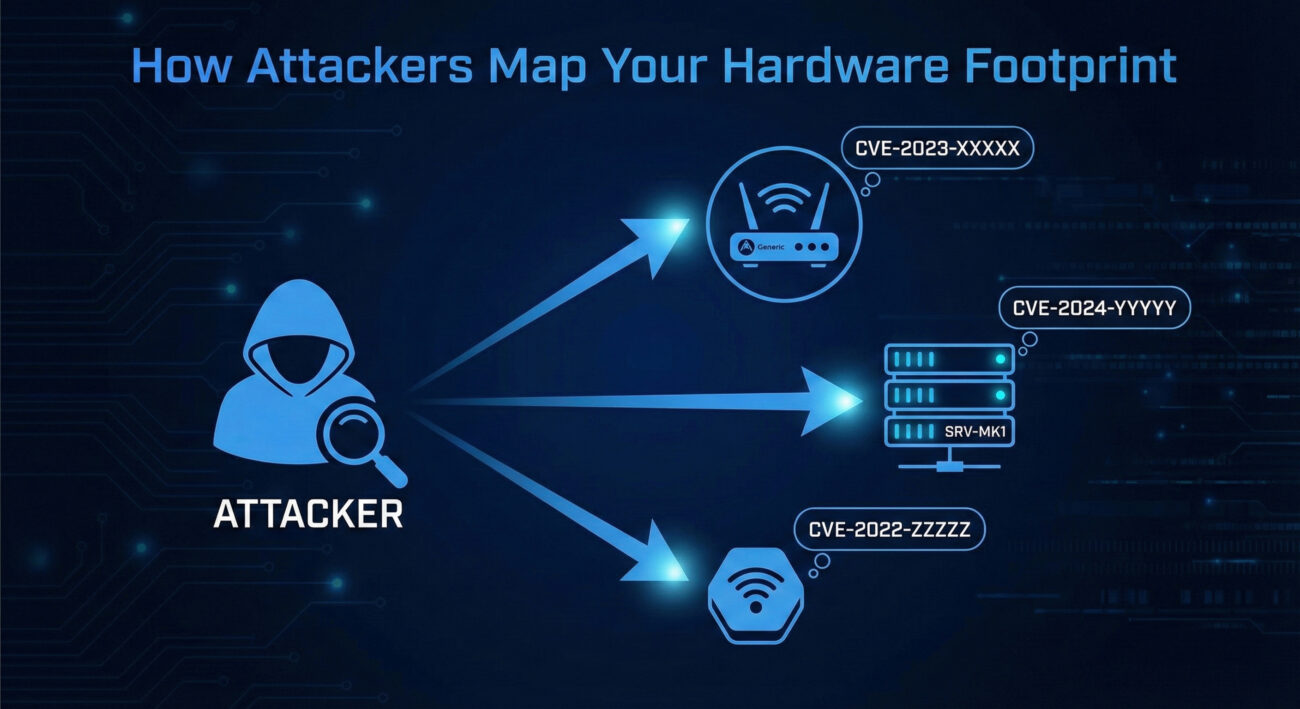
The MITRE framework uses specific terminology. Here's what you actually need to know:
| Term | Technical Definition | Plain English Translation |
|---|---|---|
| Banner Grabbing | Connecting to network services to retrieve identifying information presented by the service. | Knocking on a digital door to see what sign it has hanging up (e.g., "Apache 2.4.6 on CentOS"). |
| Fingerprinting | Analyzing responses from a system to determine its operating system, software versions, and hardware characteristics. | Figuring out the make, model, and software of a device by how it "talks" back to you. |
| OSINT | Open Source INTelligence - Information gathered from publicly available sources. | Finding company tech details from job postings, forum posts, vendor case studies, and social media. |
| Asset Inventory | A comprehensive list of an organization's hardware and software assets. | The "master list" of all company devices that attackers try to steal or reconstruct. |
| Network Topology | The arrangement of various elements (nodes, links, etc.) of a computer network. | The "map" of how all devices are connected, the attacker's treasure map. |
Phase 1: Passive Collection - The attacker never touches your systems. They scour the internet for breadcrumbs: technical support forum posts where your IT staff asked about a specific firewall model, LinkedIn profiles of network engineers listing their expertise with "Cisco ASA 5500 series," procurement notices, and even photos from corporate events that might show server room equipment in the background.
Phase 2: Active Probing - Now they interact with your publicly-facing assets. Using tools like Nmap, they scan your IP ranges. They're not just looking for open ports; they're analyzing TCP/IP stack implementations, HTTP headers from web servers, and SSL/TLS certificates to fingerprint exact hardware and software versions. A response timeout might indicate an older, slower device. A specific TCP window size can reveal the OS running on a network device.
Phase 3: Correlation & Analysis - The attacker builds a profile. "Company X uses Fortinet FortiGate 300D firewalls at branch offices, has HP ProLiant DL380 Gen9 servers in their data center, and their developers use MacBook Pro 2021 models." They then cross-reference this with known vulnerability databases. The FortiGate 300D had a critical SSL VPN vulnerability (CVE-2018-13379) in 2019. Is it patched?
Think like a safecracker studying a vault manufacturer's manual. You don't try every possible combination. You research the lock model (Is it a Sargent & Greenleaf 6730?), learn its mechanical weaknesses (certain models have tolerance issues on wheel #2), and then apply precise pressure. Similarly, knowing the target uses "Aruba 2930F switches" tells the attacker to research ArubaOS-CX vulnerabilities instead of wasting time on Cisco IOS exploits. This is about efficiency and precision, not brute force.
Attackers use a blend of specialized and common tools:
-sV for version detection and -O for OS fingerprinting are goldmines."Cisco IOS 15.1" org:"TargetCorp".Example Nmap Command for Hardware/Service Fingerprinting:
nmap -sV -sC -O --version-all -p 22,80,443,8080 target-ip-range/24
# -sV: Probe open ports to determine service/version info
# -sC: Run default NSE scripts (often includes banner grabbing)
# -O: Enable OS detection (infers underlying hardware via TCP/IP fingerprints)
# --version-all: Try every single version detection probe (aggressive)
# This scan can reveal: "Apache/2.4.29 (Ubuntu)" OR "Cisco IOS 12.2(55)SE"
Shodan CLI Example (Hypothetical):
shodan search --fields ip_str,port,org,data "Server: HP iLO 4" org:"Acme Corp"
# Searches for HP Integrated Lights-Out (iLO) management interfaces
# Exposed iLO interfaces can lead to remote compromise of physical servers
# The 'data' field often contains full HTTP headers with version detailsThe advanced persistent threat group known as APT29 (Cozy Bear, associated with Russian intelligence) is a master of meticulous reconnaissance. In campaigns targeting government and diplomatic entities, they have been observed conducting extensive hardware and software inventorying before deploying their custom malware.
In one documented campaign analyzed by Mandiant, APT29 spent weeks mapping the target network's infrastructure. They identified specific VPN appliances (like Pulse Secure) and mail servers (Microsoft Exchange) to tailor their initial access vectors. By knowing the exact models and potentially unpatched versions, they could exploit known vulnerabilities (like CVE-2019-11510 for Pulse Secure VPNs) with high confidence, rather than using noisy, generic attacks.
This reconnaissance-first approach makes them exceptionally stealthy and effective. For a detailed analysis, refer to the Mandiant report on APT29's tactics.
Your job isn't to prevent all information leakage, that's impossible. It's to control the narrative and monitor the eavesdroppers. Think of yourself as a museum curator. You know people will look at your exhibits (public-facing services). You can't stop them from looking, but you can put non-critical items on display, use protective cases (obfuscation), and, most importantly, have security cameras that alert you when someone is studying a display too closely or with specialized tools (unusual scanning patterns).
The defender's mindset shifts from "hide everything" to "assume they'll find some details, but make those details useless or misleading, and watch for the search activity itself."
In your SIEM, you won't see an alert titled "Hardware Reconnaissance in Progress." You'll see:
-O, -sV) or that follow a successful crawl of your company's technical social media. This is the "person taking notes and pictures."Look for patterns: A single IP scanning ports 22 (SSH), 23 (Telnet), 161 (SNMP) across all your subnets is likely fingerprinting network devices. SNMP scans, in particular, are a huge red flag for hardware reconnaissance, as SNMP can reveal exhaustive device details.
Here is a ready-to-use Splunk SPL query designed to detect potential hardware reconnaissance through SNMP and service fingerprinting scans. This looks for sources scanning multiple internal hosts on key fingerprinting ports within a short timeframe.
index=firewall sourcetype=cisco:asa
| where dest_port IN (161, 162, 22, 23, 443, 8080, 8443) AND action="blocked"
| stats dc(dest_ip) as unique_targets, values(dest_port) as ports_targeted, earliest(_time) as first_seen, latest(_time) as last_seen by src_ip
| where unique_targets > 5
| eval scan_duration = last_seen - first_seen
| where scan_duration < 3600
| table src_ip, unique_targets, ports_targeted, first_seen, last_seen, scan_duration
| sort - unique_targets
# This query identifies external IPs that have tried to reach key fingerprinting ports
# (SNMP:161/162, SSH:22, Telnet:23, HTTPS/Alt-HTTP) on more than 5 of your internal
# IPs within an hour. This pattern suggests active fingerprinting, not random scanning./server-status, /info.php, or device-specific management paths (/hp/device/, /cgi-bin/).DescribeInstances, ListBuckets, or other metadata API calls.Convert MITRE's general mitigations into concrete actions:
1. Limit Information Exposure:
2. Threat Intelligence Utilization:
| Attacker's Goal (Red Team) | Defender's Action (Blue Team) |
|---|---|
| Identify specific router/switch models to find unpatched firmware vulnerabilities. | Implement strict egress filtering to block outbound SNMP and Telnet from network devices. Use configuration management to enforce regular firmware updates. |
| Find exposed server management interfaces (iLO, iDRAC, IPMI) to gain hardware-level access. | Place all out-of-band management interfaces on an isolated network segment with no internet access. Enforce client certificate authentication. |
| Use job postings to infer technology stack ("Seeking admin for Palo Alto Networks PA-5200 series"). | Work with HR to create generic job descriptions that don't reveal specific makes/models of security or infrastructure hardware. |
| Correlate Shodan data with org info to build a target list of vulnerable devices. | Proactively search for your own assets on Shodan/Censys and request removal of sensitive banners or take exposed systems offline. |
Multiple internal IPs receiving connection attempts on ports 161 (SNMP), 22 (SSH), and 4433 (device management) from the same external source within minutes. Especially if followed by web requests for /cgi-bin/ or /vendor/ paths.
Assume Leakage, Control the Narrative. Conduct quarterly external footprint assessments using Shodan. Obfuscate service banners. Enforce network segmentation for management interfaces. This reduces the actionable intelligence an attacker can gather.
Firewall logs for blocked scans on non-standard ports. DNS logs for bursts of PTR record lookups for your IP space. WAF/Proxy logs for requests to device-specific default pages or API endpoints that reveal version info.
• Official MITRE ATT&CK Page: T1592.001
• CISA: Reducing Your Exposure - Practical guides on limiting attack surface.
Hardware reconnaissance is not a glamorous technique, but it is a dangerously effective one. By understanding the "what" and "how," defenders can shift from a reactive posture to a proactive one. Remember, you cannot hide all information, but you can control the quality of that information and detect the collectors.
Your Action Plan:
Reconnaissance sets the stage for all subsequent attacks. By hardening this initial phase, you force adversaries to operate with less precision, increasing their chances of making noise and your chances of catching them early.
Continue Your MITRE ATT&CK Journey:
For authoritative guidance on building a holistic defense, consult the NIST Cybersecurity Framework (CSF) and consider how "Identify" function controls can limit information exposure.
Every contribution moves us closer to our goal: making world-class cybersecurity education accessible to ALL.
Choose the amount of donation by yourself.