


















































Certification Courses
Hands-On Labs
Threat Intelligence
Latest Cyber News
MITRE ATT&CK Breakdown
All Cyber Keywords
In the world of workflow automation, a critical security flaw can transform a productivity engine into a gateway for attackers. The recent discovery of CVE-2025-68668, a n8n vulnerability with a staggering CVSS score of 9.9, serves as a stark reminder of this reality. This flaw, affecting versions 1.0.0 through 1.x, allows any authenticated user with workflow edit permissions to escape the Python sandbox and execute arbitrary system commands on the host server.
Understanding this n8n vulnerability is crucial not just for patching, but for grasping modern application security challenges. This guide will dissect the technical root cause, provide actionable mitigation steps, and equip you with a defender's mindset to secure your automation infrastructure against similar threats.
Dubbed "N8scape" by its discoverers at Cyera Research Labs, CVE-2025-68668 is a sandbox escape and remote code execution (RCE) vulnerability in the n8n workflow automation platform. With a near-maximum CVSS score of 9.9, its severity is derived from a dangerous combination: it requires only authenticated access (not admin privileges) and grants full control of the underlying host.
The core of the flaw lies in the "Python Code Node," a feature that allows users to write custom Python scripts within their workflows. This node was designed to run code in a secure, isolated sandbox using Pyodide (Python in WebAssembly). However, a protection mechanism failure allowed a malicious actor to break out of this sandbox and execute native OS commands with the same permissions as the n8n process itself.
The primary defense is an immediate upgrade to n8n version 2.0.0, where the vulnerable code execution model has been replaced by a secure, task-runner-based architecture by default. For organizations that cannot patch immediately, specific configuration changes can effectively neutralize the attack vector.
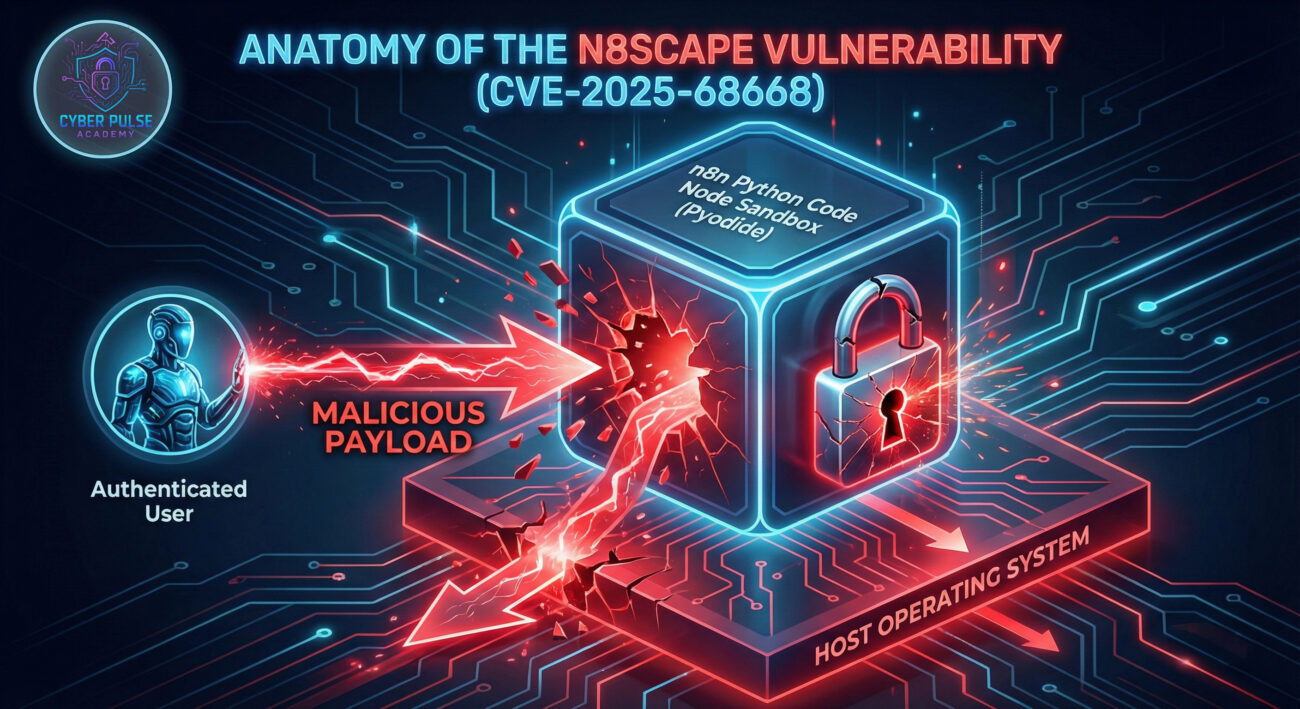
To truly defend against a threat, you must understand its mechanics. This n8n vulnerability is a classic case of a sandbox bypass. Let's walk through the technical sequence that turns a feature into a weapon.
n8n's Python Code Node was designed with security in mind. It used Pyodide, which runs Python in a browser-like WebAssembly sandbox, theoretically isolating it from the host system. The intention was to let users run custom logic safely. However, the implementation provided pathways to escape this isolation.
The vulnerability occurred because certain Python functions or objects within the sandbox retained the ability to reference or invoke native system resources. An attacker could craft a Python payload that, instead of performing a calculation, would chain these references to ultimately spawn a system shell (bash or cmd.exe).
While the exact exploit code is confidential, the conceptual flow of an attack can be illustrated. An attacker with access to edit a workflow would inject a malicious script into a Python Code Node.
The pseudo-code below illustrates the exploit logic, not a working exploit:
# This is a CONCEPTUAL representation of the sandbox escape.
# The actual exploit uses specific Pyodide internal object references.

# 1. Attacker finds a way to access a 'subprocess' or 'os' module proxy
# that was incorrectly exposed or can be reconstituted within the sandbox.
malicious_module = __find_exposed_native_module__()

# 2. Using this module, they execute a command on the host.
# The n8n process's privileges determine what commands succeed.
command_output = malicious_module.run_system_command("whoami")

# 3. The output of the host command can be captured and potentially
# exfiltrated through the workflow, completing the sandbox escape.
return {"hostUser": command_output}
This exploit demonstrates a protection mechanism failure. The sandbox did not fully "clean" the execution environment, leaving hooks that could be pulled to tear it down. The fix in n8n 2.0.0 involves moving Python execution to isolated, ephemeral task runners, severing any direct link between user code and the main n8n process.
Consider a SaaS company using n8n to automate customer onboarding. A developer, a contractor, or even a compromised employee account (insider threat) with standard user access to the n8n instance decides to act maliciously or has their credentials stolen.
The attacker logs in, navigates to an existing workflow they have edit rights to, and inserts a Python Code Node with the exploit payload. Upon execution, the payload:
whoami and hostname to confirm code execution.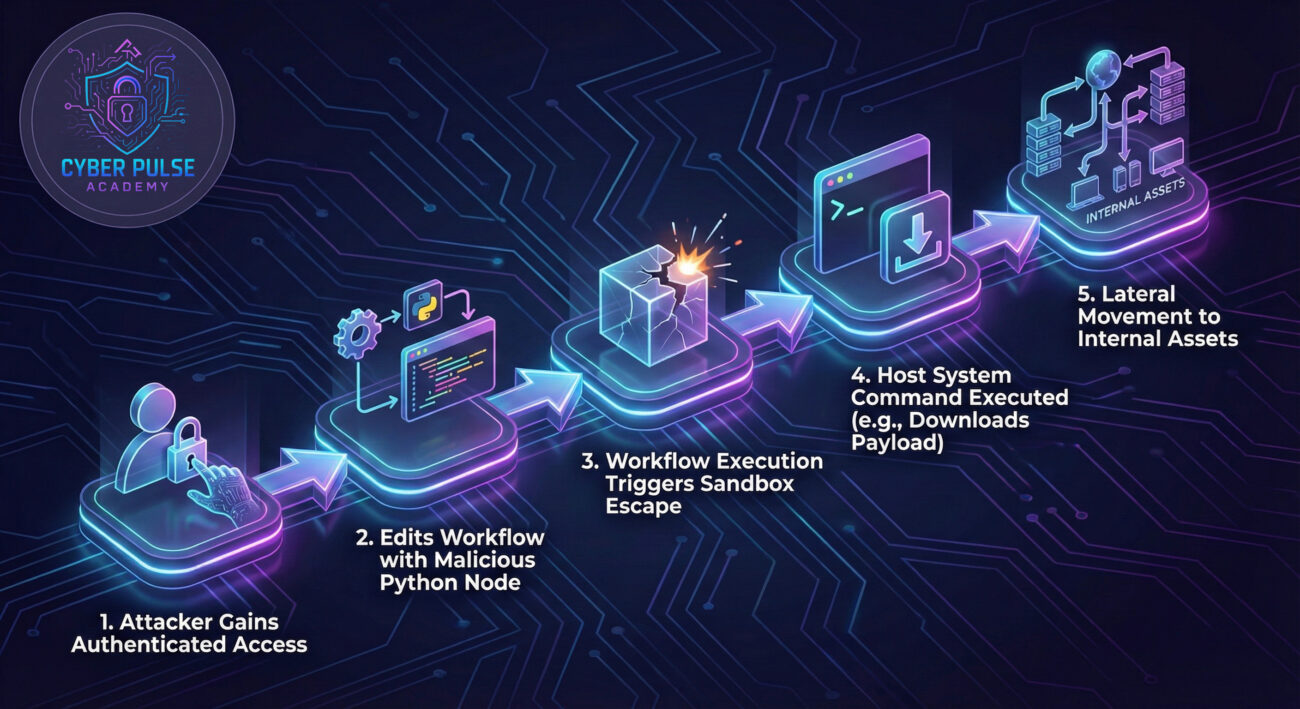
The impact is catastrophic: data breach, resource hijacking for crypto-mining, deployment of ransomware, or a stealthy foothold for espionage. This scenario highlights why a n8n vulnerability in a connective tissue tool is so high-risk, it often sits in a trusted zone with access to secrets and sensitive data flows.
Take immediate action using this prioritized guide. Option 1 (Patching) is the only complete remedy.
Upgrade to n8n version 2.0.0 or later. This version makes the secure, task-runner-based Python execution the default, eliminating the vulnerable sandbox.
n8nio/n8n:latest or n8nio/n8n:2.0.0 and restart the container.npm update -g n8n to get the latest version.n8n --version.Consult the official n8n update guide for detailed instructions.
If you cannot patch immediately, implement these environment variable-based workarounds to disable the attack vector.
NODES_EXCLUDE='["n8n-nodes-base.code"]'. This removes the vulnerable node from the UI, preventing its use.
N8N_PYTHON_ENABLED=false. This allows the Code Node to remain for JavaScript but disables the vulnerable Python execution.
N8N_RUNNERS_ENABLED=true and N8N_NATIVE_PYTHON_RUNNER=true.
Warning: Workarounds are temporary. Plan your upgrade to version 2.0.0.
After patching, conduct a security audit.
For an adversary, this n8n vulnerability is a high-value target.
The defender's mission is to prevent, detect, and respond to this exploit.
bash, curl, wget).Move beyond reactive firefighting. Adopt this framework to build resilience into your n8n and automation ecosystem.
| Pillar | Actions | Tools & Resources |
|---|---|---|
| 1. Asset & Risk Management | Maintain an inventory of all n8n instances. Classify them based on the sensitivity of data they handle. Conduct threat modeling. | CMDB, OWASP Threat Modeling Guide |
| 2. Secure Configuration | Harden the OS, run n8n as non-root, use environment variables for config, enable the native task runner, implement network controls. | n8n documentation, CIS Benchmarks for the host OS. |
| 3. Access Control & Monitoring | Enforce MFA for n8n logins, implement role-based access control (RBAC), log all authentication and workflow changes, centralize logs. | SAML/SSO integration, SIEM (Elastic Stack, Splunk), n8n audit logs. |
| 4. Vulnerability Management | Subscribe to n8n security alerts. Schedule regular patch cycles. Perform periodic vulnerability scans on the n8n host. | n8n Security Advisories (GitHub), vulnerability scanners. |
| 5. Incident Preparedness | Develop and test an incident response plan specific to n8n compromise. Ensure backups of critical workflows are available and tested. | Incident response platform, backup scripts, tabletop exercise scenarios. |
A: You are significantly more secure, but not fully remediated. The native task runner (enabled via N8N_RUNNERS_ENABLED and N8N_NATIVE_PYTHON_RUNNER) in versions 1.111.0+ provides the isolation that fixes this specific vulnerability. However, the official fix is in version 2.0.0, which includes this as the default and likely other security improvements. Upgrading to 2.0.0 is still the recommended action.
A: No. The n8n.cloud managed service is maintained by the n8n team and was patched before the public disclosure. This vulnerability primarily impacts self-hosted and on-premises deployments.
A: Potentially, yes. If an attacker knows or guesses the URL of a webhook that triggers a workflow containing a malicious Python Code Node, they could activate the exploit without even logging into the UI. This underscores the importance of patching, as webhook URLs can sometimes be discovered.
A: The risk is architectural. Any platform that allows users to execute custom code (Python, JavaScript, etc.) within a shared environment faces the challenge of secure isolation. While not the same flaw, similar sandbox escape vulnerabilities have been found in other systems. It's a critical area for security review. Always follow the OWASP guidelines for code injection prevention.
NODES_EXCLUDE) or Python support (N8N_PYTHON_ENABLED=false) via environment variables.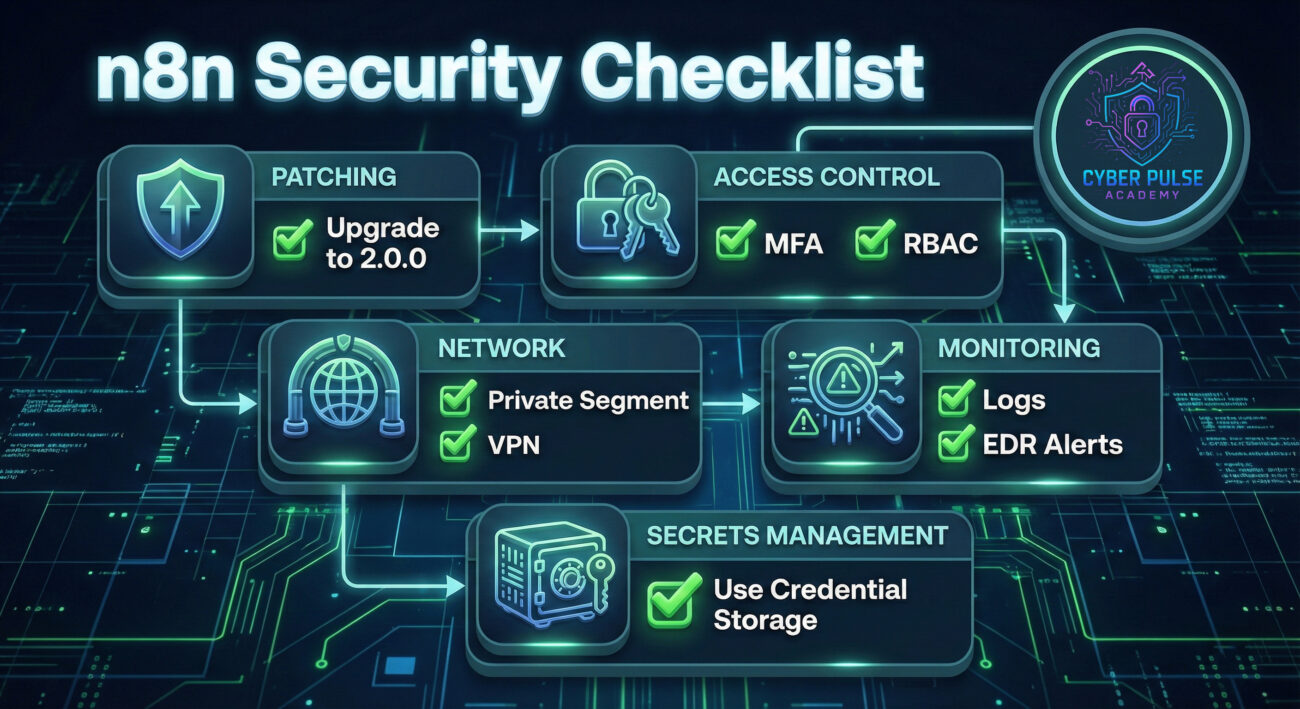
Don't let your automation platform be the weakest link in your security chain. Take these three critical steps today:
By understanding and acting on this n8n vulnerability, you're not just fixing a bug, you're building a more resilient and secure operational foundation.
© 2026 Cyber Pulse Academy. This content is provided for educational purposes only.
Always consult with security professionals for organization-specific guidance.
Every contribution moves us closer to our goal: making world-class cybersecurity education accessible to ALL.
Choose the amount of donation by yourself.