


















































Certification Courses
Hands-On Labs
Threat Intelligence
Latest Cyber News
MITRE ATT&CK Breakdown
All Cyber Keywords
Imagine waking up to find every photo, document, and file on your computer locked with a digital padlock. A message flashes on your screen: "Pay $500 in Bitcoin within 48 hours, or your files will be deleted forever." This isn't science fiction, it's the work of a ransomware operator, the digital equivalent of a kidnapper holding your precious data for ransom.
A ransomware operator is a cybercriminal who uses malicious software (ransomware) to encrypt victims' files, making them inaccessible, and then demands payment for the decryption key. Think of them as a thief who doesn't steal your property but changes the locks on your house and demands money for the new key.
In this beginner-friendly guide, you'll learn exactly how these criminals operate, why they're so dangerous, and, most importantly, how to protect yourself from becoming their next victim. We'll break down technical jargon into everyday language, using clear analogies and real-world examples.
Ransomware operators have evolved from lone hackers to sophisticated criminal enterprises, causing billions in damages annually. In 2023 alone, ransomware attacks cost global organizations over $20 billion, according to Cybersecurity Ventures. But it's not just about money, hospitals, schools, and even critical infrastructure like power grids have been targeted, putting real lives at risk.
What makes modern ransomware operators particularly dangerous is their business-like approach. Many operate under the "Ransomware-as-a-Service" (RaaS) model, where developers create the malware and "affiliates" distribute it, splitting the profits. This has lowered the barrier to entry, creating an epidemic of digital extortion.
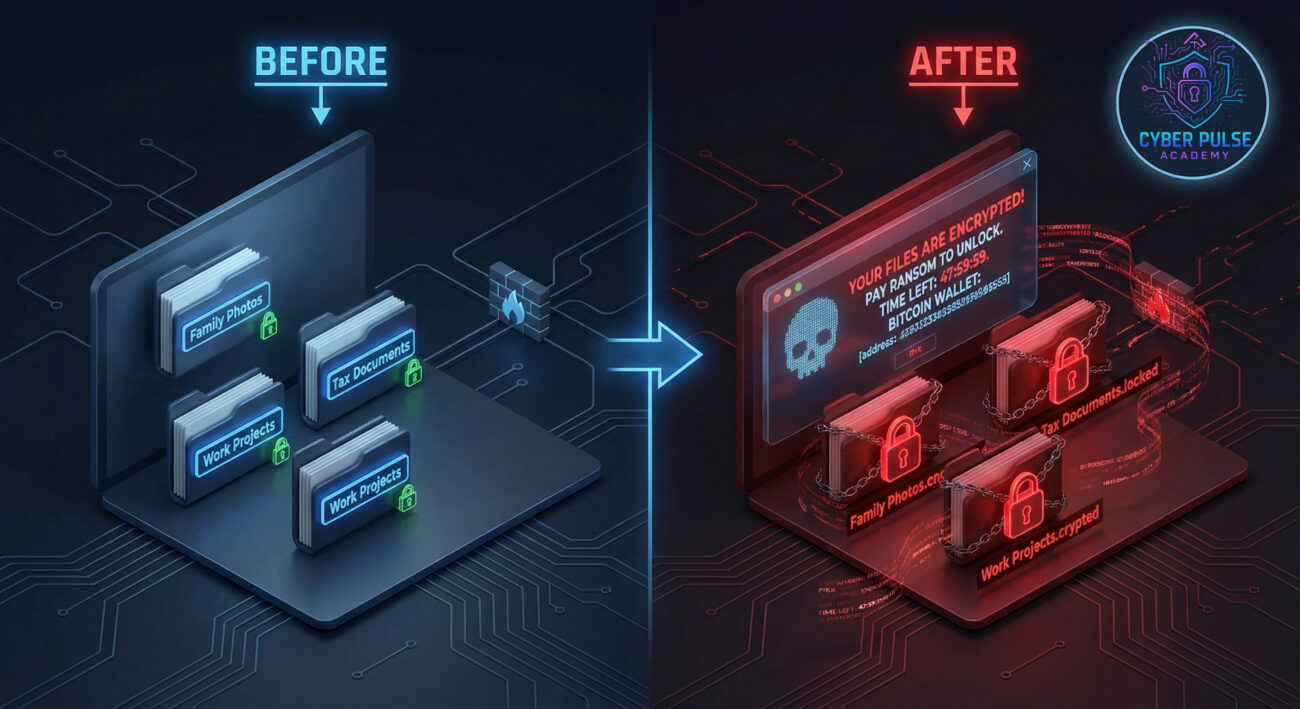
For the average person, a successful attack can mean losing years of family photos, important tax documents, or business files. For small businesses, it can mean bankruptcy. The U.S. Cybersecurity and Infrastructure Security Agency (CISA) calls ransomware "one of the biggest threats to American businesses," emphasizing that everyone is a potential target.
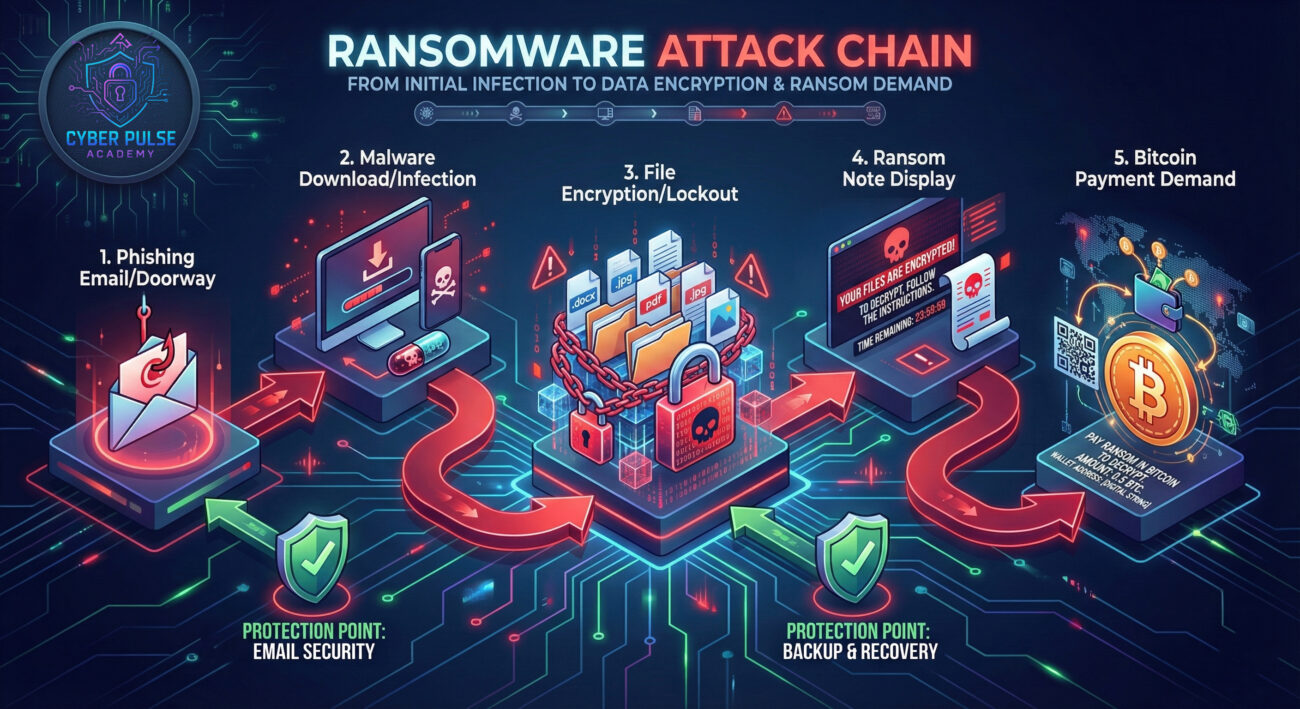
Before we dive deeper, let's clarify some essential terms. Don't worry, we'll use plain English and everyday analogies.
| Term | Simple Definition | Everyday Analogy |
|---|---|---|
| Ransomware Operator | The criminal who runs ransomware attacks, managing the infection, encryption, and ransom collection. | A digital kidnapper who locks your files in a virtual safe and demands money for the combination. |
| Encryption | Scrambling data using a mathematical key so it becomes unreadable without the correct decryption key. | Turning your readable diary into a secret code that only someone with the decoder ring can read. |
| Decryption Key | The unique digital "key" that unlocks (decrypts) the scrambled files back to normal. | The specific combination that opens the safe where your files are locked away. |
| Phishing | A trick email or message designed to make you click a malicious link or download infected files. | A con artist dressed as a postal worker tricking you into opening your door to a burglar. |
| Backup | A copy of your important files stored separately from your main device. | Keeping photocopies of your important documents in a fireproof safe at another location. |
Sarah runs a small accounting firm from her home office. One Tuesday morning, she receives an email that appears to be from a client, with an attachment labeled "Q3 Financials.docx." The email looks legitimate, it has the client's logo and a convincing message. Sarah clicks the attachment.
Nothing happens immediately. Thirty minutes later, a red skull icon appears on her screen. Every file on her computer, client tax returns, business records, invoices, now has a new extension: .locked99. A text file named "READ_ME_NOW.txt" appears on her desktop with a chilling message: "Your files are encrypted. Pay 0.5 Bitcoin (~$20,000) within 72 hours. After that, price doubles. After 7 days, files deleted."
Sarah is facing a ransomware operator from a group known as "LockBit." Here's how the attack unfolded:
| Time/Stage | What Happened | Impact |
|---|---|---|
| Day 1, 9:00 AM | Sarah opens the malicious phishing email attachment. | Malware silently installs on her system. |
| Day 1, 9:30 AM | The ransomware begins encrypting files, starting with documents and images. | Files become inaccessible. Data integrity is breached. |
| Day 1, 10:15 AM | Encryption completes. Ransom note displayed. | Complete system lockout. Business operations halt. |
| Day 1, 11:00 AM | Sarah contacts IT support and learns she has no recent backups. | Only options: Pay ransom or lose years of work. Critical decision point. |
| Day 2 | Sarah reports to the FBI's Internet Crime Complaint Center (IC3) and decides not to pay. | Begins recovery process with professional help, losing 3 days of productivity. |
Protecting yourself from a ransomware operator doesn't require being a tech expert. It requires building good digital habits. Follow this step-by-step guide to significantly reduce your risk.
This is your most powerful defense. If you have backups, a ransomware operator loses their leverage.
Prevent the malware from getting in by securing common entry vectors.
Since phishing is the #1 delivery method, becoming a skeptical clicker is essential.
Limit what an attacker can do if they do get a foothold on your system.
Know what to do before an attack happens. Panic leads to poor decisions.
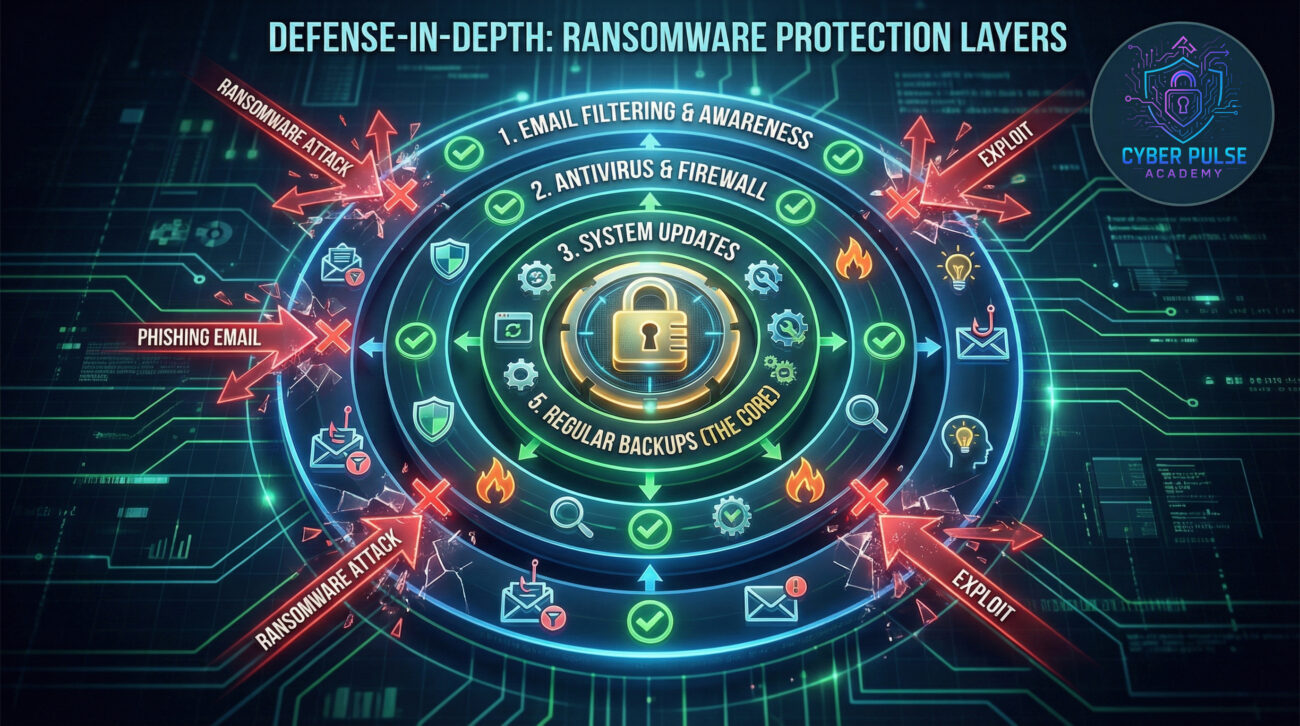
To defend effectively, it helps to understand how a ransomware operator thinks. Let's explore a simple attack path and the corresponding defense move.
Attack Path (The Operator's Play): The operator doesn't start with encryption. They start with reconnaissance. They might scan the internet for computers with Remote Desktop Protocol (RDP) enabled and protected by common or default passwords (like "Password123" or "admin"). This is shockingly common. Once they guess or brute-force the password, they have full access to the computer as if they were sitting in front of it. Then, they manually disable security software, deploy the ransomware, and trigger the encryption.
Defender's Counter-Move: A vigilant defender uses a two-pronged approach. First, they disable RDP if it's not absolutely necessary. If it is necessary, they place it behind a VPN (a secure tunnel) and enforce strong, unique passwords combined with MFA. They also monitor login attempts for repeated failures, which can signal a brute-force attack in progress. The key mindset shift: Assume any exposed service will be probed, and make that probe fail.
In cybersecurity, "Red Team" simulates attackers, and "Blue Team" defends. Here's how each views a ransomware operation.
For the ransomware operator, it's a business calculation. They seek the highest return on investment with the lowest risk. They favor tools that are automated, reliable, and difficult to trace (like cryptocurrency). Their goal is maximum impact with minimum effort. They look for "low-hanging fruit", unpatched systems, weak credentials, and untrained users. They care about payment success rates, evasion of detection, and the speed of encryption. To them, your data is just a commodity to be held for profit.
For the defender, it's about resilience and continuity. The focus is on preventing initial access, detecting anomalous behavior early (like mass file encryption), and ensuring the ability to recover without paying. The defender's victory isn't just stopping an attack; it's ensuring that when (not if) an attack bypasses one layer, the damage is contained and recovery is swift. They view backups not as an IT task, but as the ultimate business continuity tool.
Understanding the ransomware operator is your first step toward building effective defenses. Let's recap the essentials:
The landscape is always evolving, but the core principles of defense remain: Prepare, Prevent, and Practice recovery. You don't need to be a cybersecurity expert to be safe; you just need to implement consistent, smart habits.
Remember, the goal of a ransomware operator is to cause panic and pressure you into paying. By being informed and prepared, you take away their power.
Have questions about ransomware or personal cybersecurity? Share them in the comments below! What topic should we explain simply next, Phishing, Multi-Factor Authentication, or Password Managers? Let us know what you're curious about.
Remember: The most dangerous vulnerability is the belief that you won't be targeted. The most powerful protection is the decision to get prepared today.
Every contribution moves us closer to our goal: making world-class cybersecurity education accessible to ALL.
Choose the amount of donation by yourself.