


















































Certification Courses
Hands-On Labs
Threat Intelligence
Latest Cyber News
MITRE ATT&CK Breakdown
All Cyber Keywords
Have you ever worried that a sophisticated hacker in a dark room is trying to break into your accounts? What if the real threat is simpler, more common, and often sitting in a teenager's bedroom? Understanding the script kiddie is your first step from digital fear to practical cybersecurity confidence.
A script kiddie (or "skiddie") is an unskilled individual who uses pre-written software and tools created by real hackers to launch cyberattacks, without understanding how they work. Think of them as someone who downloads a recipe but doesn't know what the ingredients do, they can still make a mess in the kitchen.
In this guide, you'll learn: what exactly a script kiddie is, why they're a significant threat despite their lack of skill, how a typical attack unfolds, and most importantly, 5 actionable steps you can take today to shield yourself from their automated attacks.
You might think only elite hackers are dangerous. The truth is, script kiddies cause a massive amount of cyber damage precisely because they are low-skilled and numerous. They act as a constant, automated "background noise" of attacks that probes for the easiest targets.
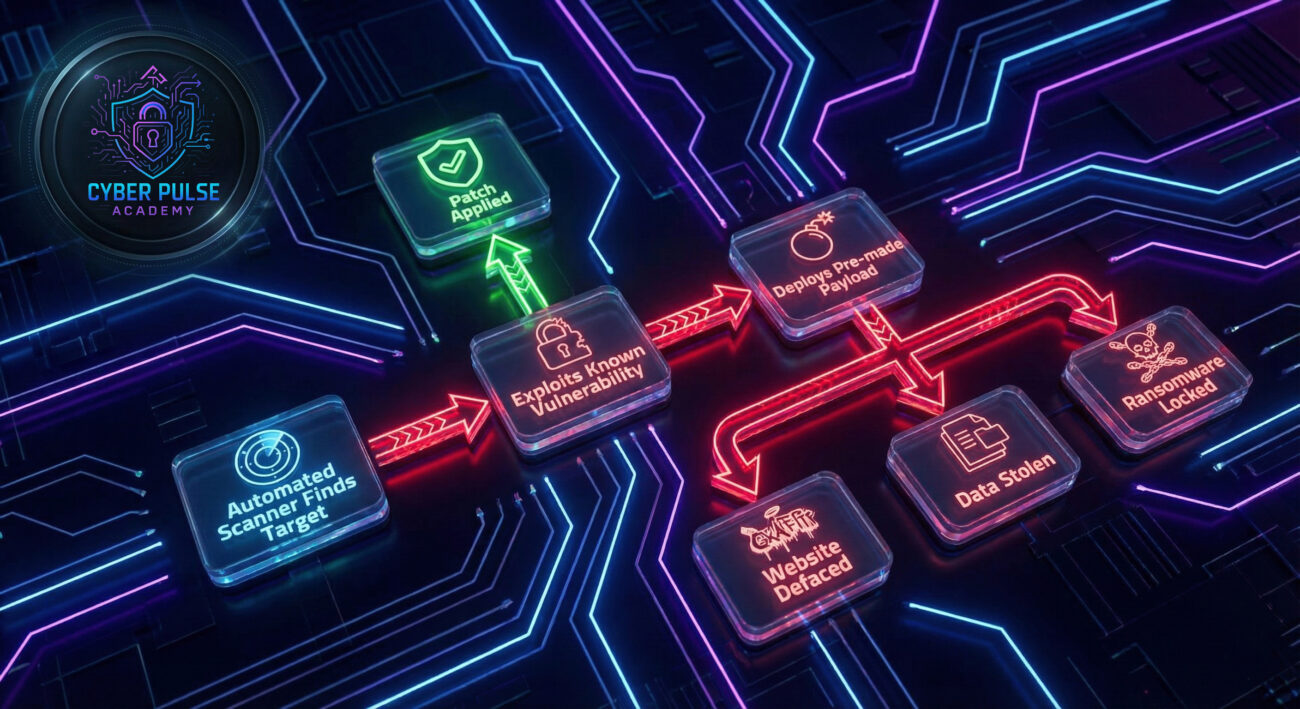
According to reports, a significant portion of opportunistic cyber incidents, like website defacements, small-scale ransomware attacks, and data leaks, are perpetrated by script kiddies. Their power comes from automation. They use tools that scan thousands of systems per minute for a single, known vulnerability. If your system has that one weak spot, you'll be found and compromised.
For your daily life, this means your personal blog, your small business website, or even your poorly secured home network are all potential targets. They're not after you specifically; they're after anyone who is an easy mark. As the Cybersecurity and Infrastructure Security Agency (CISA) emphasizes, basic cyber hygiene can defeat the vast majority of these automated threats.
Before we dive deeper, let's build your cybersecurity vocabulary with simple, clear definitions.
| Term | Simple Definition | Everyday Analogy |
|---|---|---|
| Script Kiddie (Skiddie) | An individual with little technical skill who uses pre-made tools to launch cyberattacks. | Like a person using a store-bought paintball gun. They didn't build it, but they can still make a mess with it. |
| Exploit | A piece of software or code that takes advantage of a bug or vulnerability in a system. | A specific key that happens to unlock a flawed door lock on many houses. |
| Vulnerability Scanner | An automated tool that probes systems for known weaknesses. | A robot that goes down a street checking every door to see if it's unlocked. |
| Payload | The malicious part of the attack software, like ransomware or a data stealer. | The paintball (or worse) that gets fired from the gun once the door is open. |
| Attack Surface | All the different points where an attacker could try to enter your digital systems. | Every window, door, and vent in your house. The goal is to have as few unlocked ones as possible. |
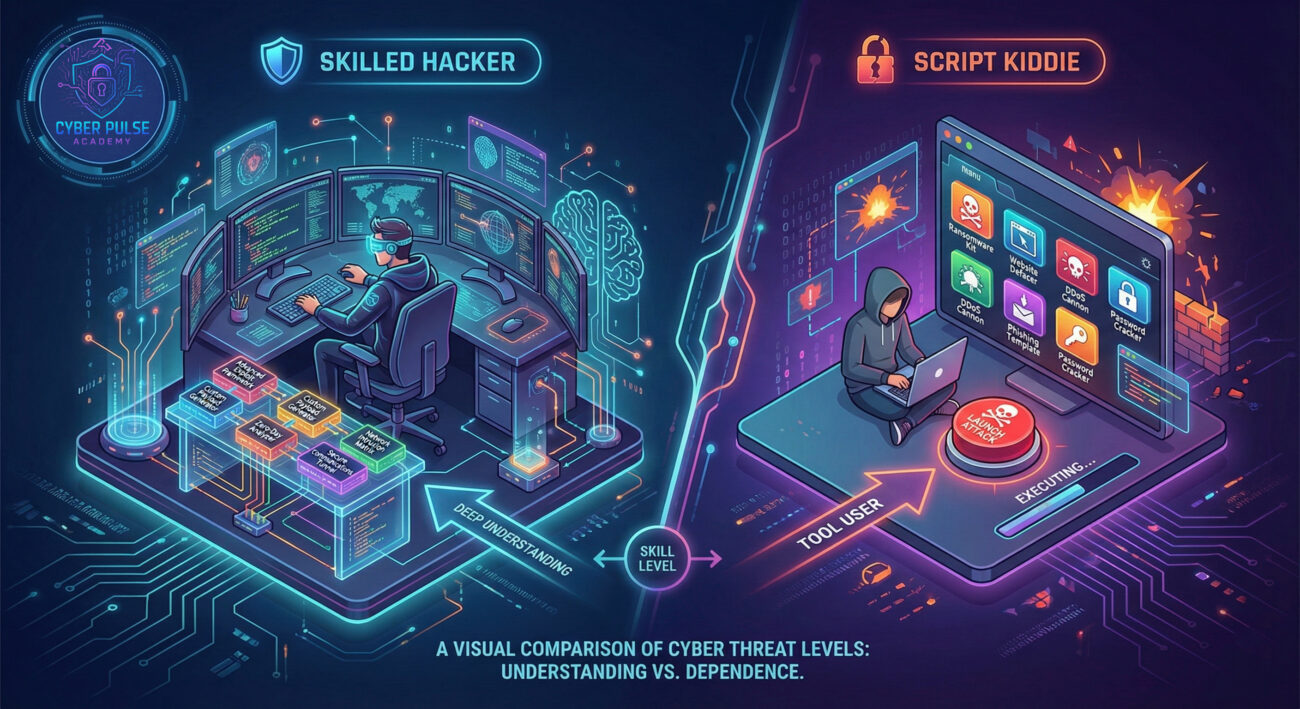
Meet Alex, who runs a popular local food blog, "TastyBites." Alex is great at cooking and writing but views website security as a "tech thing" for bigger companies. His site runs on a common content management system (CMS) that he hasn't updated in over a year.
Miles, a bored 17-year-old with more curiosity than ethics, downloads a popular "web vulnerability scanner" from a forum. He doesn't write code; he just inputs a range of website addresses he finds on Google. The scanner is looking for a specific, well-known security flaw in Alex's outdated CMS version.
Within minutes, Miles's scanner pings back with a result: "TastyBites.com - Vulnerability Found." With one more click, Miles deploys a pre-packaged "defacement kit." Instantly, Alex's homepage is replaced with a crude message and an image, while a hidden script starts mining cryptocurrency using his visitors' computers.
Here’s how the timeline of this script kiddie attack unfolded:
| Time/Stage | What Happened | Impact on Alex |
|---|---|---|
| Day 1: Scanning | Miles runs an automated scanner targeting hundreds of sites. | None yet. His site is just one of many being probed. |
| Day 1: Exploitation | The scanner finds the outdated CMS and alerts Miles. He clicks "Execute Exploit." | Attackers gain admin access to his website backend. |
| Day 1: Payload Deployment | The defacement kit and crypto-miner script are uploaded automatically. | Site is vandalized. Visitors' CPUs slow down. Reputation damage begins. |
| Day 2: Discovery | Alex sees his homepage is hacked and panics. | Traffic plummets. Hosting company suspends his site for "malware." |
| Week 1: Recovery | Alex hires a security consultant to clean the site and apply patches. | Significant financial cost, lost revenue, and lasting trust issues with his audience. |
This scenario shows that a script kiddie doesn't need to be a genius to cause serious harm. Their tools do the skilled work; they just provide the target list and the click.
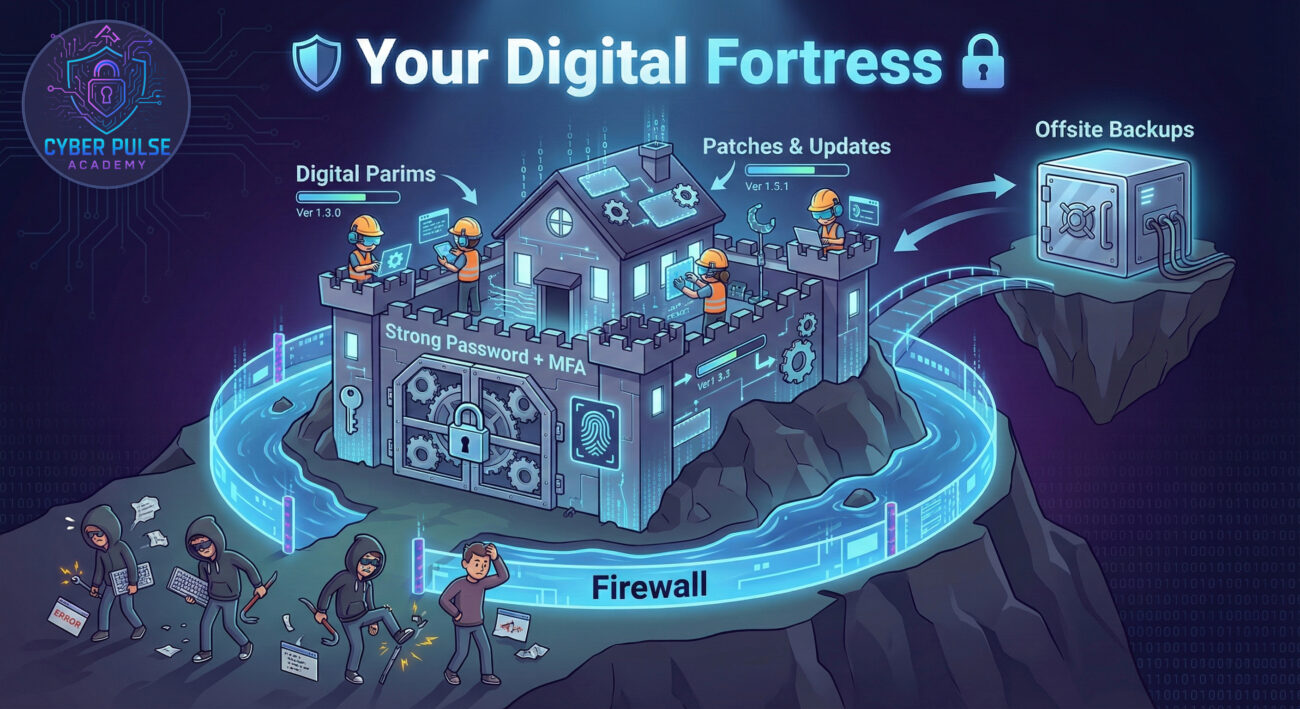
The good news? Defeating a script kiddie is less about outsmarting a mastermind and more about implementing consistent, basic security habits. They rely on low-hanging fruit. Don't be the easy target.
This is your #1 defense. Script kiddie tools exploit known flaws that have already been fixed by vendors.
Weak credentials are a front door left wide open. Automated tools constantly try common password lists.
Think of these as your digital security guards, filtering out malicious traffic before it reaches you.
Limit how much damage can be done if an account is compromised.
Awareness is a layer of protection. Know the common tricks.
Let's think like a defender by examining a simple attack path a script kiddie might take, and how to break it.
The Attack Path: A script kiddie obtains a tool that searches for websites with an outdated plugin (e.g., a contact form). The tool provides a one-click exploit. Once in, the attacker's goal is to upload a "web shell", a backdoor that gives them ongoing control, to then host illegal content or launch further attacks from your server.
The Defender's Counter-Move: The defender's mindset focuses on breaking the chain. First, by keeping all plugins updated, the initial vulnerability is removed, the scanner finds nothing. Second, by using a Web Application Firewall (WAF), the malicious upload attempt of the web shell is blocked even if the first line fails. Third, by monitoring website files for unauthorized changes (file integrity monitoring), any successful upload is detected immediately. The key is defense-in-depth: multiple layers that stop an automated, non-persistent attacker.
For the script kiddie, the goal is volume and ease. They aren't crafting a custom spear-phishing email for you. They care about tools with a high success rate that require minimal configuration. They want a big list of IPs or domains to feed into their scanner, hoping for a percentage of "hits." Their success metric isn't depth of access, but simply getting in somewhere, anywhere. They often lack persistence; if their access is closed, they'll likely move on to the next easy target rather than fight to get back in.
The defender views the script kiddie as a high-frequency, low-sophistication test of their security hygiene. These attacks are valuable canaries in the coal mine. A successful breach by a skiddie indicates a fundamental gap (like missing patches or weak passwords) that a more advanced attacker could also exploit. The Blue Team's strategy is to automate defenses against these known threats: automated patching, enforcing MFA, and deploying intrusion detection systems tuned for known exploit patterns. Beating the skiddie is about raising the baseline security floor for the entire organization.
Understanding the script kiddie demystifies a large portion of the cyber threat landscape. They are not omnipotent hackers, but they are a pervasive and damaging force due to the power of automation and the abundance of unpatched systems.
Let's recap your essential takeaways:
By implementing the steps in this guide, you move from being part of the low-hanging fruit to being a hardened target. In cybersecurity, you don't need to outrun the bear (or the elite hacker), you just need to outrun the other campers. Good security basics ensure you're not the easiest meal for a script kiddie.
Did you find this guide on script kiddies helpful? What's your biggest challenge with basic cybersecurity practices? Share your thoughts or questions in the comments below! Let's build a more secure digital world together, one step at a time.
Want to dive deeper? Explore our beginner's guides on Phishing and Password Managers.
Every contribution moves us closer to our goal: making world-class cybersecurity education accessible to ALL.
Choose the amount of donation by yourself.