


















































Certification Courses
Hands-On Labs
Threat Intelligence
Latest Cyber News
MITRE ATT&CK Breakdown
All Cyber Keywords
Have you ever worried that your password alone isn't enough to protect your email, banking, or social media accounts? You're right to be concerned. In today's digital world, passwords are frequently compromised through data breaches, phishing scams, and malware. That's where TOTP (Time-Based One-Time Password) comes in, a powerful second lock on your digital door that changes every 30 seconds, making it incredibly hard for attackers to break in.
Think of it like this: your password is the key to your house. TOTP is a security guard who asks for a constantly changing secret code that only you have, even if someone steals your key. In this guide, you'll learn: what TOTP actually is, why it's a critical layer of defense, how to set it up in minutes, and the common pitfalls to avoid to keep your accounts secure.
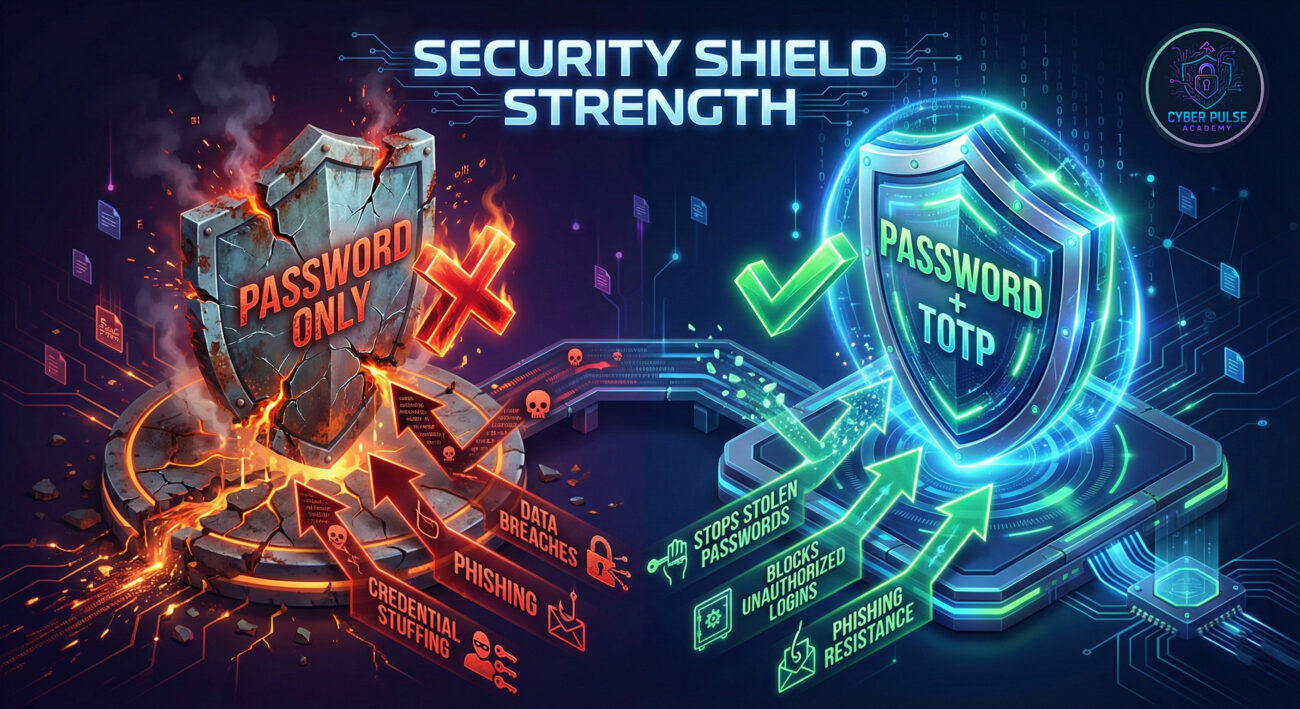
A single password is like a flimsy lock on a treasure chest. The Cybercrime landscape is booming, with agencies like CISA constantly reporting new threats. Credential stuffing, where hackers use stolen passwords from one site to break into others, is a rampant attack. Multi-factor authentication (MFA), and particularly TOTP, is your best defense.
TOTP is a form of two-factor authentication (2FA) that generates a unique, temporary code on your phone or device. This code is based on the current time and a secret key shared only between you and the service. Unlike SMS codes, which can be intercepted via SIM-swapping attacks, TOTP codes live securely on your device. Major services like Google, Microsoft, Facebook, and your bank recommend or require it. Implementing TOTP dramatically reduces the risk of account takeover, even if your password is leaked in a major data breach.
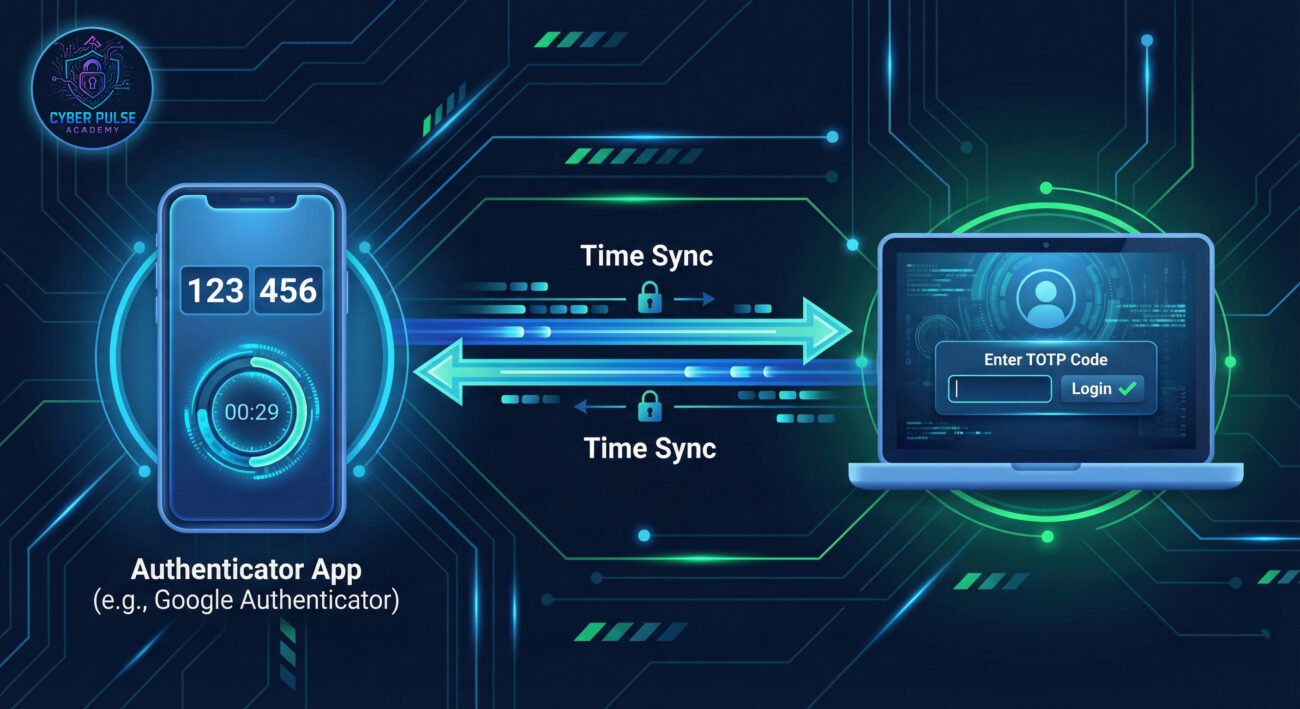
Let's break down the jargon into simple, relatable concepts.
| Term | Simple Definition | Everyday Analogy |
|---|---|---|
| TOTP (Time-Based One-Time Password) | A temporary 6-digit code that changes every 30 seconds, used as a second step to verify your identity. | A constantly changing combination to a locker that resets every half-minute. |
| Authenticator App | A smartphone application (like Google Authenticator or Authy) that generates your TOTP codes. | A specialized key fob that produces new digital keys on demand. |
| Secret Key | A unique, shared password between you and the website, used to generate the correct TOTP codes. | The secret recipe that only you and the bank know to bake the correct verification cookie. |
| 2FA / MFA (Two/Multi-Factor Authentication) | Using two or more different types of proof to log in (e.g., password + TOTP code). | Needing both a key and a fingerprint scan to enter a high-security building. |
| Phishing | A hacker tricking you into giving away your password or codes on a fake website. | A con artist dressed as a bank manager asking for your ATM PIN. |
Sarah, a freelance graphic designer, used the same password for her email, cloud storage, and social media. One day, a popular design forum she used was hacked, and her password was exposed. A hacker quickly tried that password on her email account. Luckily, Sarah had enabled TOTP on her Gmail. When the attacker entered her stolen password, they were prompted for a 6-digit code they didn't have. Sarah received a login attempt alert, changed her password immediately, and avoided a catastrophic breach that could have compromised her client files and financial accounts.
| Time/Stage | What Happened | Impact |
|---|---|---|
| Before TOTP | Sarah relied solely on passwords. The design forum breach leaked her credentials. | High Vulnerability. Her email and connected accounts were an easy target. |
| The Attack | A hacker used the leaked password to try logging into her email. | Direct Attack launched. Without TOTP, access would have been granted. |
| TOTP in Action | The login attempt was blocked at the 2FA step, requiring the TOTP code from Sarah's phone. | Attack Neutralized. The hacker was stopped despite having the correct password. |
| Aftermath | Sarah was alerted, changed her password, and reviewed her account security. | Security Enhanced. She learned the value of unique passwords and TOTP. |
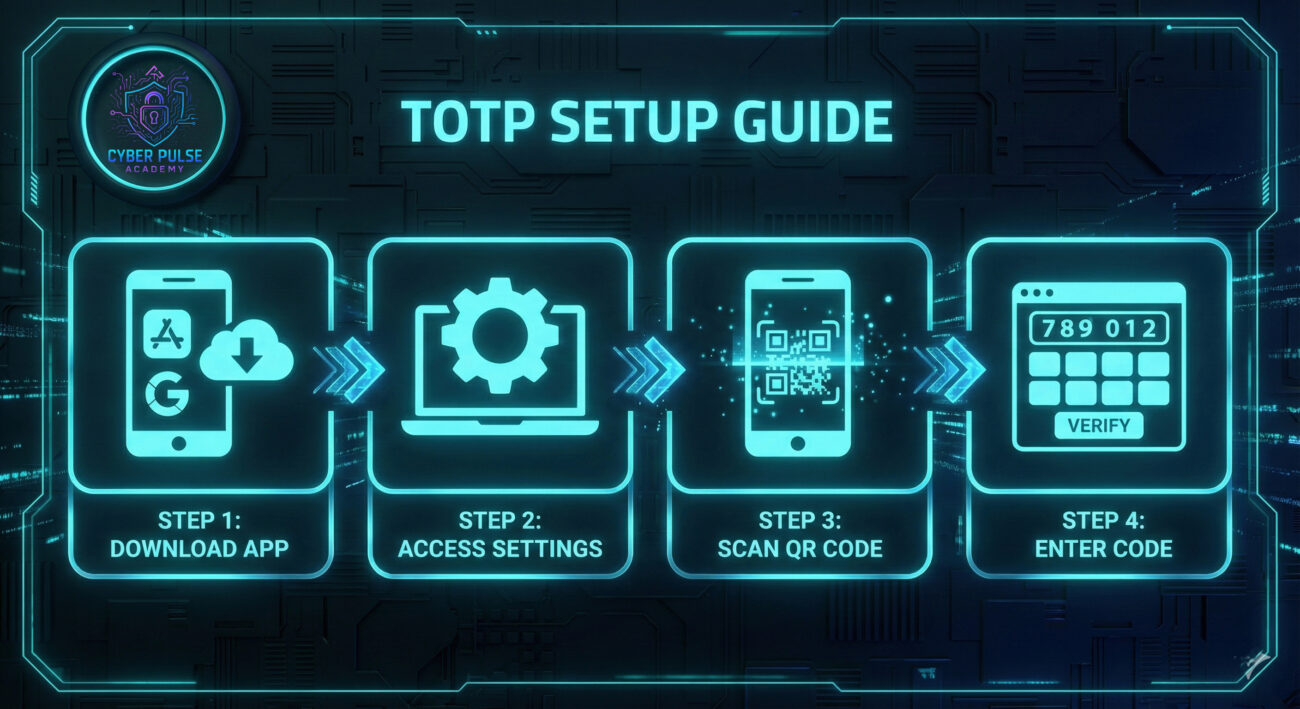
Download a reputable authenticator app on your smartphone. These are free and easy to use.
Go to the security settings of an important account, like your email or Facebook.
Open your authenticator app and tap the "+" or "Add Account" button.
The website will ask you to enter the current 6-digit code from your app.
Understanding how an attacker thinks helps you defend better. A common attack against TOTP is real-time phishing. Here's how it works: The hacker creates a fake login page that looks identical to, say, Google's. They send a phishing email urging you to log in urgently. When you enter your password, their site immediately forwards it to the real Google site. Google then prompts for the TOTP code. If you enter that code on the fake site, the attacker instantly uses it to log into your real account before the 30-second window expires.
The defender's counter-move? Always check the website URL before typing any credentials or codes. Legitimate sites will have the correct domain (e.g., accounts.google.com). If you're unsure, navigate to the site manually instead of clicking a link. This simple habit breaks the attacker's chain.
"TOTP is an annoying but surmountable obstacle. My goal is to bypass it. I look for the weakest link: maybe the user has backed up their codes in an unencrypted note, or they might fall for a real-time phishing site. I prefer targets using SMS 2FA, which is easier to intercept. If TOTP is enabled, I might try social engineering to convince the user to read me a code, or I'll shift focus to easier targets. Time is my enemy, those 30-second codes force me to act fast."
"TOTP is a fantastic layer that turns a single point of failure (the password) into a dynamic defense. My goal is to ensure it's implemented correctly and users are educated. I care about secure secret key storage, promoting authenticator apps over SMS, and monitoring for unusual login attempts that get stopped at the 2FA stage. I see TOTP not as a silver bullet, but as a critical component in a defense-in-depth strategy that includes strong passwords and user awareness."
TOTP is no longer just for tech experts, it's an essential tool for everyone. By adding this dynamic second step to your logins, you build a formidable barrier against the most common cyber attacks.
Let's recap your main takeaways:
Your digital life is valuable. Don't protect it with just a key, add a guard and a changing secret handshake. Start today by enabling TOTP on your primary email account. The peace of mind is worth the five-minute setup.
Have you enabled TOTP on your accounts? Which authenticator app do you prefer, and why? Share your experiences or ask any remaining questions in the comments below, let's build a more secure community together!
Every contribution moves us closer to our goal: making world-class cybersecurity education accessible to ALL.
Choose the amount of donation by yourself.