


















































Certification Courses
Hands-On Labs
Threat Intelligence
Latest Cyber News
MITRE ATT&CK Breakdown
All Cyber Keywords
Have you ever worried about your passwords being stolen, your bank account getting drained, or your private photos leaked online? In a world where digital threats seem to lurk around every corner, who's actually working to keep you safe? Enter the unsung heroes: White Hat Hackers. They are the ethical digital ninjas who use their skills to protect, not plunder.
In simple terms, a White Hat Hacker is a cybersecurity professional who is legally authorized to probe computer systems, networks, and software for weaknesses, with the sole purpose of fixing them before malicious hackers can exploit them. Think of them as the digital equivalent of a locksmith who tests your home's security by trying to pick your lock, then shows you how to make it stronger.
In this guide, you'll learn exactly what White Hat hackers do, why they are critically important to your daily online safety, the tools of their trade, and how their work directly benefits you. By the end, you'll see cybersecurity not just as a shield, but as an active, human-led defense.
Every minute, cybercriminals launch thousands of attacks. From the massive breach of a government database to a phishing email targeting a small business owner, the digital landscape is a battlefield. Without White Hat Hackers, we would be fighting this war blindfolded. They are the proactive scouts who find the hidden paths enemies might use and help us build walls before the attack begins.
The importance is staggering. According to a report by IBM, the global average cost of a data breach in 2023 was $4.45 million. Organizations like the Cybersecurity and Infrastructure Security Agency (CISA) actively encourage and often employ White Hat techniques to bolster national defense. For you, this means the apps you trust with your data, the websites where you shop, and the online services you use are continuously being stress-tested by these ethical experts to ensure they are secure.
Their work moves beyond just finding bugs. They create a culture of security, pushing companies to prioritize your privacy and safety. When a White Hat Hacker responsibly discloses a vulnerability, they prevent potential disaster, saving money, reputations, and, in critical infrastructure like hospitals or power grids, potentially saving lives.
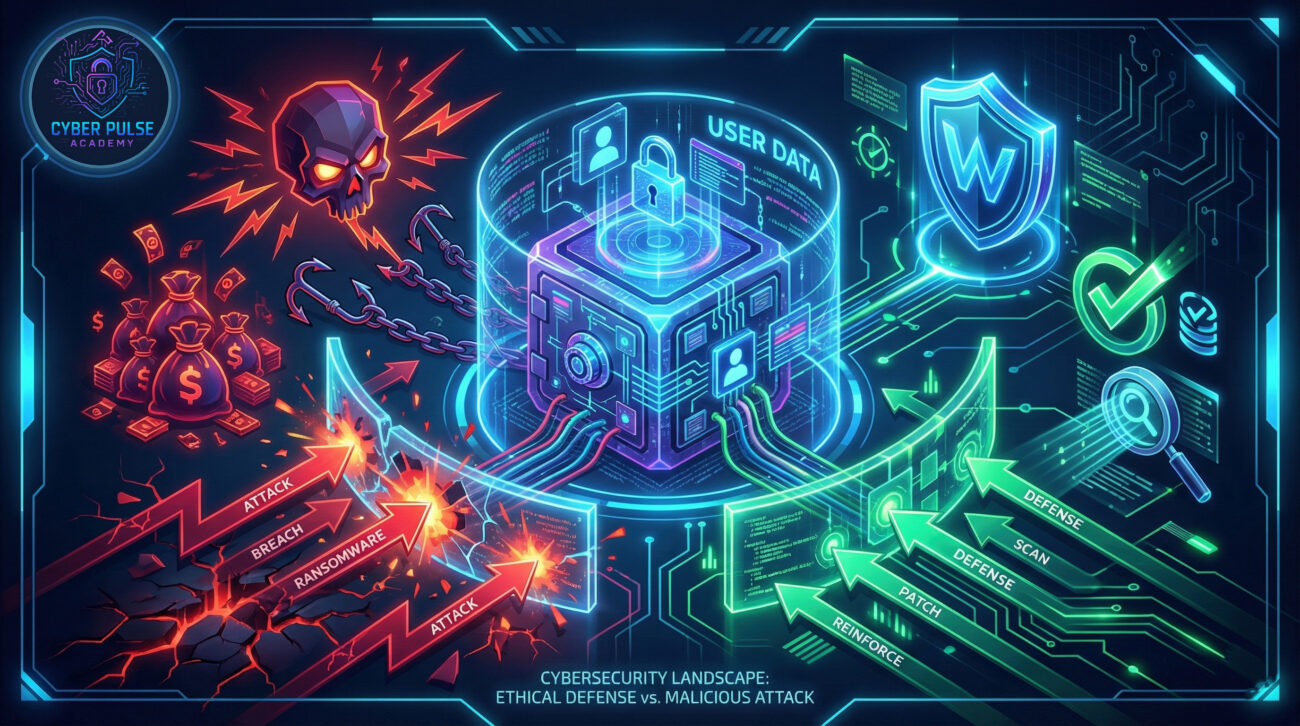
Let's break down the essential jargon. This table translates techie talk into plain English.
| Term | Simple Definition | Everyday Analogy |
|---|---|---|
| White Hat Hacker | An ethical security expert who hacks systems with permission to find and fix security flaws. | A home inspector hired to find structural weaknesses in your house before you buy it. |
| Vulnerability | A weakness or flaw in a system that could be exploited by a threat. | An unlocked window in a otherwise secure building. |
| Exploit | A piece of code or technique that takes advantage of a vulnerability to cause unintended behavior. | A thief using a crowbar to pry open that unlocked window. |
| Penetration Test (Pen Test) | A simulated, authorized cyber attack to evaluate security, performed by White Hats. | A fire drill: intentionally simulating an emergency to test and improve response plans. |
| Bug Bounty Program | A reward system offered by companies where White Hats are paid for reporting valid vulnerabilities. | A "Finders Fee" offered for returning a lost wallet, incentivizing honest behavior. |
Meet Alex, a White Hat Hacker hired by "SafeShop," a popular e-commerce platform. SafeShop's management is confident in their security but wants a professional assessment. Alex's job is to think like a criminal to save the company from one.
The Mission: Conduct a controlled penetration test on SafeShop's web application and payment portal, focusing on customer data. Alex signs a strict legal agreement defining the scope, methods, and timeline of the test.
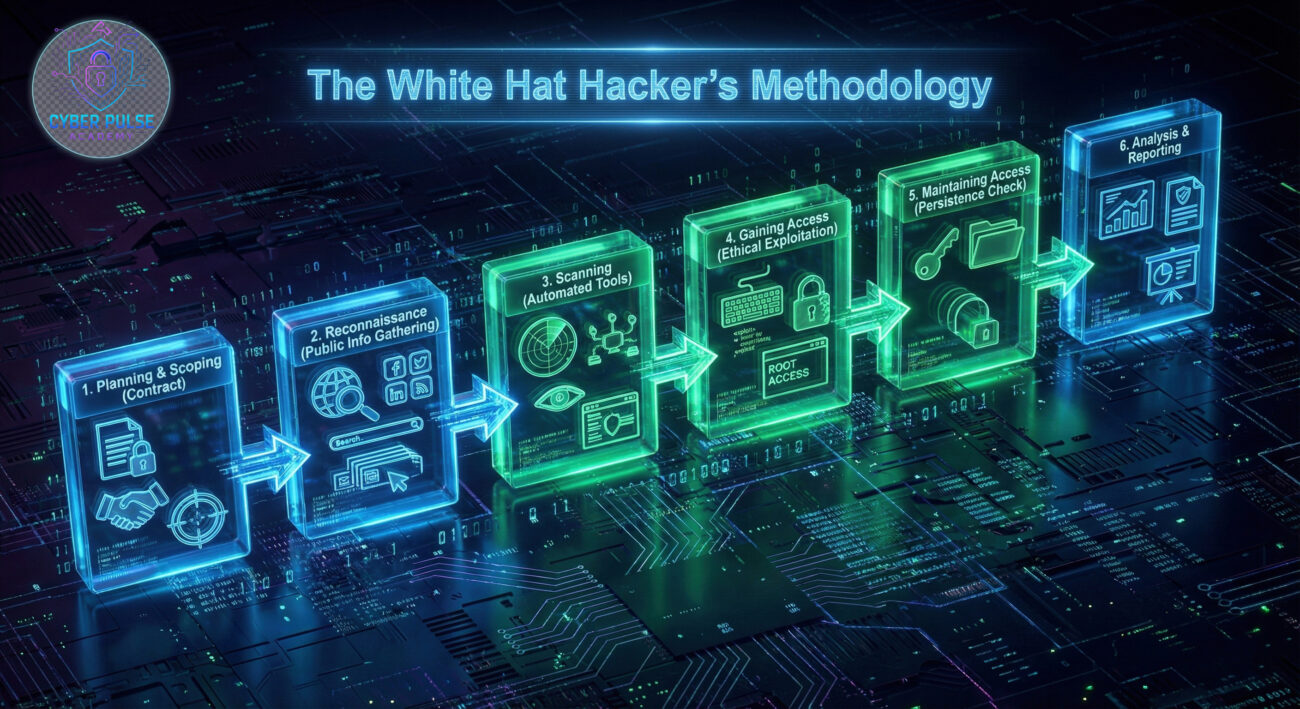
Within hours, Alex discovers a critical flaw: the "Forgot Password" function doesn't limit how many times you can guess a user's security answer. A malicious hacker could write a simple script to guess thousands of answers per minute, hijack an account, and access saved credit cards.
Alex immediately documents the vulnerability: how to find it, how to exploit it, and most importantly, how to fix it. This report goes directly to SafeShop's security team. Within 24 hours, the flaw is patched. Alex's work prevented a potential massive data breach, protecting millions of users and saving SafeShop millions in potential fines and lost trust.
| Time/Stage | What Happened | Impact & Outcome |
|---|---|---|
| Day 1: Planning | Alex and SafeShop define rules of engagement. No real customer data is touched. | Legal safety ensured. Test is focused and effective. |
| Day 2: Discovery | Automated scanning and manual testing reveal the password reset vulnerability. | A critical security hole is identified before criminals find it. |
| Day 2: Reporting | Alex creates a detailed report with proof-of-concept and remediation steps. | SafeShop's developers receive a clear, actionable guide to fix the issue. |
| Day 3: Resolution | SafeShop implements a rate-limiting fix on their password reset function. | The system is now secure. User data is protected. |
You don't need to be a tech genius to adopt a White Hat mindset. It's about proactive, cautious thinking. Here’s how you can apply their principles to your own digital life.
Question the security of every link, email, and login prompt. A White Hat starts with "zero trust."
This is basic hygiene. Most attacks exploit known, unpatched flaws or weak passwords.
Even if a hacker gets your password, MFA stops them in their tracks. It's the single most effective protection you can add.
White Hats minimize access. You should too. Don't give apps or accounts more permission than they absolutely need.
The digital threat landscape changes daily. A White Hat is a perpetual learner.
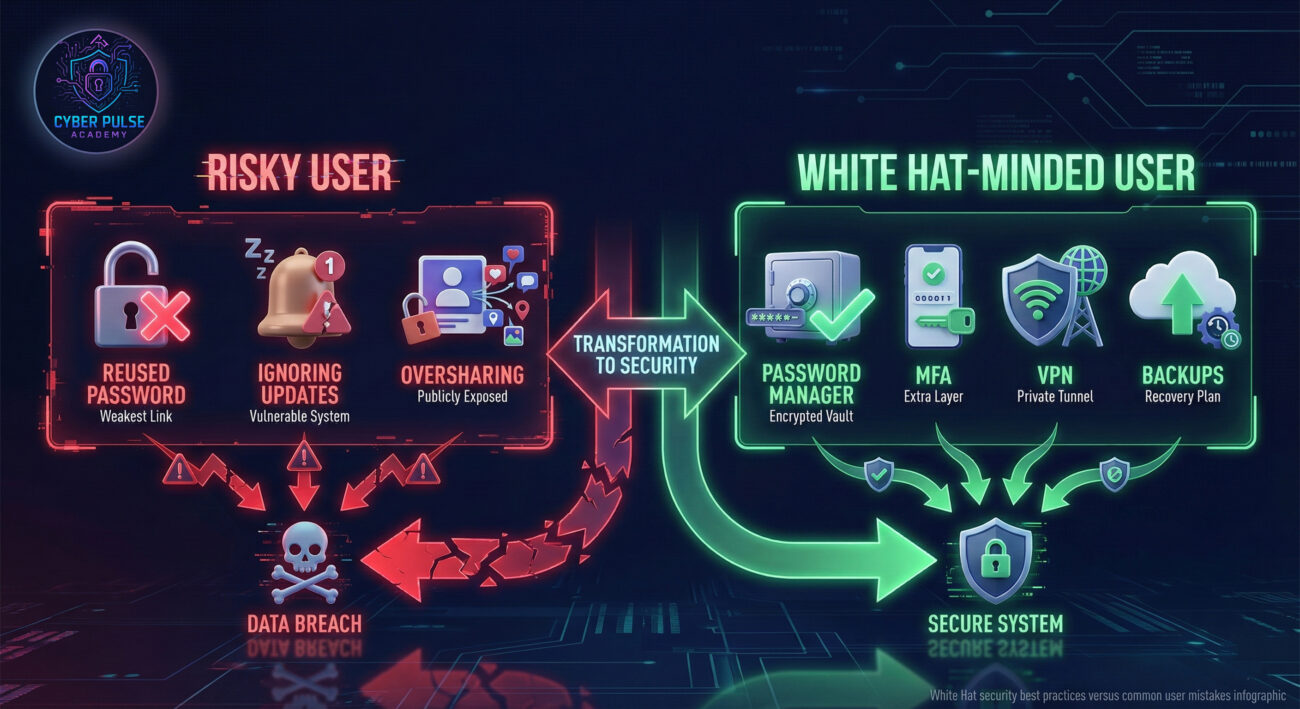
Let's peek into the mindset. How might a threat actor think, and how would a White Hat counter it?
The Simple Attack Path (Credential Stuffing): A hacker buys a list of leaked emails and passwords from an old data breach. They use automated software to try those same credentials on dozens of popular sites (banking, social media, shopping). They know many people reuse passwords. If they get a hit, they now control that account and can steal money, information, or use it to launch further attacks.
The Defender’s Counter-Move (White Hat Thinking): A White Hat anticipates this. They advise companies to implement systems that detect rapid, repeated login attempts from unfamiliar locations and block them. They also advocate for mandatory MFA, which would render the stolen password useless. On a personal level, their advice to you, use unique passwords everywhere, makes this entire attack ineffective against you.
In professional cybersecurity, White Hat activities are often framed as a contest between Red Teams (attackers) and Blue Teams (defenders).
The Red Team's goal is simple: find a way in, by any (authorized) means necessary. They see the system as a puzzle to be solved. They don't care about rules of "normal" use; they look for oversights, hidden logic flaws, and human error. A vulnerability is an opportunity, a crack in the wall. They are creatively malicious within bounds, asking "What did the developers forget? What can I make this system do that it was never intended to do?"
The Blue Team's goal is to protect, detect, and respond. They see the system as a fortress to be maintained. They build the walls (firewalls), set the alarms (intrusion detection systems), and monitor the logs for any sign of unusual activity. They care deeply about stability, integrity, and confidentiality. A vulnerability is a failure that needs immediate repair. They think, "How can we make the system resilient? How do we spot an intruder the moment they touch the wall?"
The White Hat Hacker often embodies both mindsets, switching between them to comprehensively secure a system. The Red Team finds the holes, and the Blue Team patches them, a continuous cycle of improvement.
White Hat Hackers are the essential, ethical backbone of our connected world. They are not shadowy criminals, but licensed professionals who use hacking skills for good.
The next time you hear about a major data breach that didn't happen, remember there's a good chance a White Hat Hacker was behind the scenes, quietly doing their job to keep us all safe.
Got questions about White Hat hacking, password managers, or how to start learning more about cybersecurity? Drop a comment below or share your own security tips! Let's build a more secure community together.
What's the first security practice you'll implement after reading this?
Every contribution moves us closer to our goal: making world-class cybersecurity education accessible to ALL.
Choose the amount of donation by yourself.