


















































Certification Courses
Hands-On Labs
Threat Intelligence
Latest Cyber News
MITRE ATT&CK Breakdown
All Cyber Keywords
Wordlist Scanning is a targeted reconnaissance technique where attackers systematically test a list of common or likely words against a target system to discover hidden resources, files, directories, or parameters that aren't publicly linked. This practical guide transforms the official MITRE data into actionable intelligence for both red and blue teams.
ATT&CK ID: T1595.003
Tactics: Reconnaissance
Platforms: PRE (Pre-Attack)
Difficulty: 🟢 Easy (Low skill barrier, automated tools readily available)
Prevalence: High (Ubiquitous in early-stage reconnaissance)
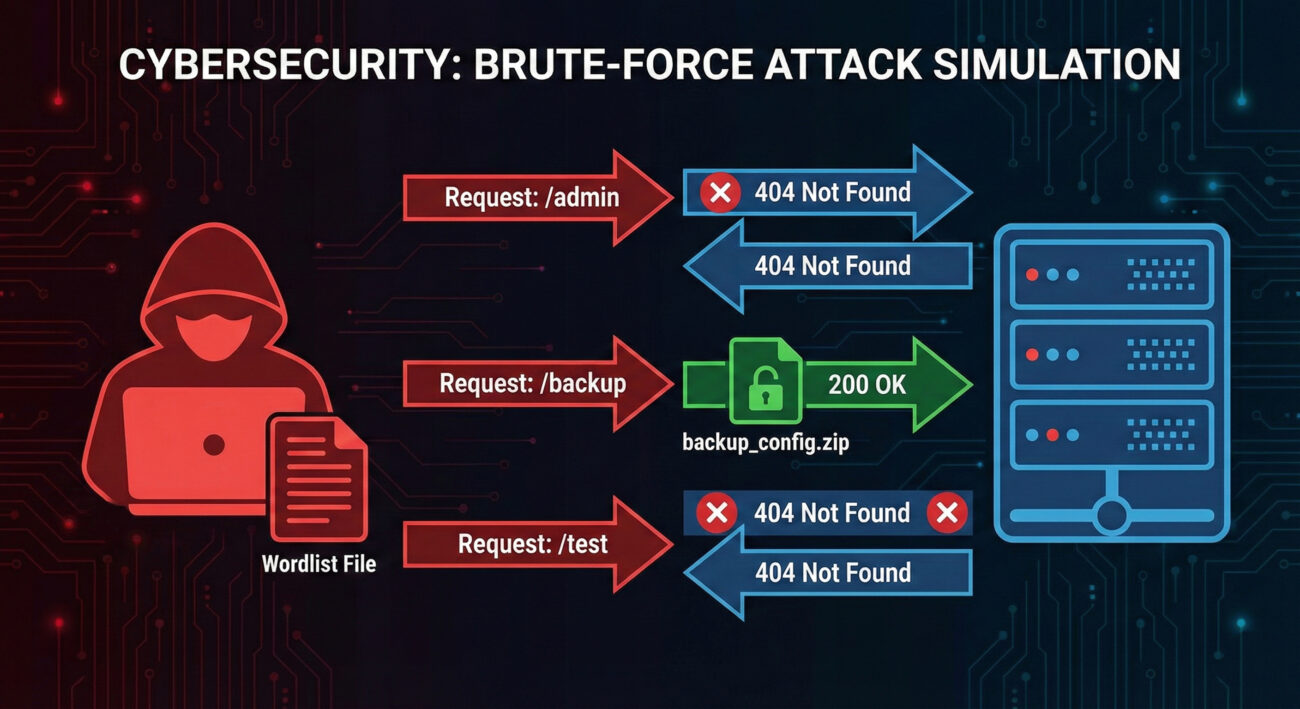
Imagine a thief checking every window and door in a large office building at night. They don't know which ones are unlocked, but they have a list of every possible entrance, main doors, fire exits, loading bays, even old windows. They methodically try each one until they find an entry point. That's Wordlist Scanning in the digital world.
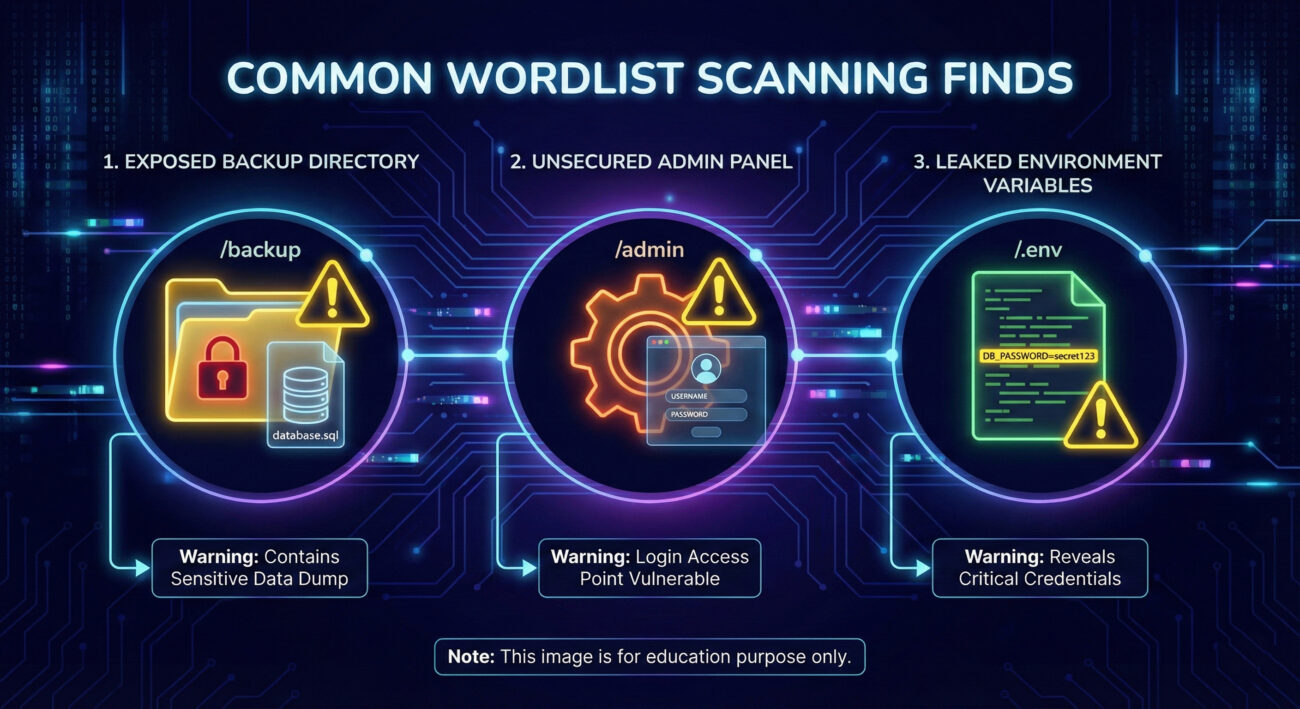
Instead of physical doors, attackers use automated tools to try thousands of common names for web pages (/admin), directories (/backup), files (/config.json), or API endpoints (/api/v1/users). These resources are often hidden from public navigation but still accessible if you know the exact address. The attacker's "wordlist" is their digital skeleton key ring, filled with keys for common locks.
| Term | Simple Definition | Why It Matters |
|---|---|---|
| Wordlist / Dictionary | A text file containing a list of possible directory or file names (e.g., "admin", "backup", "test", "config"). | The attacker's ammunition. Quality wordlists (like common.txt or directory-list-2.3-medium.txt) dramatically increase success rates. |
| HTTP Status Code | A 3-digit number returned by a web server (200=OK, 404=Not Found, 403=Forbidden, 301=Redirect). | Attackers filter results based on these codes. A "200" on /backup.zip is a major find. A "403" might still indicate a protected resource worth targeting. |
| Brute-force vs. Smart Scanning | Brute-force tries random combinations; smart scanning uses curated, context-aware wordlists. | Modern Wordlist Scanning is "smart", using lists tailored to CMS (WordPress, Joomla), frameworks, or specific industries. |
| Resource Discovery | The goal of the technique: uncovering hidden but accessible assets. | This is the critical first step that leads to data leaks, admin panel access, or vulnerable components. |
| Rate Limiting | A defense that blocks an IP after too many rapid requests. | Forces attackers to scan slowly ("low and slow") to avoid detection, turning a 5-minute scan into a 5-day campaign. |
An attacker doesn't just run a tool and get lucky. Professional Wordlist Scanning follows a deliberate process:
https://target-company.com). Use passive reconnaissance (T1592) to gather tech stack hints (is it WordPress? An API server?).gobuster or ffuf). Configure:
.php, .bak, .zip)/phpinfo.php is a critical find. /backup_2023.sql is a potential goldmine. These become targets for the next phase (Initial Access or Collection).Think like a burglar casing a building. You're not breaking in yet. You're checking for an unlocked side door, an open window on the second floor, or a dumpster with blueprints. Your goal is to find the easiest, least conspicuous point of entry. In red teaming, wordlist scanning is that crucial "casing" phase. You're mapping the attack surface that the blue team might have forgotten. Success isn't just about finding something; it's about finding something useful without getting caught.
ffuf (Fuzz Faster U Fool): Modern, fast, highly customizable. The current tool of choice.gobuster: Popular for directory and DNS brute-forcing. Simple and effective.Dirb/Dirbuster: Older but reliable, with built-in wordlists.ffuf Command:
ffuf -w /usr/share/wordlists/dirb/common.txt -u https://target.com/FUZZ -t 50 -mc 200,403 -rate 100

# Breakdown:
# -w : Path to wordlist
# -u : Target URL with "FUZZ" where words get inserted
# -t : Number of concurrent threads
# -mc : Match HTTP status codes 200 (OK) and 403 (Forbidden)
# -rate : Requests per second (keep low to evade detection)
Example gobuster Command:
gobuster dir -u https://api.target.com -w ./api-wordlist.txt -x php,json,bak -t 20 --delay 200ms

# dir : Mode is directory brute-force
# -x : File extensions to try
# --delay : Adds 200ms between requests to be stealthier
Advanced Persistent Threat (APT) groups routinely use Wordlist Scanning in their reconnaissance phases. For example, APT29 (Cozy Bear), associated with Russian intelligence, has been documented using automated scanning tools to discover exposed services and vulnerable web applications as a precursor to targeted attacks.
In a campaign analyzed by Mandiant, the group conducted extensive internet-wide scanning to identify vulnerable VPN appliances and external web servers of targeted organizations in the government and healthcare sectors. This scanning, which included wordlist-style discovery of specific management portals and APIs, enabled them to build a target list for subsequent exploitation.
This highlights that even sophisticated state-sponsored actors rely on this fundamental technique. It's not "noisy" or "amateur" if done carefully, it's effective intelligence gathering.
Think like a building security guard watching a thousand doors on a monitor. A single person trying one door is normal. Someone methodically trying every door, in sequence, at a steady pace, is suspicious. Your job isn't to stop the first knock, but to detect the pattern of systematic testing.
The defender's philosophy for catching Wordlist Scanning hinges on two concepts: volume and failure rate. Legitimate users request known, linked resources. Attackers request many unknown, non-existent resources (resulting in 404s) with occasional, surprising successes (200s on obscure paths). Your security controls must spot this anomalous behavior.
In your SIEM, you'll rarely see an alert titled "WORDLIST SCAN DETECTED." Instead, you see correlated events:
/wp-admin, /phpmyadmin) from non-internal IPs./backup/prod.db. This is the "smoking gun" sequence.Here is a ready-to-use Sigma rule for detecting potential wordlist scanning activity. This rule looks for a source IP generating a high number of unique 404 responses within a short timeframe, a classic signature of this technique.
# Sigma Rule: Potential Directory/Wordlist Brute-Force Scanning
# Author: MITRE ATT&CK Field Guide
# Reference: T1595.003 - Wordlist Scanning
title: High Volume of 404 Errors from Single Source
id: a1b2c3d4-5678-90ef-ghij-klmnopqrstuv
status: experimental
description: Detects a source IP generating an excessive number of HTTP 404 responses, which may indicate directory or file brute-forcing (wordlist scanning).
author: Your Blue Team
logsource:
    category: webserver
    product: nginx/apache/iis
detection:
    selection:
        c-ip: '*'
        sc-status: 404
    timeframe: 5m
    condition: selection | count(c-ip) by c-ip > 150
fields:
    - c-ip
    - cs-host
    - cs-uri-stem
falsepositives:
    - Web crawlers (bots) with broken logic
    - Legacy clients requesting old resources
    - Penetration testing activity
level: medium
tags:
    - attack.reconnaissance
    - attack.t1595.003
You can convert this Sigma rule to your specific SIEM (Splunk, Elasticsearch, Azure Sentinel) using tools like sigmac.
Don't just try to detect scanning; make the scan fruitless and obvious.
/backup folder, it can't be found. Conduct regular asset inventories and purge old test files, development pages, and forgotten admin portals from production./admin, /api/internal), enforce authentication before the application layer. Use network segmentation or allowlisting so they are inaccessible from the public internet./c4f8e9j3/ instead of /admin/) can defeat generic wordlists. Do not rely on this alone (security through obscurity).| Attacker's Goal (Red Team) | Defender's Action (Blue Team) |
|---|---|
| Discover hidden, accessible assets (files, directories, panels). | Minimize the attack surface by removing unnecessary public assets. |
| Remain stealthy by scanning slowly ("low and slow") to evade rate limits. | Detect patterns, not just volume, by looking for high 404 rates over extended periods. |
| Use targeted wordlists based on the identified technology stack. | Harden specific technologies and monitor logs for requests to common vulnerable paths for your stack. |
| Leverage discovered resources for initial access or data collection. | Protect necessary resources with strong authentication and network controls, making discovery irrelevant. |
A single external IP address generating hundreds of HTTP 404 (Not Found) errors within minutes, especially if followed by a successful 200 (OK) on an obscure path like /archive.zip or /phpinfo.php.
Conduct a quarterly "forgotten asset" hunt. Use the same scanning tools (like ffuf) against your own public-facing assets. Find and remove or protect what shouldn't be publicly accessible before an attacker does.
Web server access logs. Correlate client IPs with status code counts. Build a dashboard tracking the top sources of 404 errors and investigate any IP that is also in the top 10 list for legitimate (200) requests to non-standard pages.
Wordlist Scanning remains a foundational and highly effective reconnaissance technique precisely because it works. Defenders often overlook the "forgotten" parts of their public-facing infrastructure, creating opportunities for persistent attackers.
Moving from theory to practice is key:
ffuf or gobuster. Practice crafting targeted wordlists and operating stealthily to evade common detection rules.To deepen your understanding of the reconnaissance phase, explore related techniques like [Internal-Link: T1592 - Gather Victim Host Information] and [Internal-Link: T1589 - Gather Victim Identity Information].
Further Reading & External Resources:
Remember, in cybersecurity, what you don't know can hurt you. Shine a light on your dark corners before an adversary does.
Every contribution moves us closer to our goal: making world-class cybersecurity education accessible to ALL.
Choose the amount of donation by yourself.