


















































Certification Courses
Hands-On Labs
Threat Intelligence
Latest Cyber News
MITRE ATT&CK Breakdown
All Cyber Keywords
Have you ever wondered how you can log into dozens of different websites using just your Google or Facebook account? That seamless, secure experience is powered by OpenID Connect, the modern authentication protocol that's revolutionizing how we prove our identity online.
OpenID Connect (OIDC) is a simple identity layer that sits on top of the OAuth 2.0 protocol, allowing clients to verify the identity of users based on the authentication performed by an authorization server. Think of it like a digital passport system: instead of each country (website) creating their own passport, they accept standardized passports from trusted governments (Google, Microsoft, etc.).
In this guide, you'll learn: what OpenID Connect really is, how it protects your identity better than passwords, real-world examples of OIDC in action, common mistakes to avoid, and best practices for implementation.
Remember the frustration of creating yet another account with another password you'll inevitably forget? OpenID Connect solves this modern headache by providing a standardized way for websites to verify your identity through trusted providers like Google, Microsoft, or Apple.
Imagine you're at a conference where instead of getting a separate badge for every session, you get one master badge that all venues recognize. That's OpenID Connect in action, one secure identity that multiple services trust. This protocol has become the backbone of modern authentication, powering everything from your favorite shopping sites to enterprise applications.
In this beginner-friendly guide, we'll break down the technical jargon into plain English, show you how OpenID Connect protects you better than traditional passwords, and explain why every cybersecurity beginner should understand this critical technology.
In today's digital landscape, password fatigue is real, the average person manages 70-80 passwords. This leads to dangerous shortcuts like password reuse, creating massive vulnerabilities across multiple accounts. OpenID Connect addresses this by centralizing authentication with trusted providers who implement strong security measures.
The importance of OpenID Connect extends beyond convenience. According to the Cybersecurity and Infrastructure Security Agency (CISA), identity and access management is a critical component of national cybersecurity. When major companies like Microsoft and Google use and promote OpenID Connect, you know it's become an industry standard.
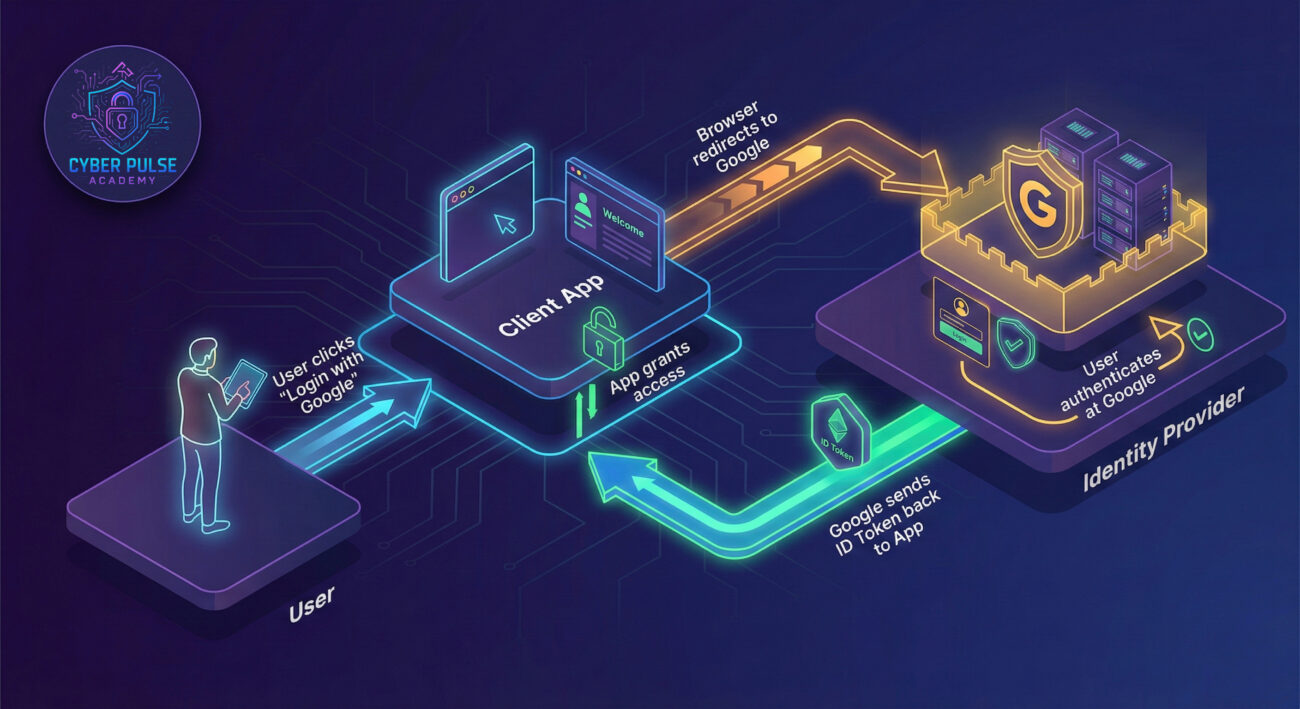
Consider this: every time you use "Sign in with Google" on a new app, you're using OpenID Connect. This protocol verifies your identity without giving the app your actual Google password, creating a much secure separation. It's like giving a valet a specific car key that only works for your car, rather than your entire keychain.
Recent statistics show that organizations implementing modern authentication protocols like OpenID Connect experience 67% fewer identity-related breaches. The National Institute of Standards and Technology (NIST) now includes OIDC in its Digital Identity Guidelines, recognizing its importance in federal systems.
| Term | Simple Definition | Everyday Analogy |
|---|---|---|
| OpenID Connect (OIDC) | A protocol that lets apps verify your identity through a trusted provider | Like using your driver's license to prove your age at multiple bars instead of carrying your birth certificate each time |
| ID Token | A digital certificate that contains your identity information in a secure format | A concert ticket with your seat number and entry time, proves you're allowed in without revealing your credit card |
| Identity Provider (IdP) | The service that stores and verifies your identity (Google, Microsoft, etc.) | The passport office that issues and validates passports for international travel |
| Relying Party (RP) | The app or website that accepts the identity verification from the IdP | The airline that accepts your passport as proof of identity for international flights |
| Token Theft | When an attacker steals authentication tokens to impersonate a user | Someone stealing your concert wristband to sneak into the VIP section |
| Multi-Factor Authentication (MFA) | Multiple proofs of identity required during login (password + phone code) | Needing both a key and a fingerprint scan to enter a high-security facility |
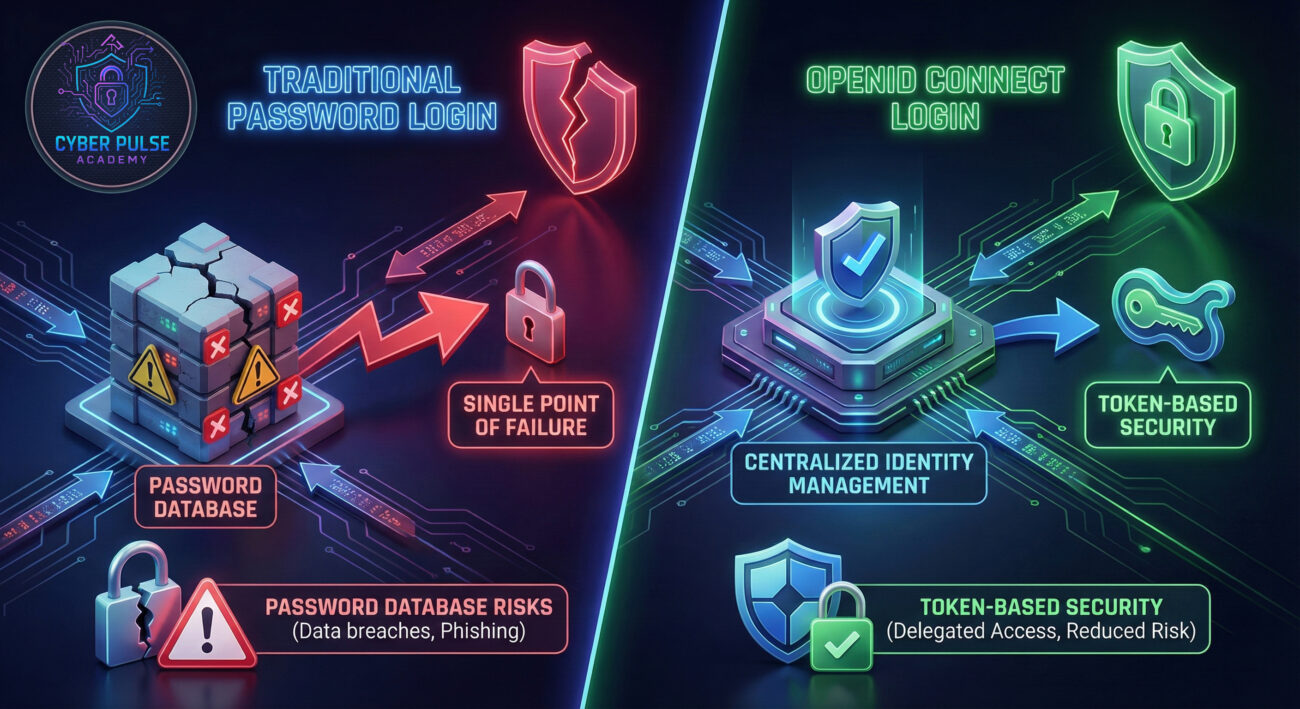
Sarah, a freelance graphic designer, needs to purchase design assets from three different online stores. Without OpenID Connect, she'd need to create three separate accounts with three different passwords. Like most people, she'd probably reuse a password she remembers, creating a security risk if any of those sites get breached.
With OpenID Connect, Sarah sees "Sign in with Google" buttons on all three sites. She clicks one, authenticates with Google (which already has her MFA enabled), and is instantly logged in. The stores receive a secure ID Token that confirms her identity without ever seeing her Google password.
Later that week, Sarah gets a notification that one of the design stores had a data breach. Normally, she'd panic about password exposure, but since she used OpenID Connect, the stores never had her password to lose. Her Google account remains secure, and she simply revokes that store's access through her Google account settings.
| Time/Stage | What Happened | Security Impact |
|---|---|---|
| Before OIDC | Sarah creates accounts with weak, reused passwords | High risk - One breach compromises multiple accounts |
| Discovery | Sarah learns about "Sign in with Google" options | Awareness - Recognizes centralized authentication benefits |
| Implementation | Sarah uses OIDC for all three design stores | Risk reduction - No passwords stored on merchant sites |
| Breach Event | One design store suffers a data breach | Minimal impact - No password exposure for Sarah |
| Response | Sarah revokes the breached store's access | Rapid recovery - Single control point for access management |
Whether you're a developer implementing OpenID Connect or a user wanting to use it more securely, these steps will guide you toward protected authentication experiences.
Select an Identity Provider (IdP) with strong security practices:
Learn how OIDC moves authentication to the IdP:
Always enable MFA on your identity provider account:
If developing, ensure your app validates tokens correctly:
Regularly review which apps have access to your identity:
An attacker sets up a fake login page mimicking a popular service that uses OpenID Connect. They send phishing emails claiming there's an issue with the user's account. When users click through and "log in," they're actually authenticating with the real identity provider (like Google), but the attack captures the authorization code before it reaches the legitimate app.
With this stolen code, the attacker can exchange it for valid tokens at the identity provider. Since the tokens are legitimate (the user really did authenticate), the attacker gains access to the user's account on the actual service. This bypasses password requirements entirely and can even circumvent MFA if the user already completed it during the phishing flow.
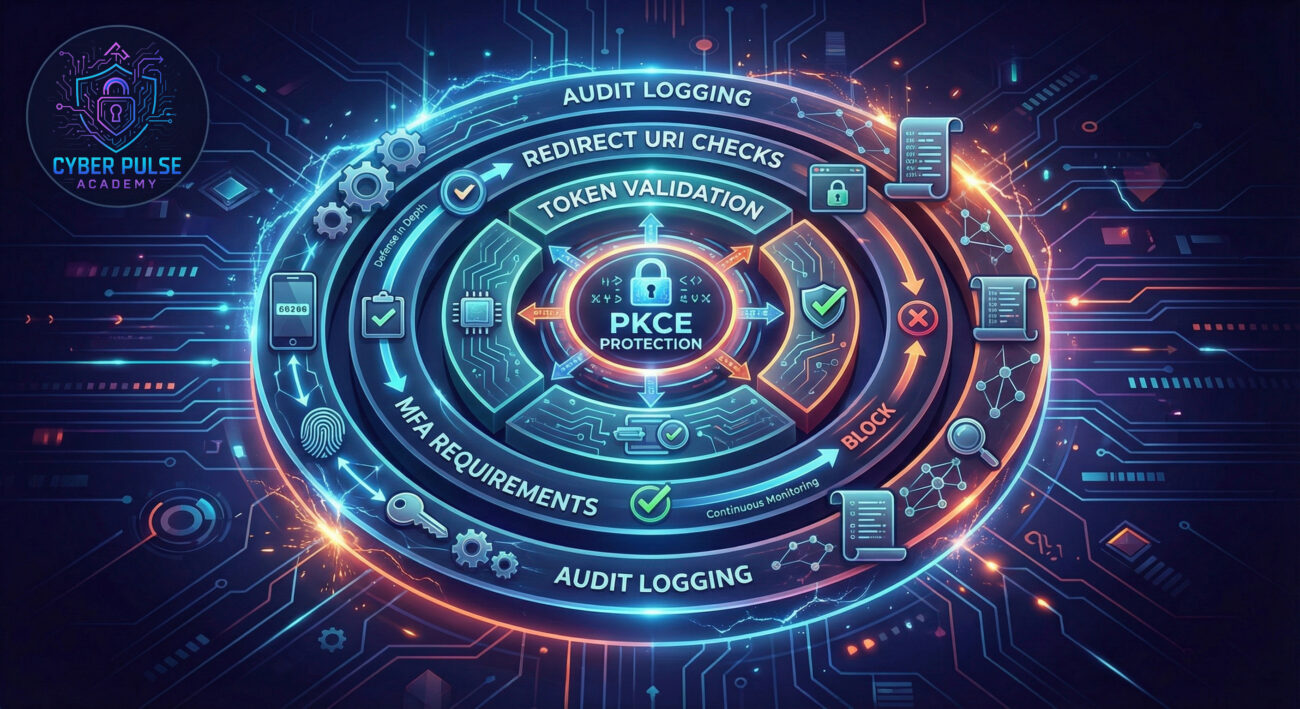
The defense against this attack is two-fold. First, implement Proof Key for Code Exchange (PKCE, pronounced "pixie") which adds a cryptographically random value that must be presented when exchanging the authorization code for tokens. Even if the attacker steals the authorization code, they can't use it without this additional secret.
Second, configure strict redirect URI validation. Legitimate applications pre-register exact URLs where tokens can be sent. Identity providers will only send tokens to these verified endpoints. Combined with user education about checking URLs before logging in, these technical controls create a robust defense against token theft attacks.
"OpenID Connect presents interesting opportunities. The centralization means if I compromise someone's Google account, I potentially get access to all connected services. Token-based authentication is great, tokens can be stolen from browser storage, intercepted in transit, or sometimes even predicted if not properly random.
I look for implementation flaws: apps that don't validate token signatures, that accept expired tokens, or that have overly permissive redirect URI configurations. Phishing for OAuth authorization codes works surprisingly well since users are trained to click 'Sign in with Google.' The goal is always the same: steal valid tokens or trick users into granting me access."
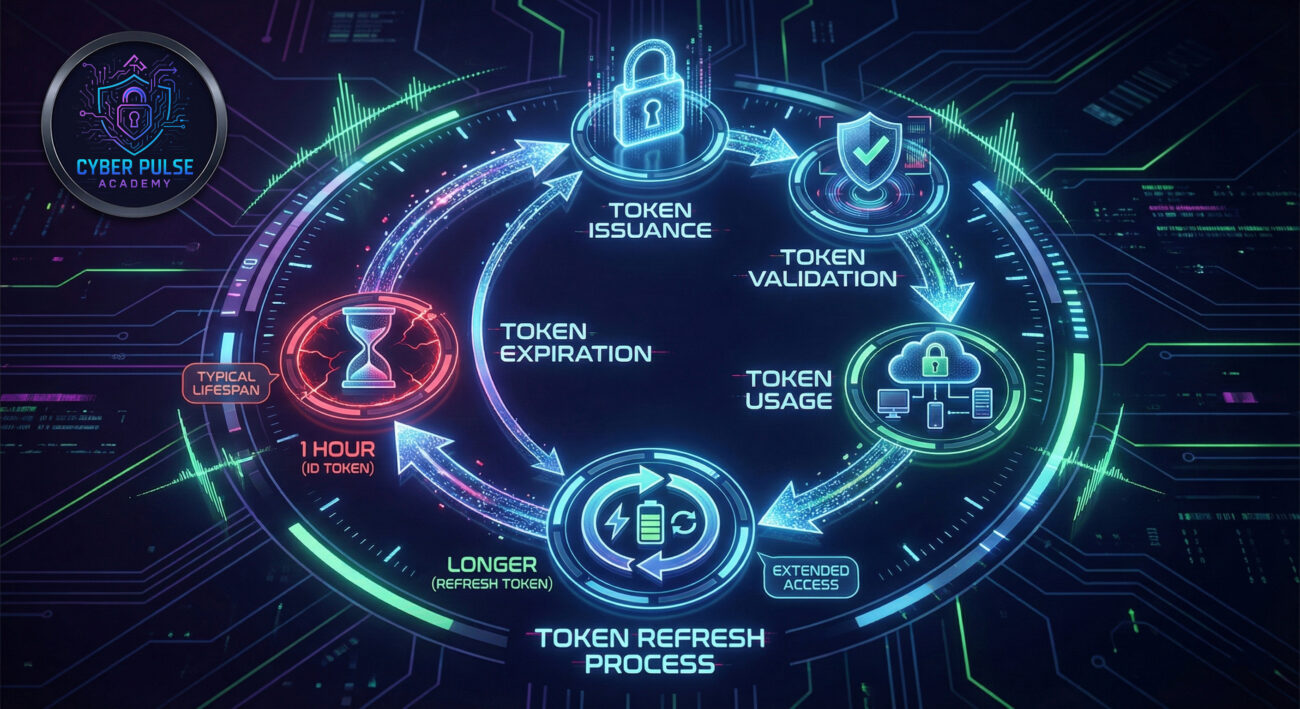
"OpenID Connect reduces our attack surface significantly. We're no longer storing password hashes that could be breached. We implement PKCE for all clients, strictly validate redirect URIs, and use short-lived tokens with secure refresh mechanisms.
We monitor token usage patterns, unusual locations, rapid successive logins, or tokens presented after revocation. Our identity providers give us rich audit logs showing authentication events. We educate users about phishing risks and encourage hardware security keys for MFA. The key is defense in depth: even if one control fails, others maintain our security posture."
OpenID Connect represents a fundamental shift in how we manage digital identity, moving from fragmented password-based systems to centralized, token-based authentication. As we've explored, this protocol offers significant security advantages when implemented correctly.
Key Takeaways:
The future of authentication is increasingly moving toward passwordless, token-based systems, and OpenID Connect is at the forefront of this transition. By understanding its principles today, you're preparing for tomorrow's security landscape.
Have questions about OpenID Connect implementation or security considerations? Share your thoughts in the comments below or reach out on our cybersecurity forum. What identity management challenges are you facing in your organization or personal digital life?
Looking to dive deeper? Check out our related guides on OAuth 2.0 fundamentals and modern web security practices.
Every contribution moves us closer to our goal: making world-class cybersecurity education accessible to ALL.
Choose the amount of donation by yourself.