


















































Certification Courses
Hands-On Labs
Threat Intelligence
Latest Cyber News
MITRE ATT&CK Breakdown
All Cyber Keywords
Have you ever clicked on a website padlock and wondered who verified that it’s actually safe? That’s where Registration Authority comes in, it’s the unsung hero ensuring digital trust. In simple terms, a Registration Authority (RA) is an entity that verifies your identity before you get a digital certificate, like a passport office checking your documents before issuing a passport.
In this guide, you’ll learn: what a Registration Authority is, why it’s critical for cybersecurity, how it works in real-world scenarios, and practical steps to leverage it for protection.
Imagine applying for a driver’s license: you show proof of identity, residency, and pass a test before the DMV issues your card. In the digital world, a Registration Authority does exactly that, it’s the gatekeeper that validates who you are before granting access to sensitive systems or issuing digital certificates. This process is a cornerstone of Public Key Infrastructure (PKI), which secures everything from online banking to email encryption.
For beginners, think of RA as the “identity checker” in cybersecurity. Without it, hackers could easily impersonate legitimate users, leading to data breaches and fraud. In this post, we’ll break down this complex topic into bite-sized pieces, using analogies and examples to make it crystal clear.
By the end, you’ll understand how Registration Authority protects your online interactions and how to ensure it’s done right in your organization.
In today’s interconnected world, Registration Authority is more critical than ever. With cyber attacks rising, like phishing scams that steal identities, proper identity verification prevents malware and breaches. According to the Cybersecurity and Infrastructure Security Agency (CISA), PKI and RA are essential for securing digital communications, especially in government and finance sectors.
Every time you log into a secure website, send an encrypted email, or use a digital signature, a Registration Authority has likely verified the parties involved. This ensures that only authorized users access sensitive data, protecting against attacks like man-in-the-middle or spoofing. For instance, if a company issues employee badges without checking IDs, imposters could walk in, similarly, weak RA allows digital imposters to cause havoc.
Recent news highlights the importance: a 2023 report by CSO Online notes that over 80% of data breaches involve compromised credentials, emphasizing the need for robust RA processes. By strengthening Registration Authority, organizations can build a foundation of trust, enabling secure transactions and protected communications.
To master Registration Authority, start with these essential terms. Refer to the table below for simple definitions and analogies.
| Term | Simple Definition | Everyday Analogy |
|---|---|---|
| Registration Authority (RA) | An entity that verifies the identity of users before they receive digital certificates. | Like a bank teller checking your ID before opening an account. |
| Certificate Authority (CA) | An entity that issues digital certificates after RA verification. | Like a government office that prints and issues passports after verification. |
| Digital Certificate | An electronic document that proves identity and enables secure communication. | Like a digital driver’s license used to prove who you are online. |
| Public Key Infrastructure (PKI) | A system that manages digital certificates, including RA and CA components. | Like the entire DMV system for issuing and verifying driver’s licenses. |
| Identity Verification | The process of confirming a user’s identity through documents or credentials. | Like showing your birth certificate and photo ID to get a passport. |
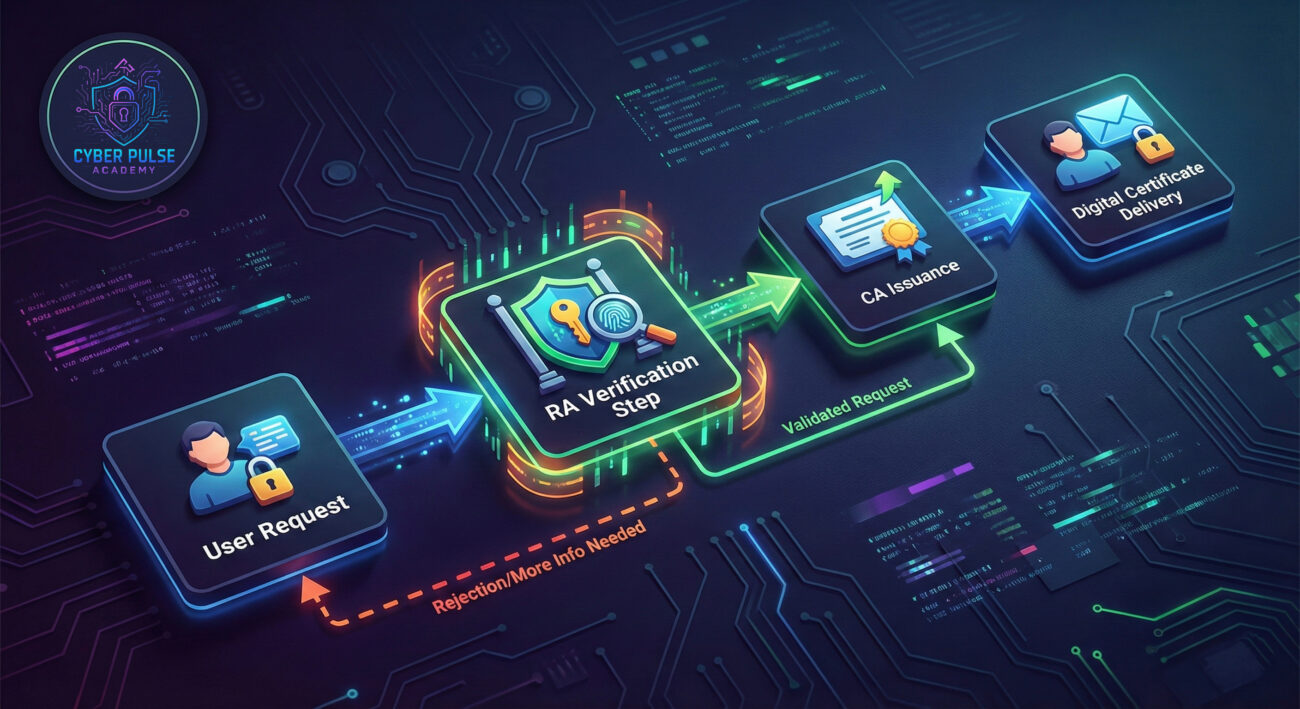
Meet Alex, an IT manager at “SecureTech Inc.,” a mid-sized company that handles sensitive client data. Before implementing a robust Registration Authority, SecureTech relied on manual email checks for employee access, leading to a breach where a hacker posed as a new hire and stole data. After the incident, Alex revamped their PKI system with a dedicated RA.
Here’s the timeline of what happened:
| Time/Stage | What Happened | Impact |
|---|---|---|
| Before RA (Month 1) | Employees requested digital certificates via email; IT approved without verification. | High risk of impersonation; a phishing attack led to data loss. |
| RA Implementation (Month 2) | Alex set up an RA process requiring multi-factor authentication (MFA) and document checks. | Identity verification became secure, reducing unauthorized access. |
| After RA (Month 3) | All new certificates issued only after RA validation; regular audits conducted. | Zero breaches; client trust improved, and compliance achieved. |
This scenario shows how a Registration Authority transforms security from vulnerable to protected. By adding steps like MFA and document review, Alex turned a weak link into a strength.
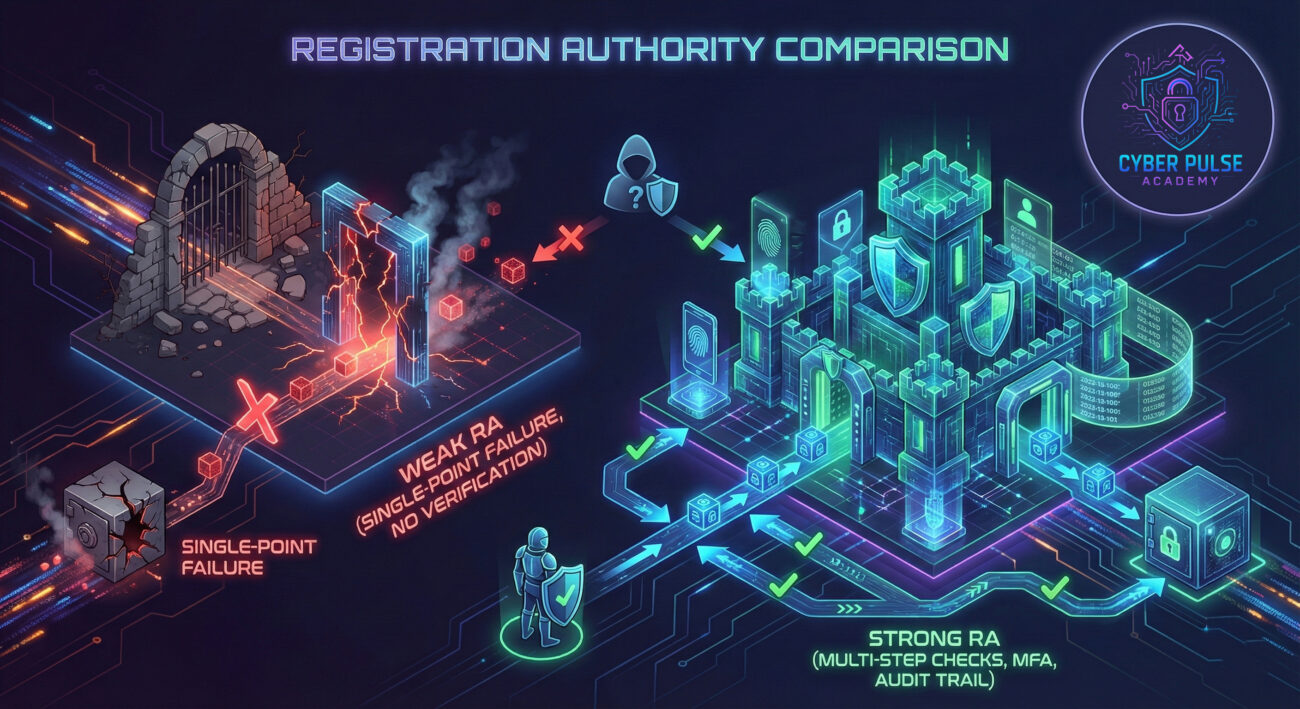
Follow these steps to ensure your Registration Authority process is rock-solid. Each step includes actionable tips to enhance security.
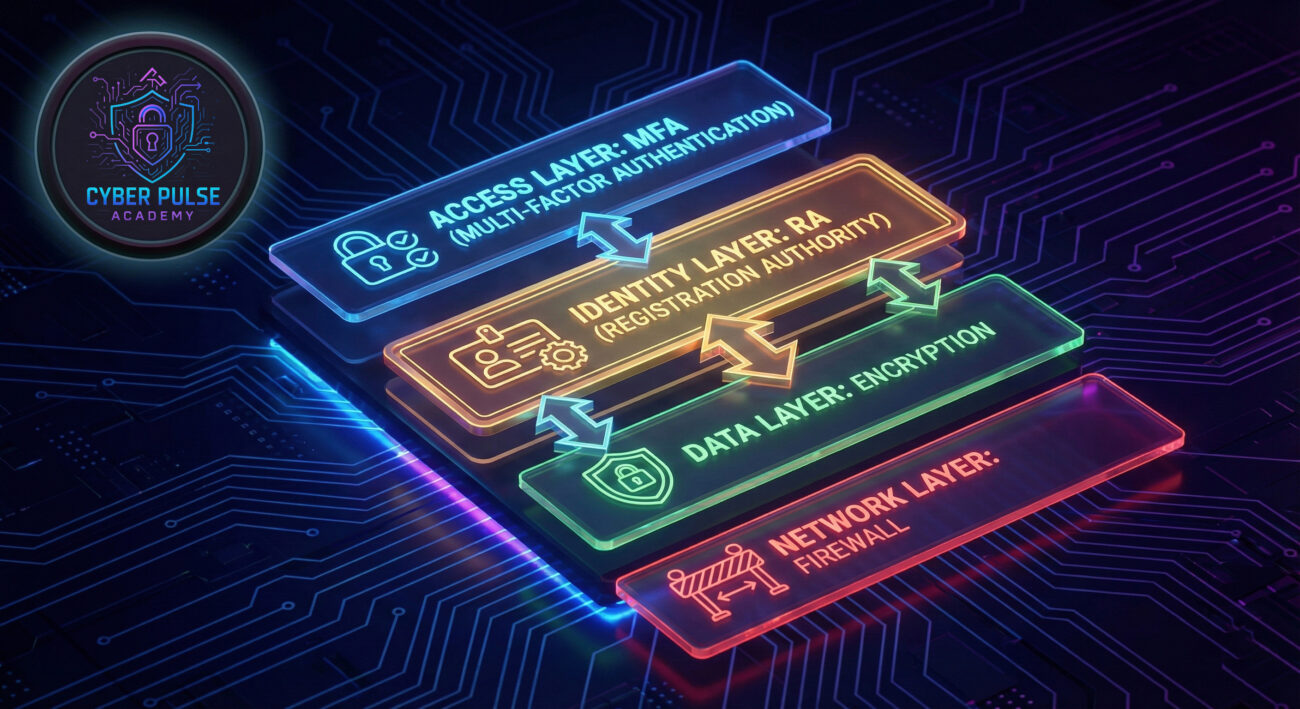
Understanding how attackers think helps strengthen your Registration Authority. Here’s a high-level look at an attack path and a defender’s counter-move.
Attack Path: An attacker might target a weak RA by phishing an IT admin to bypass identity checks. For example, they send a fake email pretending to be a new employee, tricking the admin into issuing a digital certificate without verification. This gives the attacker malware access to sensitive systems.
Defender’s Counter-Move: A defender focuses on mindset: assume every request is suspicious until verified. Implement automated checks that flag anomalies, like requests from unusual locations or times. By adding MFA and training staff, the defender turns RA into a proactive barrier, not just a checkbox.
Red teamers see Registration Authority as a juicy target. They care about finding loopholes, like lazy verification or outdated software, to impersonate users and sneak into networks. Their goal: exploit RA vulnerabilities to steal certificates and launch attacks. They might use social engineering to trick RA processes, focusing on speed and stealth to avoid detection.
Blue teamers view Registration Authority as a critical shield. They care about robustness, ensuring every identity is verified and protected. Their goal: build RA processes that are resilient to phishing and fraud, using tools like encryption and audits. They focus on continuous monitoring and education, turning RA into a trusted gatekeeper that adapts to new threats.
Registration Authority is the backbone of digital trust, ensuring that only verified identities get access to sensitive systems. By now, you should have a clear understanding of why it matters and how to implement it effectively.
As cyber threats evolve, a robust Registration Authority will remain essential for protecting digital identities. Start by reviewing your current processes and applying the steps from this guide.
Have questions about Registration Authority? Share your thoughts in the comments below or explore our related posts on digital certificates and two-factor authentication. Let’s build a safer digital world together!
Every contribution moves us closer to our goal: making world-class cybersecurity education accessible to ALL.
Choose the amount of donation by yourself.